
 Need help?
Do you have a question about the Sony KDL-60W605B and is the answer not in the manual?
Perform safety checks after repair before releasing the set to the customer.
Details on performing AC leakage tests for safety compliance.
Procedure to verify the AC outlet box retaining screw ground connection.
Technical specifications of the television, including system, channels, panel, and connectivity.
List of accessories included with the TV and instructions for checking them.
Diagram illustrating the placement of major internal boards within the TV.
Diagram and identification of components within the Smart Core block.
Illustration showing internal wiring management and connections.
Steps to take before servicing, including verifying symptoms and software.
How to access and interpret the TV's self-check diagnostic history.
Chart to identify potential causes of errors based on symptoms and LED blink codes.
High-level block diagram showing signal flow and major internal modules.
Detailed block diagram showing power supply and main board connections.
Step-by-step guide to diagnose and resolve 'no power' issues.
Flowchart to diagnose problems based on standby LED blink codes.
Flowchart to diagnose video distortion issues like lines, bars, or color problems.
Steps for repairing the TV, including software updates and verification.
Instructions for safely removing the rear cover of the TV.
Detailed steps for replacing the main board and/or tuner board.
Procedure for updating TV software and accessing service mode for adjustments.
Instructions for disconnecting and removing the TV speakers.
Steps for safely disconnecting and removing the wireless LAN card.
Instructions for disconnecting and installing a new switch unit.
Guide to adjusting destination and model name settings in service mode.
Procedure to input and save the TV's serial number via service mode.
Steps to input and save the serial number and variant type in service mode.
Instructions to cycle power and re-access service mode after adjustments.
Steps to perform board checks and verify correct component replacement.
Procedure to clear the self-check error history and exit service mode.
Exploded view and part numbers for the table top stand components.
Identification and part numbers for external covers, cords, and brackets.
Exploded view and part numbers for internal boards like Tuner, Main, and LCD Panel.
Part numbers and descriptions for various connector assemblies and harness.
List of screw part numbers and their applications for TV assembly.
Information on screws for stand attachment and instruction manuals.
List of optional accessories available for the TV, such as support belts.
Part number and description for the remote commander.
List of miscellaneous parts like joints, labels, and spacers.
 General
| Package depth | 216 mm |
|---|---|
| Package width | 1498 mm |
| Package height | 921 mm |
| Package weight | Weight of the packaged product in gram. |
| Electronic Program Guide (EPG) | Yes |
| On Screen Display (OSD) languages | BUL, CAT, CRO, CZE, DAN, DEU, DUT, ENG, ESP, EST, FIN, FRE, GRE, HEB, HUN, ITA, KAZ, LAT, LIT, NOR, POL, POR, RUM, RUS, SER, SLK, SLV, SWE, TUR, UKR |
| 3D | No |
| Luminance | 75 % |
| Supported file systems | FAT16, FAT32, NTFS, exFAT |
| Annual energy consumption | 139 kWh |
| Picture processing technology | Sony X-Reality PRO |
| Sound modes | Game, Movie, Music, Sports, Standard |
| Audio decoders | Dolby Digital, Dolby Digital Plus, Dolby Digital Pulse |
| RMS rated power | 20 W |
| Number of speakers | 2 |
| Internet TV | - |
| Smart modes | Animation, Custom, Game, Graphics, Movie, Photo, Sports, Standard, Vivid |
| Lifestyle apps | Skype |
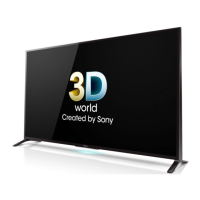
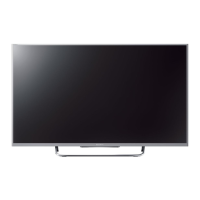
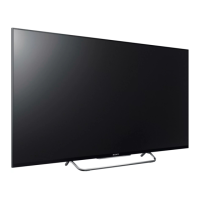
| Screen shape | Flat |
| Response time | - ms |
| Display diagonal | 60 \ |
| Display brightness | - cd/m² |
| Native aspect ratio | 16:9 |
| Supported video modes | 480i, 480p, 576i, 576p, 720p, 1080i, 1080p |
| Display diagonal (metric) | 152.5 cm |
| Screen format adjustments | 14:9, Zoom |
| Supported graphics resolutions | 1920 x 1080 (HD 1080) |
| Motion interpolation technology | Motionflow XR 400 Hz |
| Browser supported | Opera |
| Product color | Black |
| Mercury content | 0 mg |
| Composite video in | 1 |
| HDMI ports quantity | 4 |
| DVI-D ports quantity | 0 |
| USB 2.0 ports quantity | USB 2.0 ports have a data transmission speed of 480 Mbps, and are backwards compatible with USB 1.1 ports. You can connect all kinds of peripheral devices to them. |
| Consumer Electronics Control (CEC) | BRAVIA Sync |
| Digital signal format system | DVB-C, DVB-S, DVB-S2, DVB-T, DVB-T2 |
| Power consumption (standby) | 0.25 W |
| Power consumption (typical) | 95 W |
 Weight and Dimensions
| Depth (with stand) | 230 mm |
|---|---|
| Height (with stand) | 846 mm |
| Depth (without stand) | 84 mm |
| Width (without stand) | 1370 mm |
| Height (without stand) | 811 mm |
| Weight (without stand) | 20500 g |



 To Next Page