EasyManua.ls Logo

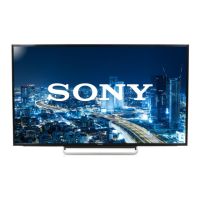
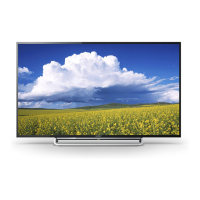
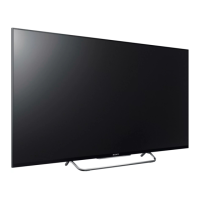
Sony KDL-65W5100 - User Manual

Sony KDL-65W5100
65 pages
Print Icon
To Next Page IconTo Next Page
Loading...
LCD DIGITAL COLOR TELEVISION
SERVICE MANUAL
EX2M
CHASSIS
MODEL NAME REMOTE COMMANDER DESTINATION
9-883-833-02
KDL-65W5100
RM-YD027 US/CND
KDL-65W5100
RM-YD027 MX/LATIN AMERICA
HISTORY INFORMATION FOR THE FOLLOWING MANUAL:
ORIGINAL MANUAL ISSUE DATE: 7/2009
: UPDATED ITEM
REVISION DATE SUBJECT
7/2009 No revisions or updates are applicable at this time.
9/2009 Updated Exploded View Section to remove LCD Panel specifi c information. Replaced page 47.

Table of Contents

Question and Answer IconNeed help?

Do you have a question about the Sony KDL-65W5100 and is the answer not in the manual?

Summary

Disassembly Procedures

Rear Cover Removal

Procedure for removing the rear cover of the TV set.

Switch Unit Removal

Steps to remove the switch unit from the front cabinet assembly.

Board Removal

Instructions for removing the BU, BH2, and G8 (Power) boards.

Stand and Cover Removal

Steps to remove the table-top stand and under cover.

Loudspeaker and Tweeter Removal

Guide for safely removing the loudspeakers and tweeters.

Structural Parts and AC Inlet Removal

Removal procedures for structural parts and AC inlet.

LCD Panel and Module Removal

Detailed steps for removing the LCD panel and associated modules.

Cleaning the LCD Panel

Important precautions and methods for cleaning the LCD panel safely.

Service Adjustments

Viewing Service Adjustment Data

Information on how to view service adjustment data on the TV.

Accessing Service Adjustment Mode

Procedure to enter the service adjustment mode using the remote.

View Service Data with Remote

Using the remote commander to navigate and view service data.

Setting Destination After BU Board Replacement

Guide to setting the correct destination after replacing the BU board.

Resetting to Factory Defaults

Instructions to restore user controls and channel memory to factory settings.

Diagrams

Circuit Boards Location

Diagram showing the physical location of main circuit boards within the TV.

Schematic Diagrams Information

Explains symbols and conventions used in schematic diagrams.

Block Diagram

Overview of the TV's main functional blocks and their interconnections.

Video and Signal Flow Diagram

Illustrates the path of video and audio signals through the system.

Schematics and Supporting Information

Provides detailed schematics for specific boards (e.g., BH2).

Exploded Views

Rear Cover and Stand Assembly

Exploded view of the rear cover and table-top stand assembly.

Chassis

Exploded view of the TV chassis and major internal components.

Connectors

Diagram showing all external and internal connectors and their assignments.

Bezel and LCD Panel Assembly

Exploded view detailing the bezel, LCD panel, and related parts.

Screw Legend

A guide to identify screws used in the assembly and their quantities.

Electrical Parts List

BH2 Board Parts

List of electrical components for the BH2 board.

BU Board Parts

List of electrical components for the BU board.

Appendix A: Encryption Key Components

Summary

Disassembly Procedures

Rear Cover Removal

Procedure for removing the rear cover of the TV set.

Switch Unit Removal

Steps to remove the switch unit from the front cabinet assembly.

Board Removal

Instructions for removing the BU, BH2, and G8 (Power) boards.

Stand and Cover Removal

Steps to remove the table-top stand and under cover.

Loudspeaker and Tweeter Removal

Guide for safely removing the loudspeakers and tweeters.

Structural Parts and AC Inlet Removal

Removal procedures for structural parts and AC inlet.

LCD Panel and Module Removal

Detailed steps for removing the LCD panel and associated modules.

Cleaning the LCD Panel

Important precautions and methods for cleaning the LCD panel safely.

Service Adjustments

Viewing Service Adjustment Data

Information on how to view service adjustment data on the TV.

Accessing Service Adjustment Mode

Procedure to enter the service adjustment mode using the remote.

View Service Data with Remote

Using the remote commander to navigate and view service data.

Setting Destination After BU Board Replacement

Guide to setting the correct destination after replacing the BU board.

Resetting to Factory Defaults

Instructions to restore user controls and channel memory to factory settings.

Diagrams

Circuit Boards Location

Diagram showing the physical location of main circuit boards within the TV.

Schematic Diagrams Information

Explains symbols and conventions used in schematic diagrams.

Block Diagram

Overview of the TV's main functional blocks and their interconnections.

Video and Signal Flow Diagram

Illustrates the path of video and audio signals through the system.

Schematics and Supporting Information

Provides detailed schematics for specific boards (e.g., BH2).

Exploded Views

Rear Cover and Stand Assembly

Exploded view of the rear cover and table-top stand assembly.

Chassis

Exploded view of the TV chassis and major internal components.

Connectors

Diagram showing all external and internal connectors and their assignments.

Bezel and LCD Panel Assembly

Exploded view detailing the bezel, LCD panel, and related parts.

Screw Legend

A guide to identify screws used in the assembly and their quantities.

Electrical Parts List

BH2 Board Parts

List of electrical components for the BH2 board.

BU Board Parts

List of electrical components for the BU board.

Appendix A: Encryption Key Components

Sony KDL-65W5100 Specifications

General IconGeneral
Screen Size65 inches
Resolution1920 x 1080
Display TypeLCD
Backlight TypeCCFL
Refresh Rate60Hz
HDMI Ports4
USB Ports2
Smart TVNo
Built-in Wi-FiNo
3D CapableNo
Weight25.4 kg

Related product manuals