
 Need help?
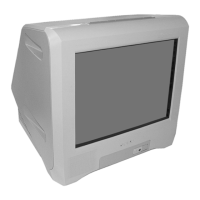
Do you have a question about the Sony KV-14CT1B and is the answer not in the manual?
Procedure for safely replacing the fuse in the TV's power plug, including important safety notes.
Step-by-step guide on how to insert batteries into the remote control, emphasizing correct polarity.
Allows changing the order of stored TV channels after automatic tuning.
Corrects picture slant caused by earth's magnetism, specific to KV-21CT1B model.
Adjusts picture settings like mode, contrast, brightness, colour, hue, sharpness, and reset.
Allows adjustments to sound settings, including Auto Volume control.
Sets a time period for the TV to automatically switch to standby mode.
Sets a time period for the TV to automatically switch on from standby mode.
Automatically searches for and stores all available TV channels.
Allows naming channels using up to five characters (letters or numbers).
Manually presets channels or input sources to specific programme numbers.
Selects the language for menu displays and the country of operation.
Adjusts the horizontal picture position for RGB sources like game consoles.
Guidance on connecting a VCR, recommending a Scart lead for optimal results.
Instructions on connecting and selecting various external equipment inputs.


 To Next Page

 General