EasyManua.ls Logo

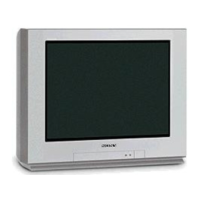
Sony TRINITRON KV-13FM 12 - User Manual

Sony TRINITRON KV-13FM 12
48 pages
Print Icon
To Next Page IconTo Next Page
Loading...
Connecting Additional Equipment
4-075-509-22
KV-13FM12
KV-13FM13
KV-13FM14
KV-20FS12
© 2001 by Sony Corporation
Trinitron
Color TV
®
Operating Instructions
Question and Answer IconNeed help?

Do you have a question about the Sony TRINITRON KV-13FM 12 and is the answer not in the manual?

Summary

Safety Warnings

General Safety Precautions

Essential safety advice to prevent fire, electric shock, and damage.

CATV Installer Note

Guidelines for proper grounding of CATV cable connections.

FCC Compliance and Legal Information

FCC Compliance Notification

Information regarding FCC rules and potential radio frequency interference.

Owners Record and Trademarks

Location for recording TV details and information on trademarks.

Important Safeguards

Power Sources and Polarization

Guidance on using correct power sources and understanding plug polarization.

Grounding Type AC Plug Warning

Specific safety advice for three-wire grounding type AC plugs.

Operating Safety Precautions

Overloading and Unattended Use

Advice on avoiding electrical hazards from overloaded circuits and unplugging when unused.

Cleaning and Liquid Entry

Instructions for safe cleaning and preventing liquid damage.

Attachment Safety

Caution against using unauthorized attachments to prevent hazards.

Appliance Placement and Ventilation

Accessories and Cart Safety

Guidelines for using stable carts and avoiding tip-over hazards.

Ventilation and Power Cord Protection

Ensuring proper airflow and protecting the power cord from damage.

Grounding, Antenna, and Lightning Protection

Grounding and Antenna Safety

Ensuring safe operation with grounding, antennas, and lightning protection.

Service and Maintenance

Damage Requiring Service

Conditions requiring professional servicing for the TV.

Servicing, Parts, and Safety Check

Advice on professional servicing, parts, and safety checks.

Introduction to Your Sony TV

Trinitron Color TV Features

Overview of the advanced features and technologies of the Trinitron TV.

Manual and Battery Information

Batteries for the Remote Control

Instructions for inserting and maintaining batteries in the remote control.

About This Manual

Guidance on how to use the manual for setup and operation.

Connecting Your TV

Basic Connections: Antenna or CATV

Instructions for connecting the TV to an antenna or CATV cable.

Connecting External Equipment

Connecting TV and VCR

Wiring diagrams and instructions for connecting a VCR to the TV.

Connecting Cable Box

Connecting TV and Cable Box

Instructions for connecting a cable box to the TV for channel reception.

Connecting Multiple Devices

Connecting TV, VCR, and Cable Box

Wiring a setup involving a TV, VCR, and cable box.

Connecting Satellite Receiver

Connecting TV and Satellite Receiver

Instructions for connecting a satellite receiver to the TV.

Connecting Satellite Receiver and VCR

Connecting TV, Satellite Receiver, and VCR

Wiring a complex setup with TV, satellite receiver, and VCR.

Connecting AV Equipment

Connecting a Camcorder

How to connect a camcorder using AV cables.

Connecting a DVD Player

How to connect a DVD player using AV cables.

Connecting Headphones

Connecting Headphones to TV

Instructions for connecting headphones to the TV's front panel jack.

Remote Control and Basic Functions

Remote Control Overview

Identification of buttons and their functions on the remote control.

Operating the Remote Control

Remote Control Button Descriptions

Detailed explanation of each button's function on the remote control.

TV Setup and Channel Tuning

Setting Up the TV Automatically

Guide to performing automatic channel setup using the Auto Program feature.

Navigating On-Screen Menus

Quick Start to the Menus

An overview of the available on-screen menu categories and their functions.

Using the Menus

Accessing and Navigating Menus

Steps to display, highlight, select, and exit on-screen menus.

Video Menu Settings

Adjusting Video Settings

How to adjust picture settings like contrast, brightness, color, hue, and sharpness.

Audio Menu Settings

Adjusting Audio Settings (MTS)

Configuring Multi-channel TV Sound (MTS) options like Stereo, Mono, and Auto-SAP.

Channel Setup Menu

Favorite Channel Configuration

Setting up quick access to favorite channels.

Channel Fix and Labeling

Setting channel fix and labeling channels with custom names.

Channel Management

Channel Skip;Add Functionality

How to skip unwanted channels or add new ones.

Channel Labeling

Assigning custom labels to channels.

Parental Control Features

TV Ratings Overview

Explanation of age-based and content-based TV rating systems.

Movie and Unrated Content Control

Movie Rating System

Details on movie rating levels for theaters and cable channels.

Unrated Content Blocking

Options for blocking unrated TV programs and movies.

Regional Rating Systems

Canadian Ratings (English;French)

Canadian rating systems for English and French broadcast programs.

U.S.A. Ratings Reference

Reference to U.S. rating systems for programs.

Setting Up Parental Control

Setting a Parental Control Password

Steps to create a 4-digit password for Parental Control access.

Configuring Rating Locks

Setting the Rating Lock

How to select rating limits for Child, Youth, Young Adult, or Custom.

Managing Parental Controls

Changing Your Password

Instructions for changing the existing Parental Control password.

Viewing Blocked Programs

How to temporarily unlock and view programs exceeding the set rating.

Timer Menu Functions

Setting Current Time

How to set the TV's internal clock, including Daylight Saving.

Timer 1 and Timer 2 Settings

Programming scheduled viewing times for Timer 1 and Timer 2.

Setup Menu Options

Closed Captioning Settings

Configuring closed caption display modes (CC, TXT, XDS, OFF).

Video Labeling

Assigning custom labels to connected video equipment inputs.

Language and Demo Settings

Selecting menu language and running a demonstration of on-screen menus.

Options Menu Settings

Cable and Antenna Settings

Selecting between CATV cable or TV antenna input.

Auto Program and Tilt Correction

Performing Auto Program and adjusting picture tilt.

Troubleshooting Common Issues

No Picture or Sound Issues

Solutions for problems with no picture, no sound, or poor sound quality.

Picture Quality Problems

Troubleshooting tips for color, snow, dotted lines, and double images.

Advanced Troubleshooting

Antenna and Cable Reception Issues

Resolving problems with receiving UHF channels or cable stations.

Remote Control and TV Cleaning

Troubleshooting remote control operation and proper TV cleaning.

Lost Password and Replacement

Procedures for lost passwords and ordering replacement parts.

Technical Specifications

General Model Specifications

Technical details applicable to all TV models.

KV-13 FM12;13;14 Specifications

Detailed specifications for the 13-inch Trinitron models.

KV-20 FS12 Specifications

Detailed specifications for the 20-inch Trinitron model.

Summary

Safety Warnings

General Safety Precautions

Essential safety advice to prevent fire, electric shock, and damage.

CATV Installer Note

Guidelines for proper grounding of CATV cable connections.

FCC Compliance and Legal Information

FCC Compliance Notification

Information regarding FCC rules and potential radio frequency interference.

Owners Record and Trademarks

Location for recording TV details and information on trademarks.

Important Safeguards

Power Sources and Polarization

Guidance on using correct power sources and understanding plug polarization.

Grounding Type AC Plug Warning

Specific safety advice for three-wire grounding type AC plugs.

Operating Safety Precautions

Overloading and Unattended Use

Advice on avoiding electrical hazards from overloaded circuits and unplugging when unused.

Cleaning and Liquid Entry

Instructions for safe cleaning and preventing liquid damage.

Attachment Safety

Caution against using unauthorized attachments to prevent hazards.

Appliance Placement and Ventilation

Accessories and Cart Safety

Guidelines for using stable carts and avoiding tip-over hazards.

Ventilation and Power Cord Protection

Ensuring proper airflow and protecting the power cord from damage.

Grounding, Antenna, and Lightning Protection

Grounding and Antenna Safety

Ensuring safe operation with grounding, antennas, and lightning protection.

Service and Maintenance

Damage Requiring Service

Conditions requiring professional servicing for the TV.

Servicing, Parts, and Safety Check

Advice on professional servicing, parts, and safety checks.

Introduction to Your Sony TV

Trinitron Color TV Features

Overview of the advanced features and technologies of the Trinitron TV.

Manual and Battery Information

Batteries for the Remote Control

Instructions for inserting and maintaining batteries in the remote control.

About This Manual

Guidance on how to use the manual for setup and operation.

Connecting Your TV

Basic Connections: Antenna or CATV

Instructions for connecting the TV to an antenna or CATV cable.

Connecting External Equipment

Connecting TV and VCR

Wiring diagrams and instructions for connecting a VCR to the TV.

Connecting Cable Box

Connecting TV and Cable Box

Instructions for connecting a cable box to the TV for channel reception.

Connecting Multiple Devices

Connecting TV, VCR, and Cable Box

Wiring a setup involving a TV, VCR, and cable box.

Connecting Satellite Receiver

Connecting TV and Satellite Receiver

Instructions for connecting a satellite receiver to the TV.

Connecting Satellite Receiver and VCR

Connecting TV, Satellite Receiver, and VCR

Wiring a complex setup with TV, satellite receiver, and VCR.

Connecting AV Equipment

Connecting a Camcorder

How to connect a camcorder using AV cables.

Connecting a DVD Player

How to connect a DVD player using AV cables.

Connecting Headphones

Connecting Headphones to TV

Instructions for connecting headphones to the TV's front panel jack.

Remote Control and Basic Functions

Remote Control Overview

Identification of buttons and their functions on the remote control.

Operating the Remote Control

Remote Control Button Descriptions

Detailed explanation of each button's function on the remote control.

TV Setup and Channel Tuning

Setting Up the TV Automatically

Guide to performing automatic channel setup using the Auto Program feature.

Navigating On-Screen Menus

Quick Start to the Menus

An overview of the available on-screen menu categories and their functions.

Using the Menus

Accessing and Navigating Menus

Steps to display, highlight, select, and exit on-screen menus.

Video Menu Settings

Adjusting Video Settings

How to adjust picture settings like contrast, brightness, color, hue, and sharpness.

Audio Menu Settings

Adjusting Audio Settings (MTS)

Configuring Multi-channel TV Sound (MTS) options like Stereo, Mono, and Auto-SAP.

Channel Setup Menu

Favorite Channel Configuration

Setting up quick access to favorite channels.

Channel Fix and Labeling

Setting channel fix and labeling channels with custom names.

Channel Management

Channel Skip;Add Functionality

How to skip unwanted channels or add new ones.

Channel Labeling

Assigning custom labels to channels.

Parental Control Features

TV Ratings Overview

Explanation of age-based and content-based TV rating systems.

Movie and Unrated Content Control

Movie Rating System

Details on movie rating levels for theaters and cable channels.

Unrated Content Blocking

Options for blocking unrated TV programs and movies.

Regional Rating Systems

Canadian Ratings (English;French)

Canadian rating systems for English and French broadcast programs.

U.S.A. Ratings Reference

Reference to U.S. rating systems for programs.

Setting Up Parental Control

Setting a Parental Control Password

Steps to create a 4-digit password for Parental Control access.

Configuring Rating Locks

Setting the Rating Lock

How to select rating limits for Child, Youth, Young Adult, or Custom.

Managing Parental Controls

Changing Your Password

Instructions for changing the existing Parental Control password.

Viewing Blocked Programs

How to temporarily unlock and view programs exceeding the set rating.

Timer Menu Functions

Setting Current Time

How to set the TV's internal clock, including Daylight Saving.

Timer 1 and Timer 2 Settings

Programming scheduled viewing times for Timer 1 and Timer 2.

Setup Menu Options

Closed Captioning Settings

Configuring closed caption display modes (CC, TXT, XDS, OFF).

Video Labeling

Assigning custom labels to connected video equipment inputs.

Language and Demo Settings

Selecting menu language and running a demonstration of on-screen menus.

Options Menu Settings

Cable and Antenna Settings

Selecting between CATV cable or TV antenna input.

Auto Program and Tilt Correction

Performing Auto Program and adjusting picture tilt.

Troubleshooting Common Issues

No Picture or Sound Issues

Solutions for problems with no picture, no sound, or poor sound quality.

Picture Quality Problems

Troubleshooting tips for color, snow, dotted lines, and double images.

Advanced Troubleshooting

Antenna and Cable Reception Issues

Resolving problems with receiving UHF channels or cable stations.

Remote Control and TV Cleaning

Troubleshooting remote control operation and proper TV cleaning.

Lost Password and Replacement

Procedures for lost passwords and ordering replacement parts.

Technical Specifications

General Model Specifications

Technical details applicable to all TV models.

KV-13 FM12;13;14 Specifications

Detailed specifications for the 13-inch Trinitron models.

KV-20 FS12 Specifications

Detailed specifications for the 20-inch Trinitron model.
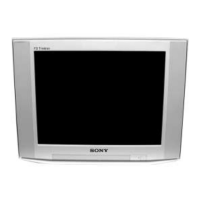
Sony TRINITRON KV-13FM 12 Specifications

General IconGeneral
BrandSony
ModelTRINITRON KV-13FM 12
CategoryCRT TV
LanguageEnglish

Related product manuals