
 Need help?
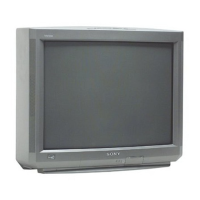
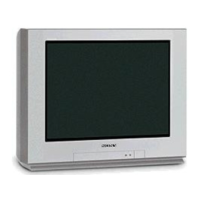
Do you have a question about the Sony Trinitron KV-27S46 and is the answer not in the manual?
Lists key features like Parental Control, Favorite Channel, PIP, Universal Remote, Energy Star, S VIDEO, and Direct MTS.
Explains the manual's purpose: connecting equipment and using the remote control for on-screen menus.
Illustrates connections for VHF/UHF antennas and CATV cables.
Specific setup for KV-27566, 27V66 models for cable providers without local channels.
Instructions for connecting a VCR to the TV for playback and Picture-in-Picture (PIP).
Instructions for connecting a DVD player to the TV using A/V connectors.
Details essential remote control buttons like POWER, MENU, MUTING, and SLEEP.
Explains functions of TV/VIDEO, ANT, and DISPLAY buttons.
Explains input switching and sound control functions.
Details system power off and remote programming functions.
Press POWER to turn on the TV and start the initial setup screen.
Make your language choice for the on-screen menus.
Follow on-screen instructions to automatically set up channels.
Instructions on how to perform the automatic channel setup again.
Procedure to reset the TV to its original factory settings.
Covers PIP, TV/VIDEO, AUDIO, CH, POSITION, FREEZE, SWAP button functions for PIP.
Covers PIP, TV/VIDEO, AUDIO, CH, POSITION, FREEZE, SWAP button functions for PIP.
Covers VIDEO and AUDIO menus for picture and audio adjustments.
Covers OPTIONS and TIMER menus for advanced audio and scheduling.
Covers SET UP menu for channel programming and language selection.
Details how to adjust picture settings like MODE, PICTURE, BRIGHTNESS, COLOR, HUE, SHARPNESS.
Adjusts TREBLE, BASS, and BALANCE for sound quality.
Manages AUTO VOLUME, SPEAKER selection, and AUDIO OUT.
Select STEREO, SAP, or MONO for broadcast audio.
Applies SRS, SURROUND, or SIMULATED sound effects.
Select YES or NO to compensate for Daylight Savings time.
Sets the current time on the TV.
Programs the TV to turn on/off at specific times and channels.
Covers PARENTAL CONTROL and FAVORITE CHANNEL setup.
Covers VIDEO LABEL, CAPTION VISION, and LANGUAGE settings.
Covers CABLE, CHANNEL FIX, and AUTO PROGRAM settings.
Covers CHANNEL SKIP/ADD and CHANNEL CAPTION functions.
Explains the age-based and content-based TV rating systems.
Details age and content definitions for TV programs.
Options for blocking unrated TV programs or movies.
Lists rating definitions for Canadian programs broadcast in French.
Refers to TV Ratings on page 25 for U.S. programs.
Guides on setting up a password and initial access to Parental Control.
Guides on selecting preselected rating categories like CHILD, YOUTH.
Steps to enable the parental lock feature by setting it to ON.
Guides on selecting preselected rating categories like CHILD, YOUTH.
Select desired rating category, maximum rating, and block/unblock content.
Explains how to view programs exceeding TV ratings using a password.
Instructions and code lists for programming the remote to operate VCRs, cable boxes, and satellite receivers.
Lists code numbers for programming the remote to operate DVD players.
Explains how to use the remote control buttons to operate a DVD player.
Explains how to use the remote control buttons to operate a Laser Disc player.
Troubleshoots issues like no picture/sound, poor picture, no color, and screen snow.
Troubleshoots single tuner PIP and parental control related problems.
Troubleshoots reception, signal interference, and cable station issues.
Troubleshoots remote control operation and lost parental control password.
Lists specifications for specific models: screen size, inputs/outputs, power, dimensions, mass.
Lists specifications for specific models: screen size, inputs/outputs, power, dimensions, mass.
 General
| Screen Size | 27 inches |
|---|---|
| Display Technology | CRT |
| Resolution | 480i |
| Aspect Ratio | 4:3 |
| Inputs | Composite, S-Video |
| Comb Filter | 3D Y/C |



 To Next Page
