EasyManua.ls Logo

Sony Trinitron KV-27S46 - Connecting TV to Satellite Receiver

Sony Trinitron KV-27S46
39 pages
Print Icon
To Next Page IconTo Next Page
To Previous Page IconTo Previous Page
Loading...
|
|
i
7
f
User
Guide
TV
and
Digital
Satellite
Receiver
From
cable/
antenna
Satellite
receiver
1
Satellite
antenna
cable
1
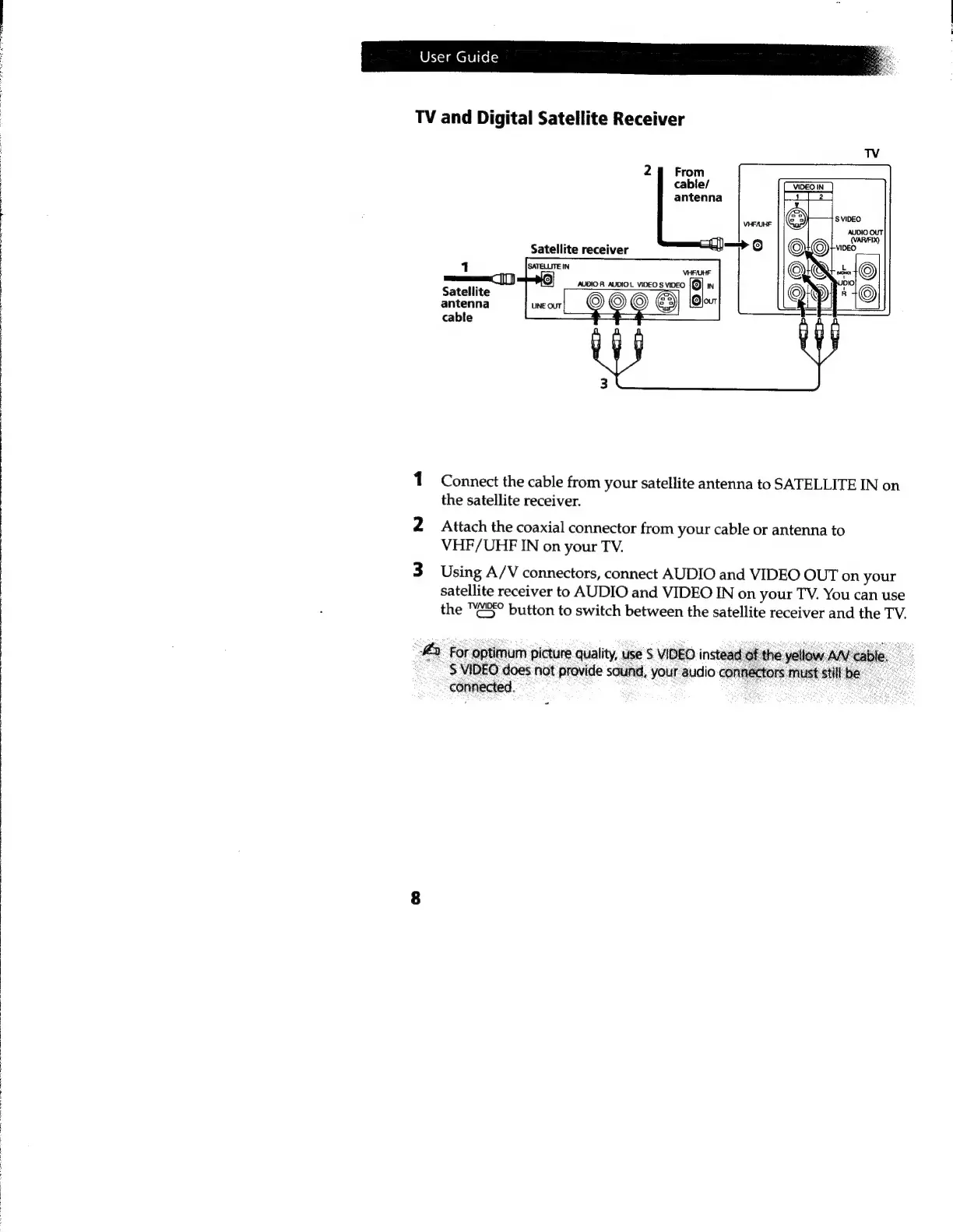
Connect
the
cable
from
your
satellite
antenna
to
SATELLITE
IN
on
the
satellite
receiver.
2
Attach
the
coaxial
connector
from
your
cable
or
antenna
to
VHF/UHF
IN
on
your
TV.
3
Using
A/V
connectors,
connect
AUDIO
and
VIDEO
OUT
on
your
satellite
receiver
to
AUDIO
and
VIDEO
IN
on
your
TV.
You
can
use
the
"¢3°
button
to
switch
between
the
satellite
receiver
and
the
TV.
e
2)
For
optimum
picture
quality,
use
S
VIDEO
instead
of
the
yellow
AN’
cable.
P
&
$
VIDEO
does
not
provide
sound,
your
audio
connectors
must
stillbe.
connected.
ES

Other manuals for Sony Trinitron KV-27S46

Related product manuals