EasyManua.ls Logo

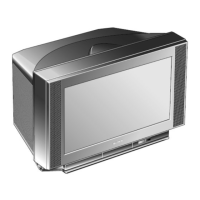
Sony Trinitron KV-XF25M80 - User Manual

Sony Trinitron KV-XF25M80
32 pages
Print Icon
To Next Page IconTo Next Page
Loading...
Before operating the unit, please read this manual thoroughly and retain
it for future reference.
Trinitron Color TV
©1999 by Sony Corporation
KV-XF25M80
KV-XF29M80
GB
Operating Instructions
CT
CS
3-866-011-11 (1)

Questions and Answers

  • S
    Sarah GonzalesAug 17, 2025
    What to do if my Sony Trinitron KV-XF25M80 has no picture and no sound?
    • C
      Charles SimmonsAug 17, 2025
      First, check the power cord, antenna, and VCR connections to ensure they are properly connected. If the connections are correct, press the power button. If that doesn't work, turn off the TV for five seconds using the main power button on the TV, and then turn it back on.
  • N
    Nicole AndersonAug 20, 2025
    How to fix a Sony CRT TV with a snowy picture and noisy sound?
    • L
      Linda BridgesAug 20, 2025
      Check the antenna cable and its connection to the TV, VCR, and the wall. If the connection is not the problem, display the CH PRESET menu and select “MANUAL PROGRAM” to preset the channel again. Check the antenna type (VHF/UHF). Adjust the antenna direction. If the signal transmission is low, try using a booster.
  • A
    adamwallaceAug 22, 2025
    What to do if my Sony Trinitron KV-XF25M80 has good picture but no sound?
    • Y
      yritterAug 22, 2025
      First, press the volume up button to increase the volume level. If that doesn't work, press the mute button to cancel muting.
  • R
    Robert KleinAug 26, 2025
    Why does my Sony CRT TV have double images or ghosts?
    • C
      Christopher AshleyAug 26, 2025
      Double images may be caused by broadcast signals reflected by nearby mountains or buildings. Try using a highly directional antenna. Adjust the antenna direction. Turn off or disconnect the booster if one is in use.
  • C
    christopher68Aug 28, 2025
    Why does my Sony Trinitron KV-XF25M80 CRT TV have a good picture but noisy sound?
    • M
      Mark GallagherAug 28, 2025
      If the sound of all channels is noisy, display the CH PRESET menu and check the TV system (TV SYS) setting, then select “AUTO PROGRAM” to preset the channels again. If the sound of some channels is noisy, select the channel, then display the CH PRESET menu and select the appropriate TV system (TV SYS).
  • J
    Jessica WilliamsAug 31, 2025
    How to fix a Sony Trinitron KV-XF25M80 CRT TV with no color?
    • D
      danielcisnerosAug 31, 2025
      Display the A/V CONTROL menu and select “ADJUST” in PICTURE MODE, then adjust the COLOR level. Display the CH PRESET menu and check the color system (COL SYS) setting, usually set to AUTO. Adjust the antenna direction.
  • S
    Stephanie CookSep 2, 2025
    What causes distorted picture and noisy sound on Sony CRT TV?
    • S
      Susan VillarrealSep 2, 2025
      Distorted picture and noisy sound can be caused by broadcast signals that are too strong. Turn off or disconnect the booster if it is in use.
  • J
    Jesse JarvisSep 5, 2025
    What causes dotted lines or stripes on my Sony CRT TV screen?
    • K
      karenortizSep 5, 2025
      Dotted lines or stripes can be caused by local interference from cars, neon signs, hair dryers, power generators, etc. Do not use a hair dryer or other equipment near the TV. Adjust the antenna direction for minimum interference.
  • J
    Joshua WatsonSep 8, 2025
    Why does my Sony Trinitron KV-XF25M80 CRT TV have abnormal color patches?
    • E
      esmithSep 8, 2025
      Abnormal color patches may be due to magnetic effects from external speakers or other electrical equipment. Keep external speakers or other electrical equipment away from the TV. Do not move the TV while it is turned on. Turn off the TV for about five minutes, then turn it on again.
  • M
    Mark NelsonSep 12, 2025
    How to fix a slanted picture on my Sony Trinitron KV-XF25M80?
    • N
      Nicholas BushSep 12, 2025
      Display the SET UP menu and adjust “PIC ROTATION” so that the picture is aligned to the TV screen.

Summary

Operating Instructions

WARNING

Using Your New TV

Getting Started

Initial setup steps for connecting the TV and its components.

Watching the TV

Basic operations and functions for viewing TV programs.

Advanced Operations

Exploring enhanced features like picture and sound adjustments.

Adjusting Your Setup (MENU)

Menu System Navigation

Guide to navigating and using the TV's menu system for settings.

Picture and Sound Settings

Adjusting A/V control settings for picture and sound.

Channel and Feature Setup

Configuring channel presets, favorite channels, and child lock.

Channel Preset Management

Manual channel tuning and management of program numbers.

Additional Information

Troubleshooting Guide

Solutions for common TV viewing problems and potential causes.

Self-diagnosis Function

Utilizing the TV's diagnostic tool for identifying and resolving issues.

Parts and Controls Identification

Locating and understanding TV components and remote control functions.

Specifications

Sony Trinitron KV-XF25M80 Specifications

General IconGeneral
Screen Size25 inches
Aspect Ratio4:3
Display TypeCRT
Display TechnologyTrinitron
TeletextYes
Remote ControlYes
TunerPAL, SECAM
Sound SystemNicam Stereo
CRT TypeFlat Trinitron
InputsComposite, S-Video
Dimensions (W x H x D)500 mm
Audio Output10 W

Related product manuals