EasyManua.ls Logo

Sony KV-XR34 - User Manual

Sony KV-XR34
30 pages
Print Icon
To Next Page IconTo Next Page
Loading...
Sony KV-XR29M31 GRP C6 (GB)_4-098-884-11 (2)
4-098-884-11 (2)
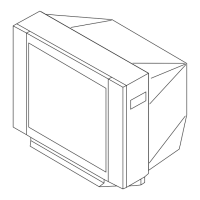
Tr initron Color TV
Operating Instructions
Before operating the unit, please read this manual thoroughly and retain
it for future reference.
© 2003 Sony Corporation
KV-XR34
KV-XR29
KV-XR25
M31
GB
01GB01COV-OCE.p65 31/7/1918, 1:02 AM1

Questions and Answers

  • A
    Adam MitchellAug 12, 2025
    What to do if my Sony TV has no picture and no sound?
    • J
      John SimonAug 12, 2025
      First, ensure the power cord, antenna, and VCR are securely connected to your Sony TV. If the connections are correct, verify that the TV is turned on by pressing the power button. If it still doesn't turn on, try turning off the TV with the main power button for five seconds and then turning it back on.
  • M
    Michelle McintoshAug 16, 2025
    How to fix a Sony KV-XR34 with good picture but no sound?
    • C
      Charles VegaAug 16, 2025
      If your Sony TV has a good picture but no sound, first, increase the volume level by pressing the volume up button. If that doesn't work, check if the sound is muted and, if so, cancel the muting.
  • D
    Daniel PowellAug 20, 2025
    Why does my Sony KV-XR34 have good picture but noisy sound?
    • R
      Robert ThompsonAug 20, 2025
      If your Sony TV has a good picture but noisy sound, it might be due to an inappropriate TV system setting. Access the “Channel Setup” menu and select the appropriate “TV System”.
  • S
    Sean BrownAug 23, 2025
    Why does my Sony KV-XR34 TV have double images or ghosts?
    • H
      hwilliamsAug 23, 2025
      If your Sony TV displays double images or “ghosts,” it might be due to reflected broadcast signals. Try using a highly directional antenna and use the fine tuning function. Also, check the antenna setup or turn off/disconnect the booster if it is in use.
  • C
    Christina WilliamsAug 27, 2025
    Why does my Sony KV-XR34 have no color?
    • J
      Jeffrey HallAug 27, 2025
      If there is no color on your Sony TV, go to the “Picture” menu, select “Personal” of “Mode”, and then adjust the “Color” level in “Picture Adjustment.” Also, check the “Color System” setting in the “Setup” menu and set it to “Auto”. Finally, check the antenna setup.
  • A
    Amanda RodriguezAug 30, 2025
    What causes dotted lines or stripes on my Sony KV-XR34 screen?
    • Q
      qlambertAug 30, 2025
      If you're seeing dotted lines or stripes on your Sony TV, it could be due to local interference from devices like cars, neon signs, hair dryers, or power generators. Avoid using such equipment near the TV. You may also need to check the antenna setup.
  • J
    Jennifer GrahamSep 3, 2025
    How to resolve snowy picture and noisy sound on Sony TV?
    • B
      buchananleslieSep 3, 2025
      If your Sony TV shows a snowy picture and noisy sound, check the antenna cable and its connections at the TV, VCR, and the wall. You may also need to check the antenna setup or preset the channel again via the “Channel Setup” menu and selecting “Manual Program”. If the signal transmission is low, consider using a booster.
  • M
    Mrs. Denise AllenSep 7, 2025
    What to do if my Sony KV-XR34 has distorted picture and noisy sound?
    • R
      Randall LaneSep 7, 2025
      If your Sony TV picture is distorted and the sound is noisy, it could be due to broadcast signals being too strong. If you are using a booster, try turning it off or disconnecting it.

Sony KV-XR34 Specifications

General IconGeneral
BrandSony
ModelKV-XR34
CategoryTV
LanguageEnglish

Related product manuals