EasyManua.ls Logo

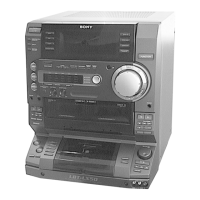
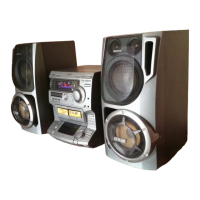
Sony LBT-LX10AV - User Manual

Sony LBT-LX10AV
60 pages
Print Icon
To Next Page IconTo Next Page
Loading...
Operating Instructions
Owner’s Record
The model and serial numbers are located on the rear panel. Record the
serial number in the space provided below. Refer to them whenever you
call upon your Sony dealer regarding this product.
Model No. Serial No.
4-227-076-13(1)
LBT-LX90AV
LBT-LX10AV
LBT-LX9AV
©2000 Sony Corporation
Compact Hi-Fi
Stereo System
Question and Answer IconNeed help?

Do you have a question about the Sony LBT-LX10AV and is the answer not in the manual?

Summary

Operating Instructions

Owners Record

Section for recording model and serial numbers for dealer reference.

Safety and Regulatory Information

Warnings and Cautions

Alerts users to hazards like fire, shock, and proper usage.

Getting Started

Hooking Up the System

Step-by-step guide for connecting speakers, antennas, and power.

Basic Operations

Playing a CD

Instructions for playing CDs, including normal play and track selection.

The CD Player

Using the CD Display

Explains how to view track information, disc titles, and artist names on the display.

The Tape Deck

Recording on a Tape Manually

How to record audio from various sources onto a cassette tape.

DJ Effects

Looping Part of a CD

Function to repeat a selected segment of a CD during playback.

Sound Adjustment

Adjusting the Sound

Options for enhancing sound with GROOVE, SUPER WOOFER, and headphone listening.

Enjoying Dolby Pro Logic Surround Sound

Understanding Dolby Pro Logic Surround

Explains how to use Dolby Pro Logic for enhanced surround sound.

Other Features

Using the Radio Data System (RDS)

Details on receiving and displaying radio station information via RDS.

Optional AV Components

Connecting Audio Components

Guidance on connecting turntables and MD decks for audio playback and recording.

Additional Information

Precautions

Important safety and operational guidelines for system use and care.

Troubleshooting

General Issues

Common problems like display flashing, clock reset, and no sound troubleshooting.

Specifications

Audio Power Specifications

Detailed technical power output and distortion ratings for various speaker configurations.

Summary

Operating Instructions

Owners Record

Section for recording model and serial numbers for dealer reference.

Safety and Regulatory Information

Warnings and Cautions

Alerts users to hazards like fire, shock, and proper usage.

Getting Started

Hooking Up the System

Step-by-step guide for connecting speakers, antennas, and power.

Basic Operations

Playing a CD

Instructions for playing CDs, including normal play and track selection.

The CD Player

Using the CD Display

Explains how to view track information, disc titles, and artist names on the display.

The Tape Deck

Recording on a Tape Manually

How to record audio from various sources onto a cassette tape.

DJ Effects

Looping Part of a CD

Function to repeat a selected segment of a CD during playback.

Sound Adjustment

Adjusting the Sound

Options for enhancing sound with GROOVE, SUPER WOOFER, and headphone listening.

Enjoying Dolby Pro Logic Surround Sound

Understanding Dolby Pro Logic Surround

Explains how to use Dolby Pro Logic for enhanced surround sound.

Other Features

Using the Radio Data System (RDS)

Details on receiving and displaying radio station information via RDS.

Optional AV Components

Connecting Audio Components

Guidance on connecting turntables and MD decks for audio playback and recording.

Additional Information

Precautions

Important safety and operational guidelines for system use and care.

Troubleshooting

General Issues

Common problems like display flashing, clock reset, and no sound troubleshooting.

Specifications

Audio Power Specifications

Detailed technical power output and distortion ratings for various speaker configurations.

Sony LBT-LX10AV Specifications

General IconGeneral
BluetoothNo
USB PlaybackNo
Power Output100W
Amplifier Output Power50W + 50W (RMS)
CD PlayerYes
Cassette DeckYes
Radio TunerAM/FM Tuner

Related product manuals