Adjustment Using the Menus
22
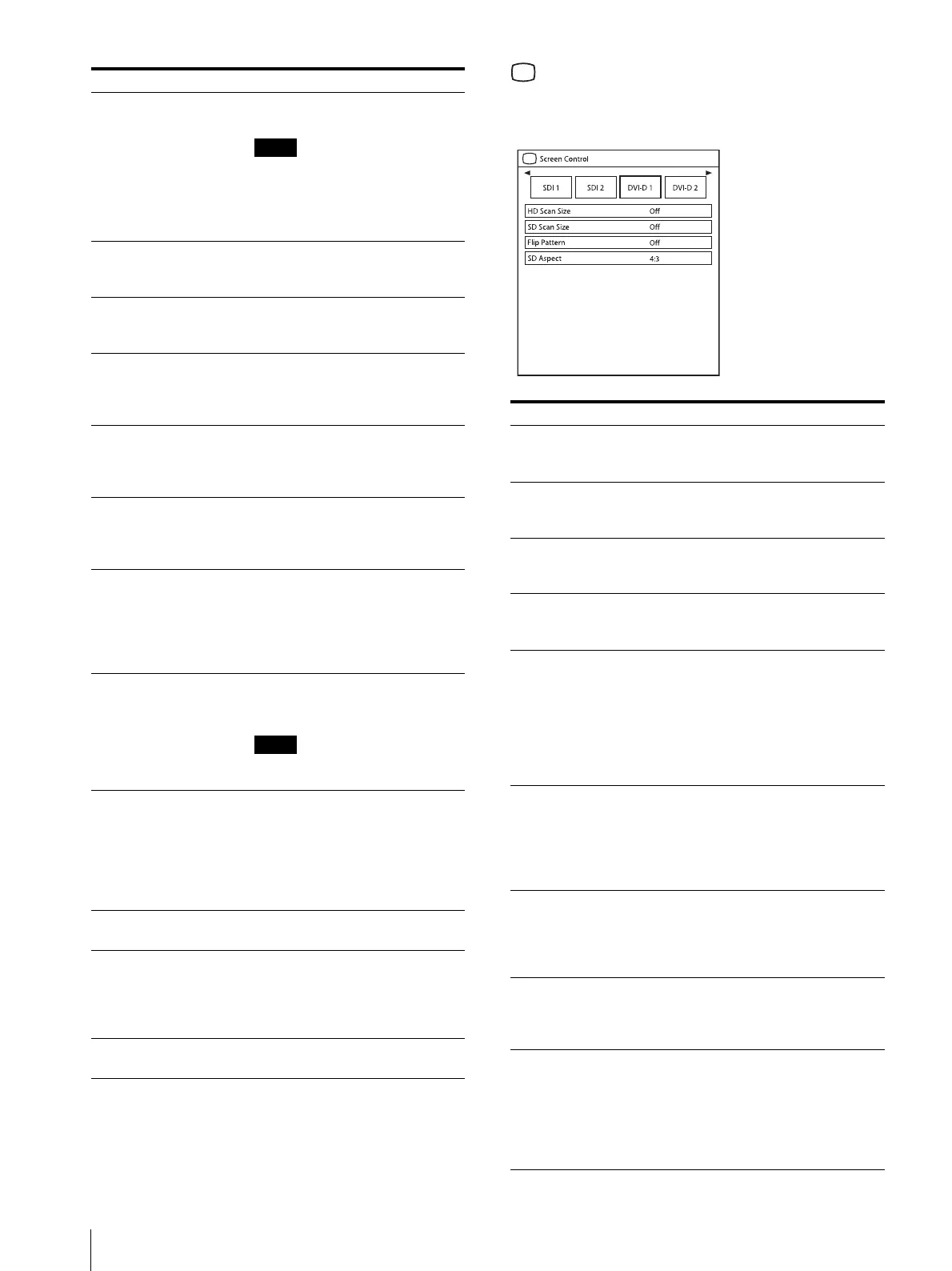
Screen Control menu
The Screen Control menu is used to set the image
display setting for each input.
Color Temperature Select the color temperature from
among “D65,” “D93.”
Note
If the setting is changed, Gain R
Offset/Gain G Offset/Gain B Offset
and Bias R Offset/Bias G Offset/
Bias B Offset are restored to 0
respectively.
Gain R Offset
Gain G Offset
Gain B Offset
Adjust color temperature in detail,
and color balance (Gain).
Bias R Offset
Bias G Offset
Bias B Offset
Adjust color temperature in detail,
and color balance (Bias).
Mono Sets the display to a monochrome
picture. Set to “On” for a
monochrome picture, set to “Off”
for a normal (chromatic) picture.
Sharpness H Adjusts the horizontal sharpness.
The higher the setting, the sharper
the picture. The lower the setting,
the softer the picture.
Sharpness V Adjusts the vertical sharpness. The
higher the setting, the sharper the
picture. The lower the setting, the
softer the picture.
RGB Range Sets the RGB signal range. Select
from among “Auto,” “Limited,”
“Full.” If you set to “Auto,” this
item is set to “Limited” when
inputting video signal, and “Full”
when inputting PC signals.
RGB/YPbPr
(LMD-2765MD only)
Sets the input signal of the HD15
connector. Select from among
“RGB,” “YPbPr.”
Note
Select “RGB” to display PC
signals.
Sync Detect
(LMD-2765MD only)
Sets detection of the sync signal of
the input signal. Select from among
“Auto,” “Internal,” “External.” If
you set to “Auto,” external
synchronization is prioritized. If
there is no external
synchronization, “Internal” is set.
ACC
(LMD-2765MD only)
Sets the ACC (Auto Color Control)
circuit to “On” or “Off.”
CTI
(LMD-2765MD only)
Sets the CTI (Chroma Transient
Improvement) circuit to “On” or
“Off.” When a low color resolution
signal is input, a crisp image can be
displayed.
NTSC Setup
(LMD-2765MD only)
Selects the NTSC setup level from
among “0%,” “7.5%.”
Submenu Setting
Submenu Setting
HD Scan Size Sets the scan size for the HD signal
display. Select from among “Off,”
“Mode2,” “Mode3.”
SD Scan Size Sets the scan size for the SD signal
display. Select from among “Off,”
“Mode1.”
Flip Pattern Sets the flip pattern of the display.
Select from among “Off,”
“Rotation,” “Mirror.”
SD Aspect Sets the aspect ratio of the SD
signal display. Select from among
“4:3,” “16:9.”
APA
(LMD-2765MD only)
Select “On” to adjust the picture
automatically to maximum clarity
when an analog PC signal is
displayed.
If the APA operation does not finish
correctly depending on the input
signal, adjust from among “Dot
Phase” and “Dot Pitch.”
Shift H
(LMD-2765MD only)
Adjusts the horizontal position of
the picture. A higher setting moves
the picture to the right, and a lower
setting moves the picture to the left
when an analog PC signal is
displayed.
Shift V
(LMD-2765MD only)
Adjusts the vertical position of the
picture. A higher setting moves the
picture up, and a lower setting
moves the picture down when an
analog PC signal is displayed.
Dot Phase
(LMD-2765MD only)
Adjusts the dot phase. Adjust the
picture further for a finer picture
after APA is adjusted when an
analog PC signal is displayed.
Dot Pitch
(LMD-2765MD only)
Adjusts the horizontal size of the
picture with the left side of the
picture fixed. The higher the
setting, the wider the picture. The
lower the setting, the narrower the
picture when an analog PC signal is
displayed.


 To Next Page