Adjustment Using the Menus
23
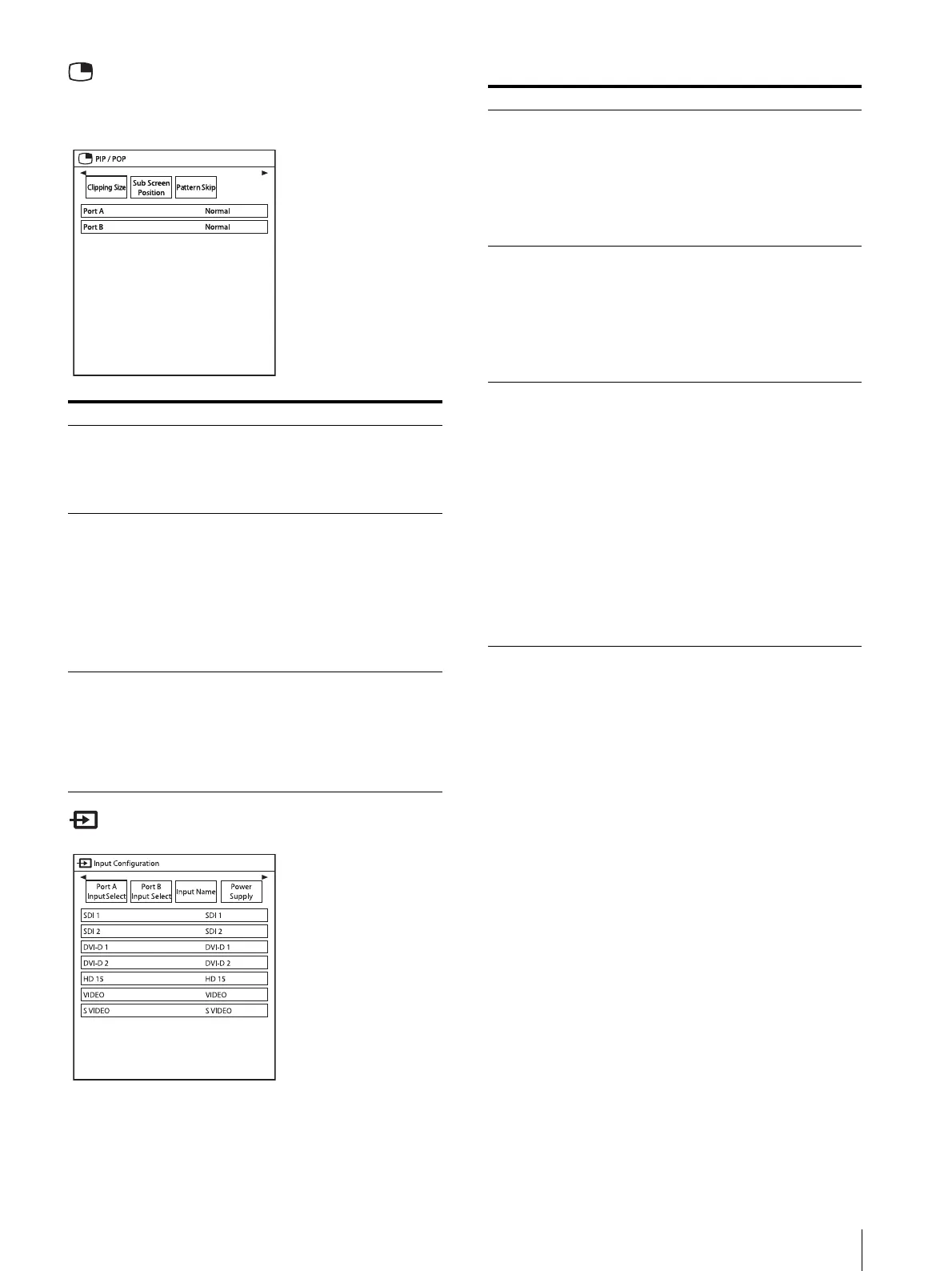
PIP/POP menu
The PIP/POP menu is used to set the display mode for
the multi-image display and for each input.
Input Configuration menu
Submenu Setting
Clipping Size Sets the HD clipping size for each
port when using multi-image
display.
Select from among “Normal,”
“4:3,” “5:4.”
Sub Screen position
PIP
POP
Sets the sub screen position for the
multi-image display (PIP). Select
from among “Lower Left,” “Upper
Left,” “Upper Right,” “Lower
Right.”
Sets the sub screen position for the
multi-image display (POP). Select
from among “Right,” “Left.”
Pattern Skip Sets the pattern that is skipped
when changing the displaying
pattern by pressing the PIP/POP
button on the front panel while
displaying multi-image display. Set
to “Not Skip” or “Skip” for the
PIP1, PIP2, POP1, or POP2 pattern.
Submenu Setting
Port A Input Select Sets the input connector that is
skipped when changing the input
signal by pressing the PORT A
button. Set to “Not Skip” or “Skip”
for the SDI, DVI-D, HD15*,
VIDEO*, S-VIDEO* input
connector.
* LMD-2765MD only
Port B Input Select Sets the input connector that is
skipped when changing the input
signal by pressing the PORT B
button. Set to “Not Skip” or “Skip”
for the SDI, DVI-D, HD15*,
VIDEO*, S-VIDEO* input
connector.
* LMD-2765MD only
Input Name Sets the name for each input
connector. Set the name of the SDI,
DVI-D, HD15*, VIDEO*, S-
VIDEO* input connector.
* LMD-2765MD only
• Endoscope
• Laparoscope
• Ultrasound
• Recorder
•Printer
•PACS
• C-arm
• Room Camera
• Surgical Camera
• Microscope
• Vital Device


 To Next Page