Adjustment Using the Menus
22
[Function Button Setting]
About the function assigned to the function
button
When you use [Side by Side], [Wipe], [Blending],
[Difference] or [Auto SDI Switch], be careful of the
following.
When the SDI1 and SDI2 do not have the same signal
format and signal system, the signal is not displayed
properly.
Genlock the SDI1 and the SDI2 signals. Set the
differential delay within ±400 ns.
[Marker]
Press the button to display the marker. Set the marker in
the [Marker Setting] menu (see page 27).
[Grid Display]
Press this button when you want to confirm the whole
image with a grid. The grid setting is performed in the
[Marker Setting] menu (see page 27).
[Camera Metadata]
Press this button when you want to display the camera
metadata information on the ANC data of the SDI
signal. The setting of the displayed camera metadata is
performed in the [Camera Metadata Setting] menu (see
page 28).
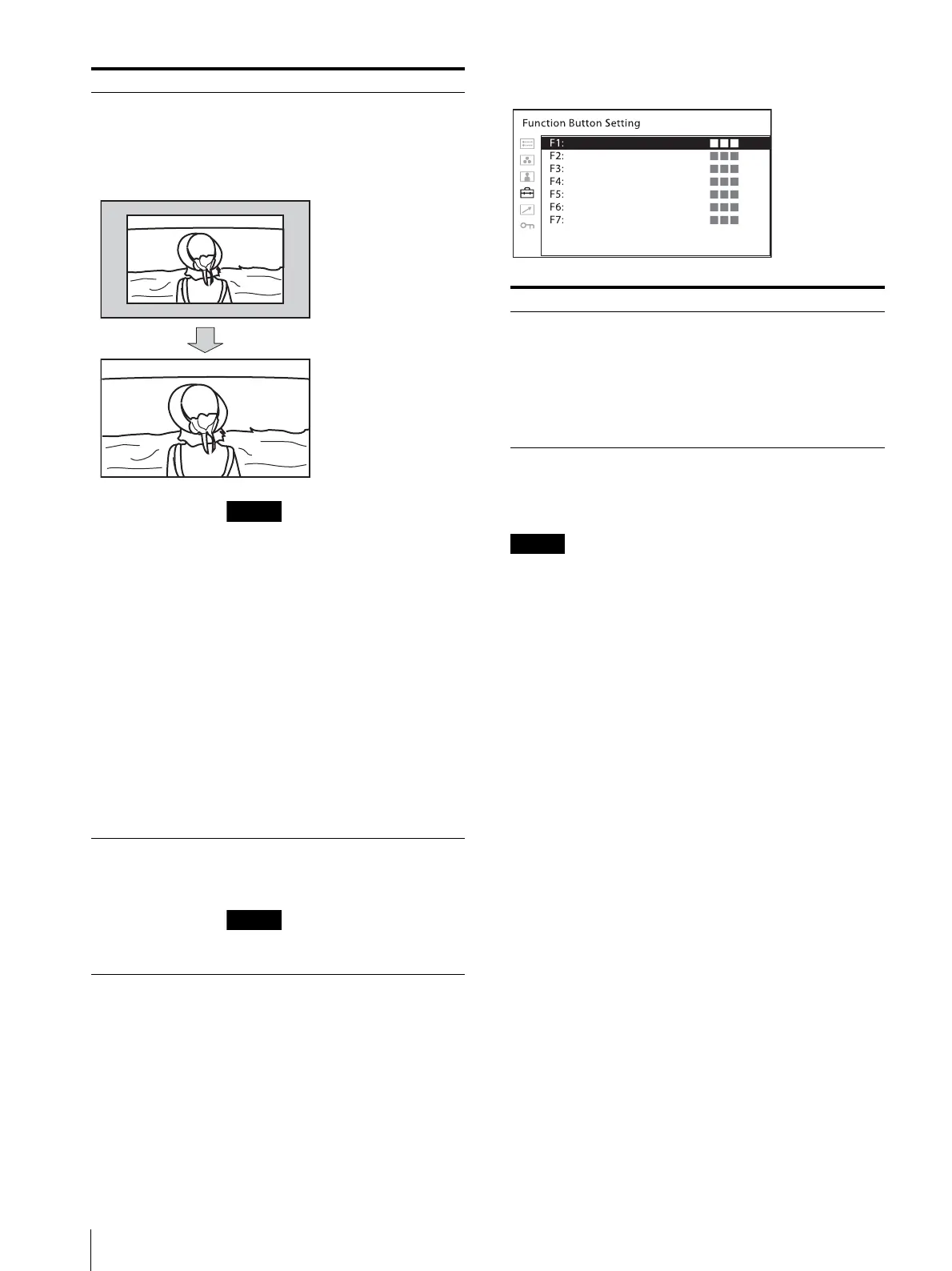
[AFD] When you perform screen scaling
automatically in the AFD flag setting on
the ANC data of the SDI signal, set to
[On]. When you do not perform scaling
automatically, set to [Off].
When [AFD] is set to [On], the scan
setting is disabled when a valid
command is received.
When the AFD flag is in the ANC data
of the SDI signal, setting [AFD] to [On]
turns off the following functions:
[Side by Side]
[Wipe]
[Auto SDI Switch]
[Blending]
[Difference]
[Line Doubler]
[Time Code]
[Closed Caption]
The aspect setting is disabled and is
displayed with the normal scan mode
according to the AFD flag setting.
[SDI Payload ID
Detect]
[On]: Detects the payload ID which is
added on the SDI signal.
[Off]: The payload ID is not used.
For the 3G-SDI signal, the payload ID is
detected even if [Off] is selected.
Submenu Setting
With the AFD flag, provides
a full screen display of a
16:9 image within an SD 4:3
screen.
Submenu Setting
[F1] to [F7] Assigns the function to the function
buttons of the front panel and turns the
function on or off.
The [Function Button Setting] menu
can also be displayed by pressing and
holding the function button, and the
setting can be changed. Note that you
cannot move to the other menu.



 To Next Page