Help Guide
Glass Sound Speaker
LSPX-S2
The speaker does not appear on the device selection screen in Sony | Music Center
Check the Wi-Fi connection.
Enable Wi-Fi settings on the smartphone or similar device.
If you are using the Wi-Fi router’s Privacy Separator function or Network Separation function, the speaker may be
unable to access the Wi-Fi router. Disable these functions. For how to confirm settings and how to do the settings,
refer to the Wi-Fi router’s operating instructions.
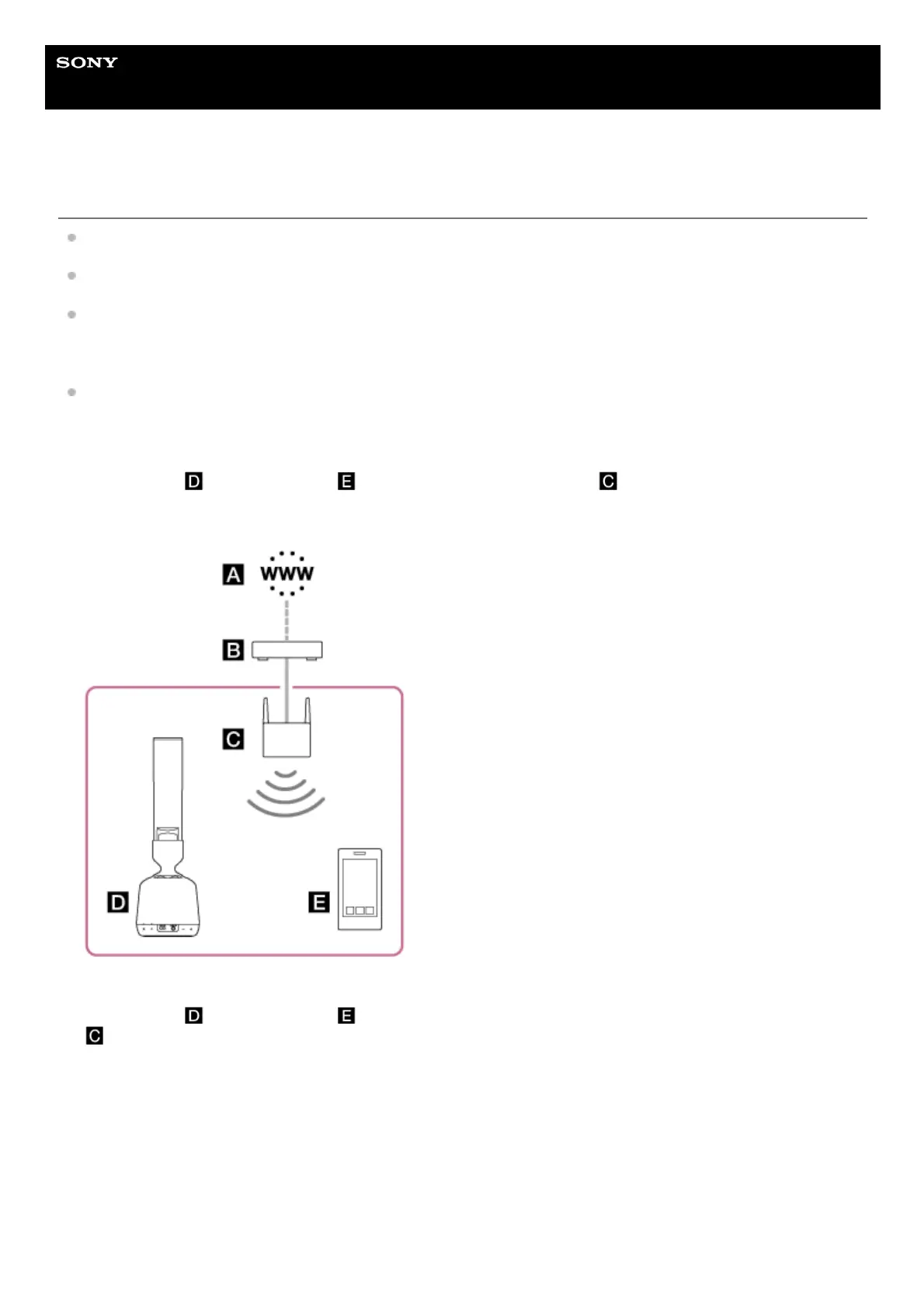
Make sure that the speaker and the smartphone, or similar device, on which Sony | Music Center is installed, is
connected to the same SSID as your Wi-Fi router.
Good example
(The speaker (
) and smartphone ( ) are connected to the same SSID ( ) on your Wi-Fi router, so they are
connected to the same network.)
When in this state, you can operate the speaker using Sony | Music Center from a smartphone or similar device.
Bad example
(The speaker (
) and smartphone ( ) are connected to separate SSIDs on your Wi-Fi router (mobile router, etc.
), so they are connected to separate networks.)
In this state, you cannot operate the speaker using Sony | Music Center from a smartphone or similar device. If the
speaker and smartphone, or similar device, are connected via BLUETOOTH wireless technology, you can use Sony |
Music Center to check the SSID to which the speaker is connected.



 To Next Page