Help Guide
Glass Sound Speaker
LSPX-S2
Parts and controls
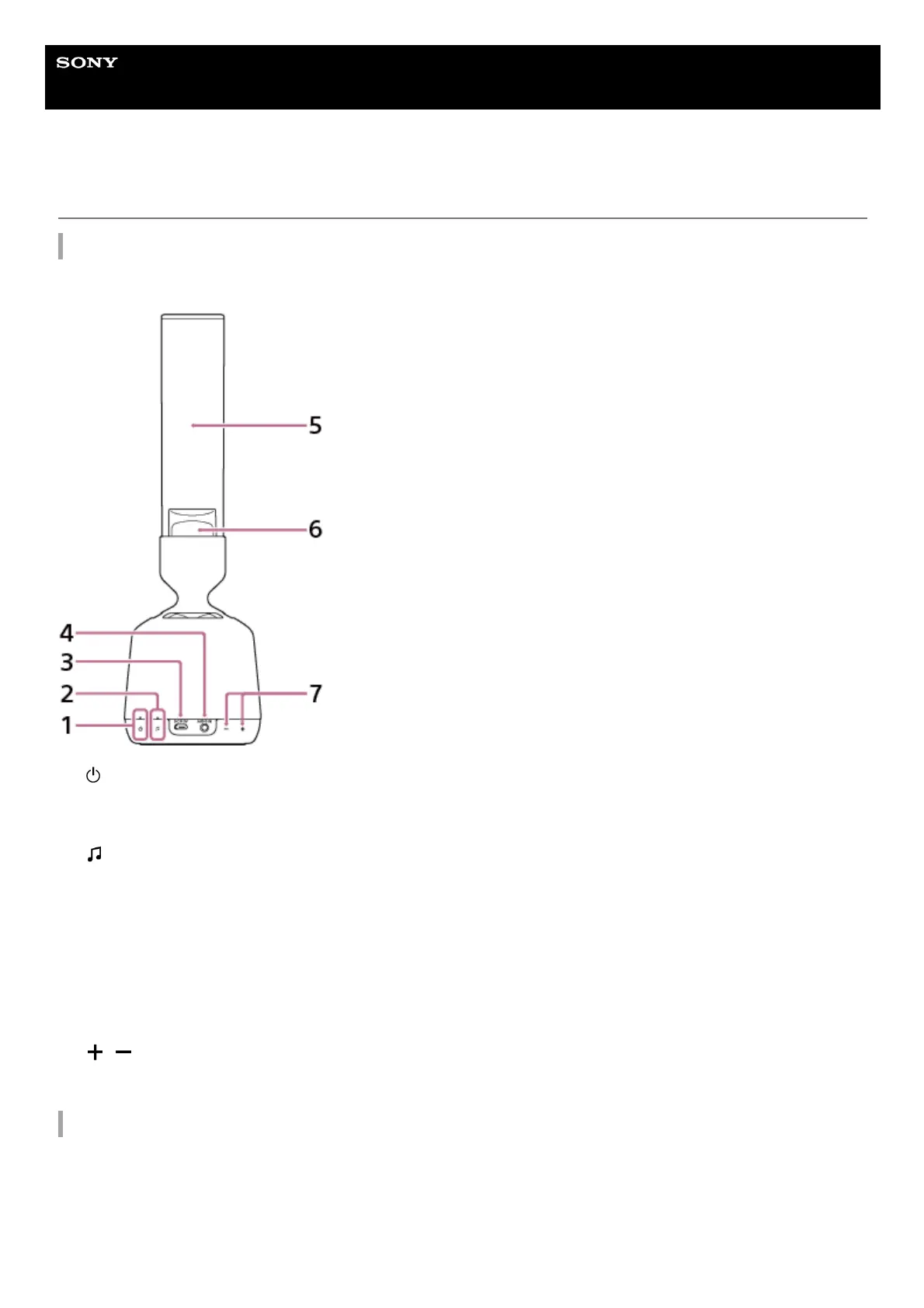
Buttons/Indicators/Terminals section, Speaker/Illumination LED section
Do not hold 5 directly.
Base operating section
(on/standby) button/indicator
Press to turn the speaker on and off.
Additionally, the indicator shows the state of charge.
1.
(Push & Play) button/indicator2.
DC IN 5 V jack3.
AUDIO IN jack4.
Organic glass tweeter5.
Illumination LED6.
/ (volume) buttons
*
7.
The + side has a tactile (raised) dot. Use it as a reference for operations. The tactile dot is inside the fabric of the speaker.
*



 To Next Page