Page 8 of 12 Last Modified: 06/24/2003
Press the MENU button to exit the
current setting.
To Save
When a user takes a photograph the
camera automatically stores the images
on the floppy disk. The user does not
need to perform any additional tasks to
save the images.
III. Record Video Clips
The MOVIE function of the camera will record an MPEG formatted video. The primary
purpose of this camera is capturing still shots, and the secondary function is to record
movie clips.
The floppy disk’s capacity has 2 options:
340x240 will give a 15second clip
160x112 will give a 60second clip
To Record a Movie Clip
Make sure that PLAY/STILL/MOVIE
selector is in MOVIE position.
Note: The MOVIE function will record in the
same way as the STILL function.
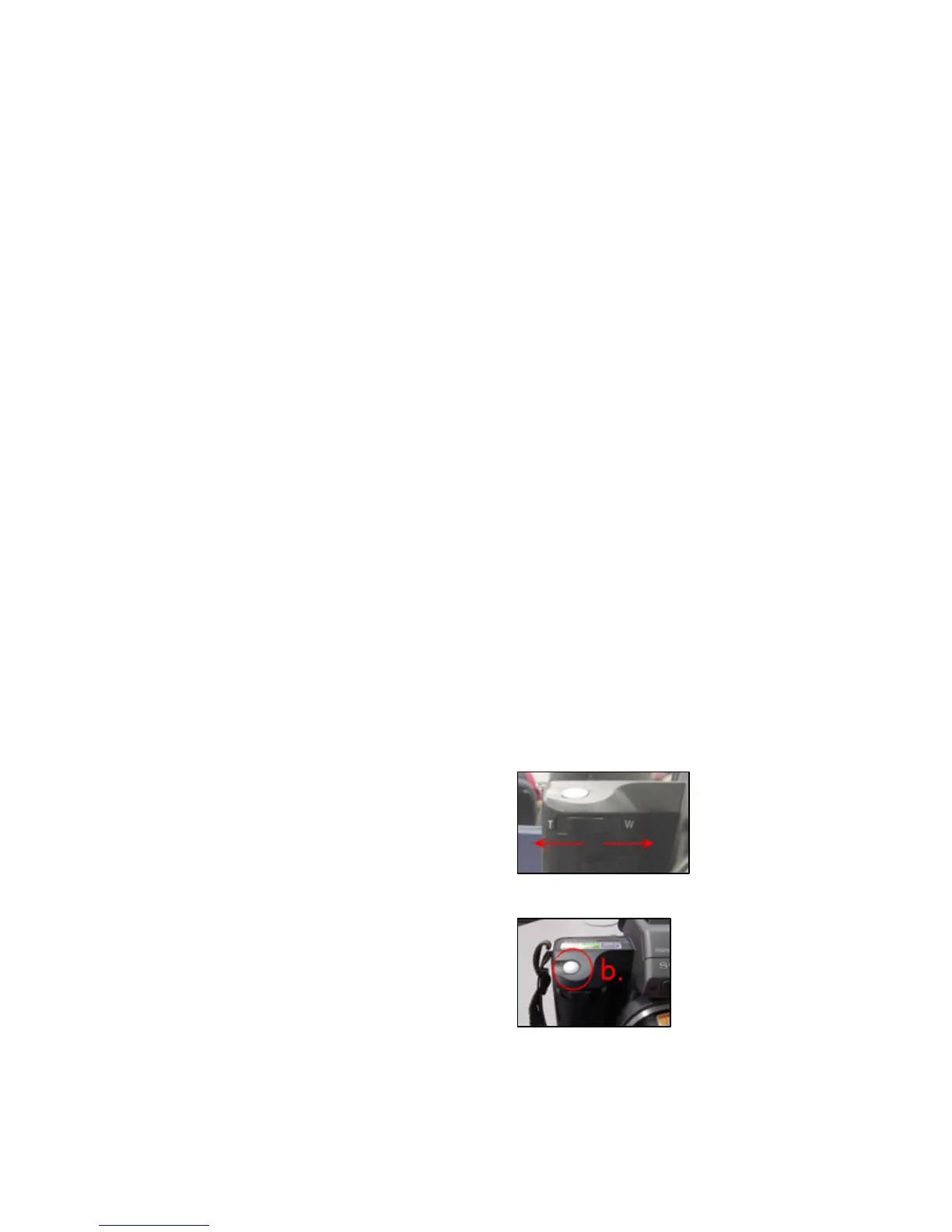
a. Aim the camera. If the image is too
far away or too close the user can use
the zoom to bring the shot in closer
(T) or move out farther (W).
Note: If the zoom option is not practical the
user should physically move in order to
capture the frame of the shot.
b. Firmly press the RECORD button.



 To Next Page
 Loading...








