Operation
17
GB
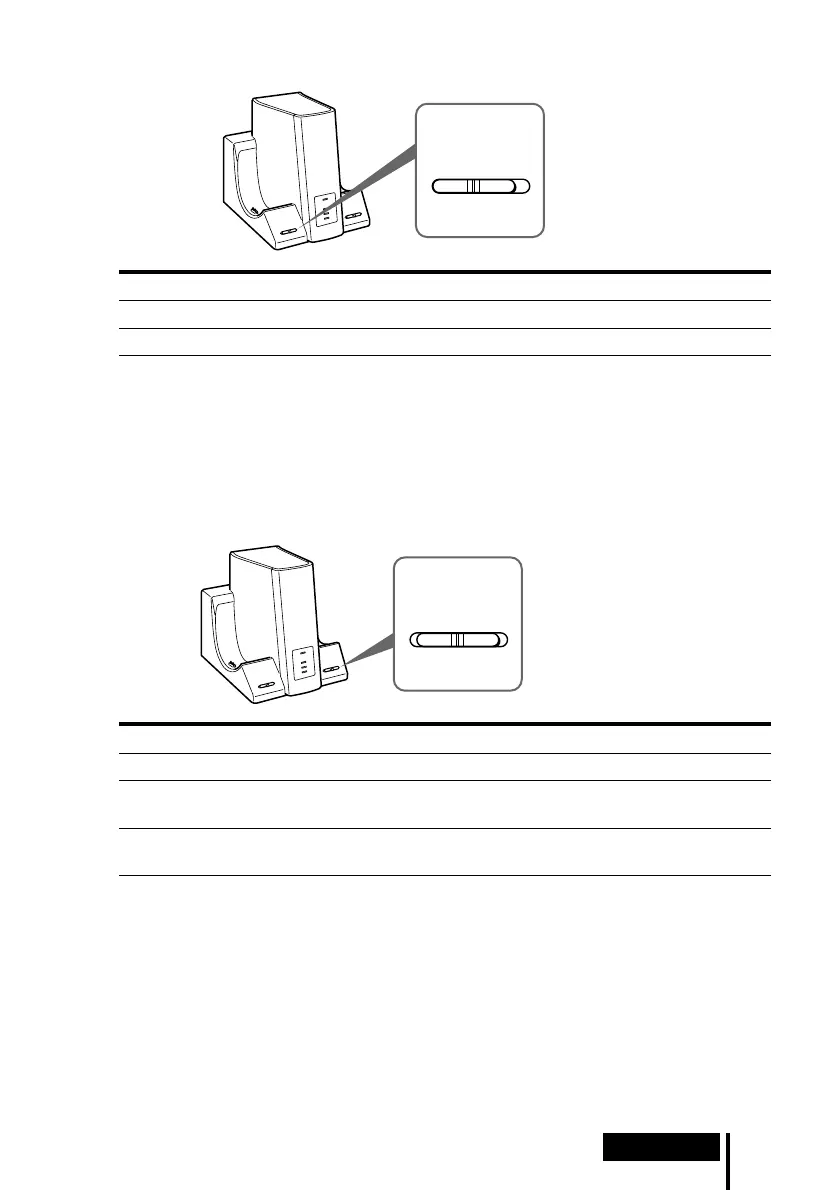
INPUT SELECT
DIGITAL ANALOG
4 Slide the INPUT SELECT switch to select the component you want to listen to.
Position of switch Selected sound source
DIGITAL Sound of the component connected to DIGITAL IN jack
ANALOG Sound of the component connected to LINE IN jacks
Note
To listen to dual audio (MAIN/SUB) sound sources, connect to the LINE IN jacks, and then
select the sound source you want to listen to on the player, TV, or other component.
5 Start playback of the component selected in step 4.
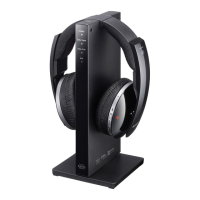
6 Slide the EFFECT switch to select the desired sound field.
Position of switch Sound field and suitable sound source
OFF Normal playback of the headphones.
CINEMA Produces the kind of surround sound that is found in a typical movie
theatre. Suitable for movie sound sources.
MUSIC Produces the kind of sound field that would be found in a listening
room with good acoustics. Suitable for music sources.
Note
The volume of the headphones may vary, depending on the input signal and the setting of
the EFFECT switch.
(Continued)
EFFECT
OFF CINEMA MUSIC



 To Next Page