EasyManua.ls Logo

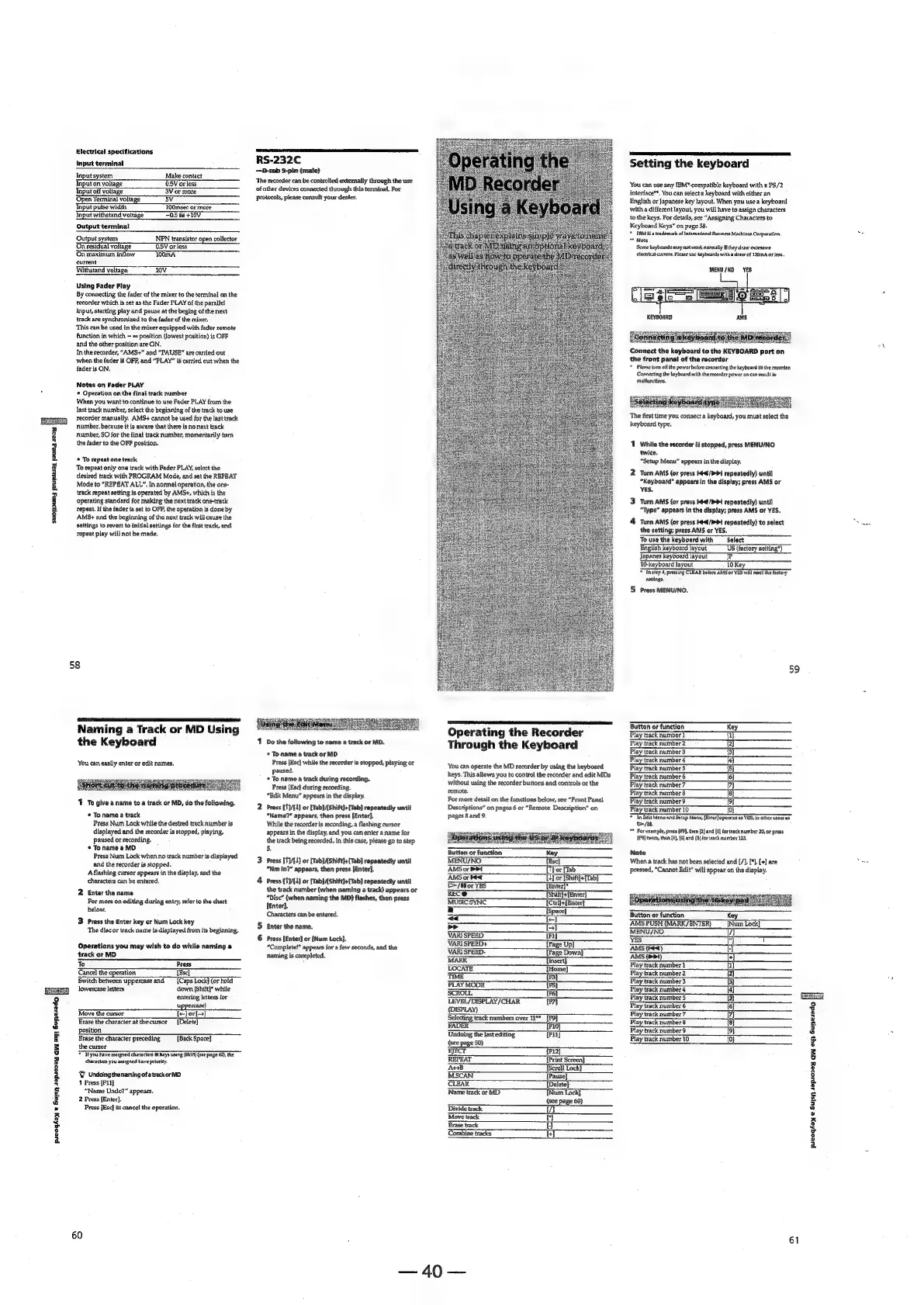
Sony MDS-E12 - Operating the Recorder Through the Keyboard; Connecting a Keyboard; Setting the Keyboard; Assigning Characters to Keyboard Keys

Sony MDS-E12
120 pages
Print Icon
To Next Page IconTo Next Page
To Previous Page IconTo Previous Page
Loading...
|
preogtay
e
Suisn
sspioszay
Gy
ay;
Gunezedo
F
Slectrical
specifications
Input
terminal
Input
system
Make
contact
Input
on
voltage
OSV
or
less
Input
off
voltage
3V
or
more
Gpen
Terminal
voltage
BV
Input pulse
width
TOOmsee
of
more
Input
withstand
voltage
70.5
to
+10V.
Output
terminal
Output
system:
NPN
transistor
open
collector
On
residual
voltage
O.5V
or
less
On
maximum
inflow
100mA
current
Withstand
voltage
20V
Using
Fader
Play
By
connecting
the
fader
of
the
mixer
to
the
terminal
on
the
recorder
which
is
set
as
the
Fader
PLAY
of
the
parallel
input,
starting
play
and
pause
at
the
beging
of
the
next
track
are
synchronized
to
the
fader
of
the
mixer.
‘This
can
be
used
in
the
mixer
equipped
with
fader
remote
function
in
which
©
position
(lowest
position)
is
OFF
and
the
other
position
are
ON.
In
the
recorder,
“AMS+”
and
“PAUSE”
are
carried
out
when
the
fader
is
OFF,
and
“PLAY”
is
carried
out
when
the
fader
is
ON.
Notes
on
Fadler
PLAY
*
Operation
on
the
final
track
number
When
you
want
to
continue
to
use
Fader
PLAY
from
the
last
track
number,
select
the
beginning
of
the
track
to
use
recorder
manually.
AMS+
cannot
be
used
for
the
last
track
number.
because
it
is
aware
that
there
is
no
next
track
number,
SO
for
the
final
track
number,
momentarily
turn.
the
fader
to
the
OFF
position.
+
To
repeat
one
track
To
repeat
only
one
track
with
Fader
PLAY,
select
the
desired
track
with
PROGRAM
Mode,
and
set
the
REPEAT
Mode
to
"REPEAT
ALL”.
In
normal
operation,
the
one-
track
repeat
setting
is
operated
by
AMS+,
which
is
the
operating
standard
for
making
the
next
track
one-track
repeat.
If
the
fader
is
set
to
OFF,
the
operation
is
done
by
AMS¢+
and
the
beginning
of
the
next
track
will
cause
the
settings
to
revert
to
initial
settings
for
the
first
track,
and
repeat
play
will
not
be
made.
58
Naming
a
Track
or
MD
Using
the
Keyboard
You
can
easily
enter
or
edit
names.
1
To
give
a
name
to
a
track
or
MD,
do
the
following.
©
Toname
a
track
Press
Num
Lock
while
the
desired
track
number
is
displayed
and
the
recorder
is
stopped,
playing,
paused
or
recording.
*
Tonamea
MD
Press
‘Num
Lock
when
no
track
number
is
displayed
and
the
recorder
is
stopped.
A
flashing
cursor
appears
in
the
display,
and
the
characters
can
be
entered,
N
Enter
the
name
For
more
on
editing
during
entry,
refer
to
the
chart
below.
w
Press
the
Enter
key
or
Num
Lock
key
The
disc
or
track
name
is
displayed
from
its
beginning.
Operations
you
may
wish
to
do
while
naming
a
track
or
MD
ko
Prass
Cancel
the
operation
TEscl
Switch
between
uppercase
and
{Caps
Lock]
(or
hold
lowercase
letters
down
[Shift}*
while
entering
letters
for
case)
Move
the
cursor
T-}or[]
Erase
the
character
atthe
cursor
[Delete]
position
Erase
the
character
preceding
[Back
Space}
the
cursor
TH
you
have
assigned
characters
to
keys
using
[Shifi]
(eee
page
@2),
the
characters
you
assigned
have
priority.
Y
Undoing
thenaming
ofatrackorMD
1
Press
[F11]
“Name
Undo?”
appears.
2
Press
[Enter].
Press
[Esc]
to
cancel
the
operation.
60
RS-232C
—D-sub
§-pin
(male)
‘The
recorder
can
be
controlied
externally
through
the
use
of
other
devices
connected
through
this
terminal.
For
protocols,
please
consult
your
dealer.
1
Do
the
following
to
name
a
track
or
MD.
*
To
name
a
track
or
MD
Press
[Esc]
while
the
recorder
is
stopped,
playing
or
paused.
*
To
name
a
track
during
recording.
Press
(Esc}
during
recording.
“Edit
Menu”
appears
in
the
display.
2
Prass
(T/L
or
fTab\{Shitt}+{Tab]
repeatedly
until
“Name?”
appears,
then
press
[Enter].
While
the
recorder
is
recording,
a
flashing
cursor
appears
in
the
display,
and
you
can
enter
a
name
for
the
track
being
recorded.
In
this
case,
please
go
to
step
5.
3
Press
[T}/[L)
or
[Tab}{Shift]+
{Tab}
repeatedly
until
“Nm
in?”
appears,
then
press
[Enter].
4
Press
(7V{1]
or
fTab}/tshift]+{Tab]
repeatedly
until
the
track
number
(when
naming
a
track)
appears
or
“Disc”
(when
naming
the
MD)
flashes,
then
press
lEnter}.
Characters
can
be
entered.
5
Enter
the
name.
6
Press
[Enter]
or
{Num
Lock].
“Complete!”
appears
for
a
few
seconds,
and
the
naming
is
completed.
Bess!
Seienenent
Operating
the
Recorder
Through
the
Keyboard
‘You
can
operate
the
MD
recorder
by
using
the
keyboard
keys.
This
allows
you
to
control
the
recorder
and
edit
MDs
without
using
the
recorder
buttons
and
controls
or
the
remote.
For
more
detail
on
the
functions
below,
see
“Front
Panel
Descriptions”
on
pages
6
or
“Remote
Description”
on
pages
8
and
9.
AMS
or
PPT
[Thor
[Tab
AMS
or
tet
~__
Wor
[Shift}+{Taby
T7ifor
YES
TEnter]*
RECO
(Shift}j+fEnter]
MUSICSYNC
{Ctrl]+{Enter}
a
{Space}
«
fe]
Lod
[SS
VARISPEED.
(Fy
VARISPEED+
{Page
Up]
VARISPEED-
[Page
Down)
MARK
{Insert}
LOCATE
{Home]
TIME
{FS
PLAY
MODE
15).
SCROLL
{Fé}
LEVEL/DISPLAY/CHAR
FI
(DISPLAY)
Selecting
track
numbers
over
i"
_[F9]
FADER
[P10]
Undoing
the
last
editing
Fi}
(see
page
50}
EJECT
{F12]
REPEAT
[Print
Screen}
AGB
(Scroll
Lock}
MSCAN
[Pause]
CLEAR
[Delete}
Name
track
or
MD
[Num
Lock]
(see
page
60)
Divide
track
[a
Move
track
Ch
Erase
track
[a]
Combine
tracks
tT
=240
==
Setting
the
keyboard
You
can
use
any
IBM*-compatible
keyboard
with
a
PS/2
interface**.
You
can
select
a
keyboard
with
either
an
English
or
Japanese
key
layout.
When
you
use
a
keyboard
with
a
different
layout,
you
will
have
to
assign
characters
to
the
keys.
For
details,
see
“Assigning
Characters
to
Keyboard
Keys”
on
page
58.
*
TBM
isa
trademark
of
Intemational
Business
Machines
Corporation,
:
*
Note
Some
keyboards
may
not
work
earmally
if
they
draw
exeesswve
electrical
current.
Picase
use
keyboards
witha
draw
of
120mA
ar
less.
MENU/NO
YES
en
ee
(cS
>
ral
B=
oO
Elélo
=
(eae
=o?
KEYBOARD.
AMS
ace
saan
[Bennerting
a
Keyboard
Sake
Connect
the
keyboard
to
the
KEYBOARD
port
on
the
front
pane!
of
the
recorder
*
Pleaso
turn
off
the
power
before
conaseting
the
keyboard
to
the
recorder.
Connecting
the
keyboard
with
the
recorder
pawer
on
can
result
in
malfunctions.
oxen
meester
stare
mater
cena
The
first
time
you
connect
a
keyboard,
you
must
select
the
keyboard
type.
‘1
While
the
recorder
is
stopped,
press
MENU/NO-
twice,
“Setup
Menu”
appears
in
the
display,
2
Turn
AMS
(or
press
4/1
repeatedly)
until
“Keyboard”
appears
in
the
display;
press
AMS
or
YES,
3
Turn
AMS
(or
press
et
>>
repeatedly)
until
“Type”
appears
in
the
display;
press
AMS
or
YES,
4
Turn
AMS
(or
press
K/h
1
repeatedly)
to
select
a
the
setting;
press
AMS
or
YES.
Touse
the
keyboard
with
Select
English
keyboard
layout
US
(factory
setting")
10-keyboard
layout
10
Ke:
="
Tnstep
4,
pressing
CLEAR
belore
AMS
of
YES
wil
reset
the
factory
settings.
:
5
Press
MENU/NO,
59
Button
or
function
Key
Play
track
number
1
{1}.
Play
track
number
2
2]
Play
track
number
3
{3]
Play
track
number
4
[4]
Play
track
number
6
{6}
lay
track
number
7
(7)
Faye
mabe
ytracknumbers
«dB
Play
track
number
9
(9t
Play
track
number
10
{0}
7
Tn
Bdit
Menwand
Setup
Menu,
Enter}
operates
as
VES,
in
other
cases
a5
oa.
**
For
example,
press
(F9),
then
{2]
and
{0]
for
track
number
20,
or
press
1P9}
twice,
then
{2},
{0}
and
{3)]
for
teack
number
103,
Note
When
a
track
has
not
been
selected
and
(/],
{*],
[+]
are
Pe
pressed,
“Cannot
Edit”
will
appear
on
the
display.
Button
or
function
Key
AMS
PUSH
(MARK/ENTER)
[Num
Lock}
MENU/NO
7)
YES
a
u
AMS
(4)
fl
AMS
(>>)
tel
Play
track
number
1
a
Play
Gack
number
2
[a]
Play
track
number
3
Bl
Play
track
mimber
42
Play
track
number
5
1
Play
track
number
6
{6}
Play
track
number
7
{7}
Play
track
number
8
{8}
Play
track
number
9
i]
Play
track
number
10
{0}
fuvoqoy
e
Guisy
Japio2ay
quay
ayy
Gunesado
[
an
1

Other manuals for Sony MDS-E12

Related product manuals