Chapter 5: Sound Adjustment
EN
18
1
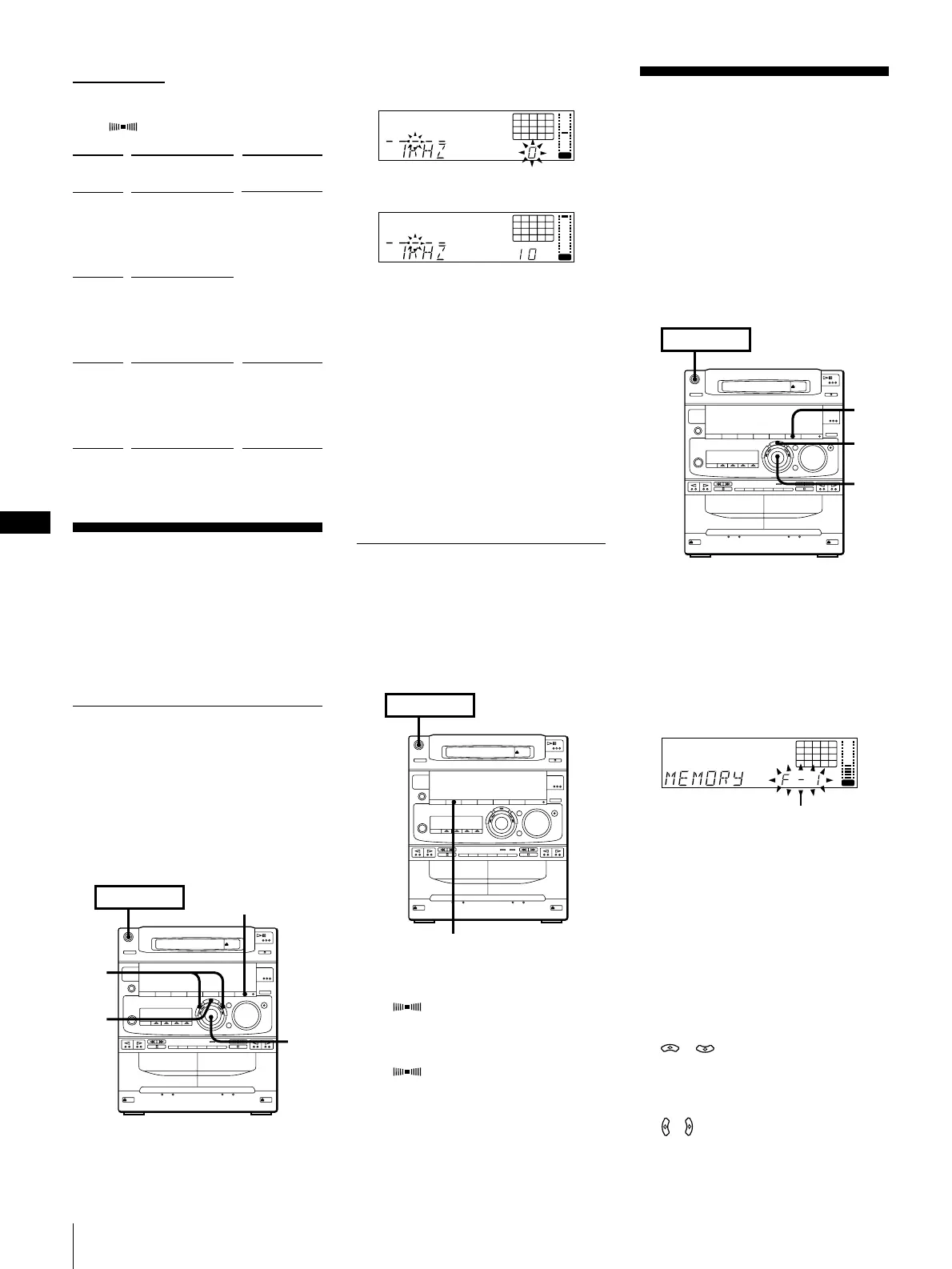
Press FREQUENCY + or – to select a
frequency band.
dB
12345
678
OFF
NRDOLBY
VOL
2 Turn the jog dial to adjust level.
dB
12345
678
OFF
NRDOLBY
VOL
3 Repeat steps 1 and 2.
4 Press ENTER/NEXT when finished.
The equalizer disappears from the
display but you can hear the effect of the
adjustments.
Note
If you choose another menu audio
emphasis (other than “EFFECT OFF”) the
adjusted sound effect is lost. To retain the
adjusted sound effect for future use, store it
in a personal file. (See “Making a Personal
Audio Emphasis File (personal file)”.)
Activating the Sound Field
(surround effect)
You can use the surround effect without
connecting surround speakers.
Before operation, first select the audio
emphasis you want for your basic sound.
To turn on the surround effect
Press SURROUND.
“SUR ” appears in the display.
To turn off the surround effect
Press SURROUND.
“SUR ” disappears from the display.
Making a Personal
Audio Emphasis File
(personal file)
You can create a personal file of audio
patterns (surround effect and graphic
equalizer) and store them in the memory of
the unit. Later call up an audio pattern to
play a favourite tape, CD, or radio
program. Create up to five audio files.
Before operation, first select the audio
emphasis you want for your basic sound.
1Obtain the sound effect you want by
using the graphic equalizer and
surround effect.
2Press and hold down P FILE for more
than a second.
The personal file number appears in the
display.
12345
678
OFF
NRDOLBY
VOL
3Use the jog dial to select the file number
(P FILE) where you want to store the
sound effect.
4Press ENTER/NEXT.
The adjusted sound effects are stored
under the selected file number. The
settings previously stored at this
memory location are erased and
replaced by the new settings.
To call up the personal file
1 Press P FILE (or MUSIC MENU
/ on the remote) repeatedly
until personal file appears.
The last selected personal file appears in
the display.
2 Use the jog dial (or press MUSIC MENU
/ on the remote) to select the
personal file you desire.
3 Press ENTER/NEXT.
2
1
4
POWER
n
ON
EFFECT ON/OFF
4
2
3
POWER
n
ON
➔ continued
Music menu options
“SUR ” appears if you select an effect
with surround effect.
Adjusting the Audio
Emphasis
You can adjust the audio emphasis using
the following two functions:
•Graphic Equalizer
•Surround Effect
Adjusting the Sound
(graphic equalizer)
You can adjust the sound by raising or
lowering the levels of specific frequency
ranges.
Before operation, first select the audio
emphasis you want for your basic sound.
MENU
button
MENU 1
MENU 2
MENU 3
Effect
ROCK
POPS
JAZZ
CLASSIC
DANCE
SALSA
REGGAE
BALLADE
OLDIES
SOUL
MORNING
DAY
EVENING
NIGHT
RELAX
For
standard
music sources
listening
situations
POWER
n
ON
SURROUND
File number



 To Next Page