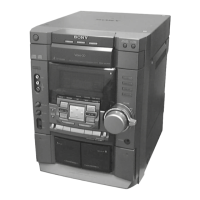
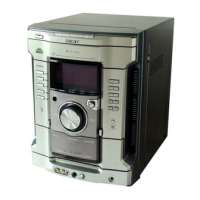
Need help?
Do you have a question about the Sony MHC-GZR9D and is the answer not in the manual?
Essential warnings for fire, shock, and general usage.
Details of the system models and their components.
Guide to resolving common system problems.
Lists playable disc types like DVD VIDEO, VIDEO CD, CD, and DATA CD.
Identifies controls and indicators on the main system unit.
Identifies buttons and their basic functions on the remote.
Instructions for connecting antennas and speakers.
Steps for connecting the system to a TV using a video cord.
Recommendations for optimal placement of speakers and subwoofer.
Basic adjustments for language and TV aspect ratio.
Steps for inserting and playing discs, including data disc notes.
Selecting audio formats and languages for DVD VIDEOs.
How to resume playback from where it was stopped.
How to play tracks in a random order.
Navigating DVD VIDEOs using title and menu options.
How to navigate and play MP3 files and folders.
How to view JPEG images and create slide shows.
Information about DivX video technology and file requirements.
How to adjust the delay between picture and sound.
How to set up parental controls and playback limitations.
How to access and navigate the system's setup options.
Adjusting TV type and on-screen display language.
Adjusting dynamic range compression and audio track priority.
Configuring screen saver, background, and system reset.
How to use the test tone to adjust speaker levels.
Instructions for listening to radio stations via presets or manual tuning.
Steps for inserting and playing tapes.
Information on recording methods and mixing microphone sound.
How to transfer music from discs to a USB device.
Transferring music using the front panel display.
How to record tracks or folders onto a USB device.
Steps for recording analog audio to a USB device.
Lists supported audio formats like MP3, WMA, AAC, JPEG.
How to select and play audio tracks and folders from USB.
How to select and play image files and folders from USB.
Adjusting speed and transition effects for image slide shows.
How to play tracks in a random order from a USB device.
Options for repeating folders or tracks from USB.
How to enhance bass and create a powerful sound.
How to choose from various preset sound effects.
Choosing sound fields for immersive audio playback.
Steps to set up the system for karaoke.
How to adjust microphone volume and echo effect.
Adjusting the musical key to suit vocal range.
Selecting guide vocal channels for DVD VIDEO, VIDEO CD, AUDIO CD.
Choosing scoring modes for karaoke practice.
Setting the system to turn off after a specified time.
How to turn off the display to save power.
How to view disc information, clock, and effect names.
Diagrams showing connections for optional components.
Details on connecting video and audio inputs/outputs.
How to connect and listen to VCR or satellite tuners.
Steps for connecting an amplifier for multi-channel sound.
Addresses display flashing, power issues, and STANDBY indicator.
Resolving microphone sound, hum/noise, and timer problems.
Addresses problems with sound from speakers and subwoofers.
Resolving problems with disc ejection and playback initiation.
Solutions for errors during USB transfer or recording.
Addresses USB connection issues and over current detection.
Solutions for unrecognized USB devices and display errors.
Explains issues with MP3, WMA, AAC, JPEG, DivX file formats.
Resolving picture noise and aspect ratio problems.
Troubleshooting radio tuning and tape deck problems.
How to perform a cold reset for the system.
Explains version display and common error messages.
Guidelines for handling and cleaning discs.
Instructions for cleaning the system cabinet and tape heads.
Technical details of the main unit and amplifier section.
Specifications for disc player, tuner, and tape deck.
Specifications for front, surround, and center speakers.
Details on power requirements, consumption, and dimensions.
How the control menu displays and operates.
Control menu items for selecting disc content and playback modes.
Control menu items for repeat play, A/V sync, and setup.
Control menu items for effects, modes, USB recording, and karaoke.
List of language codes for system settings.
List of area codes for parental control settings.
Definitions for terms like Auto Pause, Chapter, DivX, Dolby Digital.
Definitions for Dolby Pro Logic, DTS, DVD VIDEO, DVD-RW.
Definitions for Parental Control, PBC, Progressive Format, Region Code.
Explanation of VIDEO CD technology and its versions.
Alphabetical listing of topics and their page numbers.
 General
| Brand | Sony |
|---|---|
| Model | MHC-GZR9D |
| Category | Hi Fi Component |
| Language | English |


 To Next Page