6
GB
MHC-RV8 4-240-082-12 (1)
Getting Started
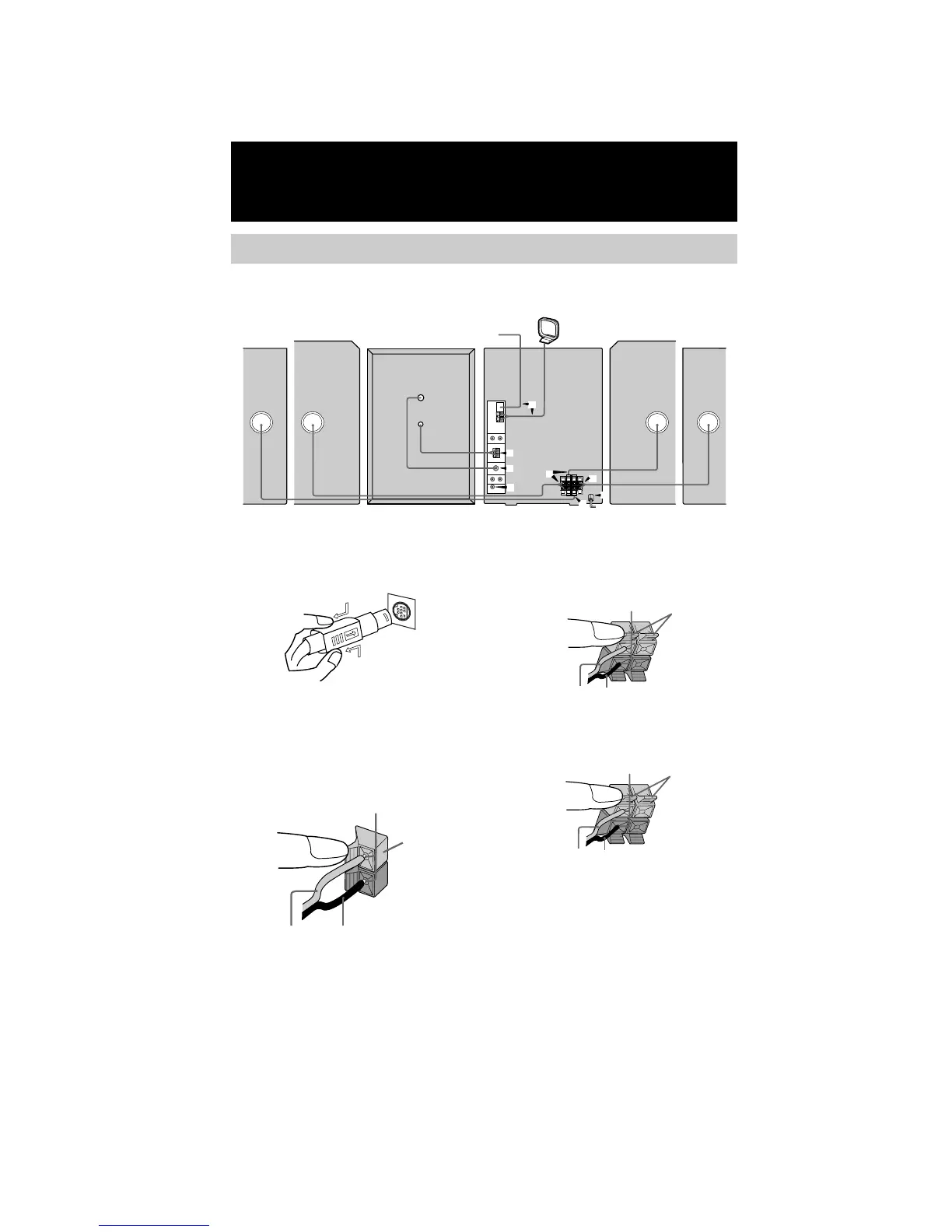
Hooking up the system
Do the following procedure 1 to 8 to hook up your system using the supplied cords and
accessories.
AM loop antenna
Front speaker
(Left)
Front speaker
(Right)
FM antenna
5
3
4
4
7
2
1
6
Surround
speaker (Left)
Surround
speaker (Right)
Main UnitSubwoofer
To disconnect
R
+
Black/Stripe (#)Grey/Solid (3)
Grey
3 Connect the front speakers.
Connect the speaker cords to the FRONT
SPEAKER jacks.
4 Connect the surround speaker.
Connect the speaker cords to SURROUND
SPEAKER jacks.
Note
Keep the speaker cords away from the antennas to
prevent noise.
LR
_
+
Insert only the stripped portion.
Black/Stripe (#)Red/Solid (3)
Black/Stripe (#)Blue/Solid (3)
Insert only the stripped portion.
Red
Blue
Insert only the stripped portion.
1 Connect the system cord to the
SYSTEM CONTROL connectors
properly.
Be sure to make this connection before you
connect the main unit’s power cord to a wall
outlet.
2 Connect the subwoofer.
Connect the subwoofer cords to
SUBWOOFER jacks as below. Be sure to
match the color of the cords and jacks.
Note
Place the subwoofer at least 0.3m away from the main
unit.



 To Next Page
 Loading...