Need help?
Do you have a question about the Sony MHC-S9D and is the answer not in the manual?
Specific laser safety warnings for North American and European models.
Caution regarding potential TV screen damage from static images.
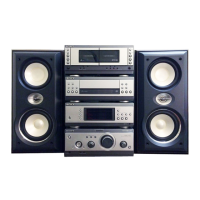
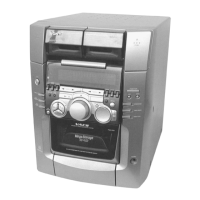
Identification of A/V amplifier, Tuner, and CD/Cassette player parts.
Step-by-step guide for connecting system components and speakers.
Instructions for battery installation in the remote control.
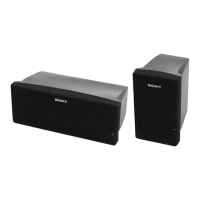
Adjusting speaker settings for optimal surround sound configuration.
Setting speaker distances and balance for optimal audio.
Adjusting speaker volumes and balance using a test tone.
Navigating the setup menu for various adjustments.
Setting languages for OSD, DVD menus, audio tracks, and subtitles.
Adjusting aspect ratio, screen saver, and background display.
Setting playback restrictions and audio track preferences for DVDs.
Instructions for inserting discs and initiating playback modes.
Navigating DVD and VIDEO CD menus for content selection.
Programming a sequence of tracks or titles for custom playback.
Using Resume Play and Repeat Play for discs, titles, or tracks.
Displaying playback time and text data from discs.
Selecting audio tracks, channels, and managing sound effects.
Locating specific movie content by identifier or time code.
Selecting different viewing angles and subtitle languages.
Setting up passwords and playback restrictions for discs.
Storing, accessing, and tuning into radio broadcasts.
Inserting tapes and controlling basic playback functions.
Step-by-step guides for CD Synchro, Dubbing, and manual recording.
Setting up the system to record radio programs at scheduled times.
Modifying bass response, applying sound modes, and selecting acoustic environments.
Fine-tuning surround effect, wall type, and reverberation settings.
Fine-tuning individual speaker volumes and balance for optimal audio.
Fine-tuning bass, midrange, and treble frequencies for front speakers.
Resetting customized sound fields, equalizer, and speaker parameters to factory defaults.
Using the spectrum analyzer and karaoke features.
Setting the system to turn off automatically after a specified period.
Scheduling the system to turn on and play music at a set time.
Linking external audio sources like MD decks and VCRs to the system.
Essential safety precautions, disc handling, and playback notes.
Solutions for common problems and procedures for system reset.
Diagnosing and fixing problems related to audio and video output.
Addressing issues with speaker sound and disc playback failures.
Interpreting error messages and resolving control related problems.
Addressing common issues with cassette deck, tuner, and system error codes.
Detailed technical specifications for audio power and amplifier sections.
Technical details for inputs, outputs, DVD, and tape player sections.
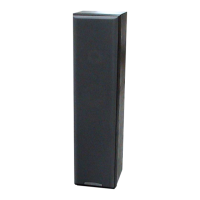
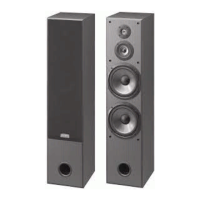
Detailed specifications for speakers and general system features.
Definitions for terms related to audio formats and disc technologies.
Summarized tables of adjustable parameters for sound fields.
 General
| USB Port | Yes |
|---|---|
| Remote Control | Yes |
| Functions | CD Player, Radio |
| Speakers | 2-way speaker system |
| Frequency Response | 20 Hz - 20 kHz |
| Inputs | AUX |
| Type | Mini Hi-Fi System |


 To Next Page