11
GB
Installation
6 Confirm the location of the
device driver.
Note
If the location is not
“X:\WIN98\SONYUFD1.INF” (where X
is your CD-ROM drive letter), click
[Back] and return to step 4.
7 Click [Next] to install the device
driver. When installation is
complete, click [Finish].
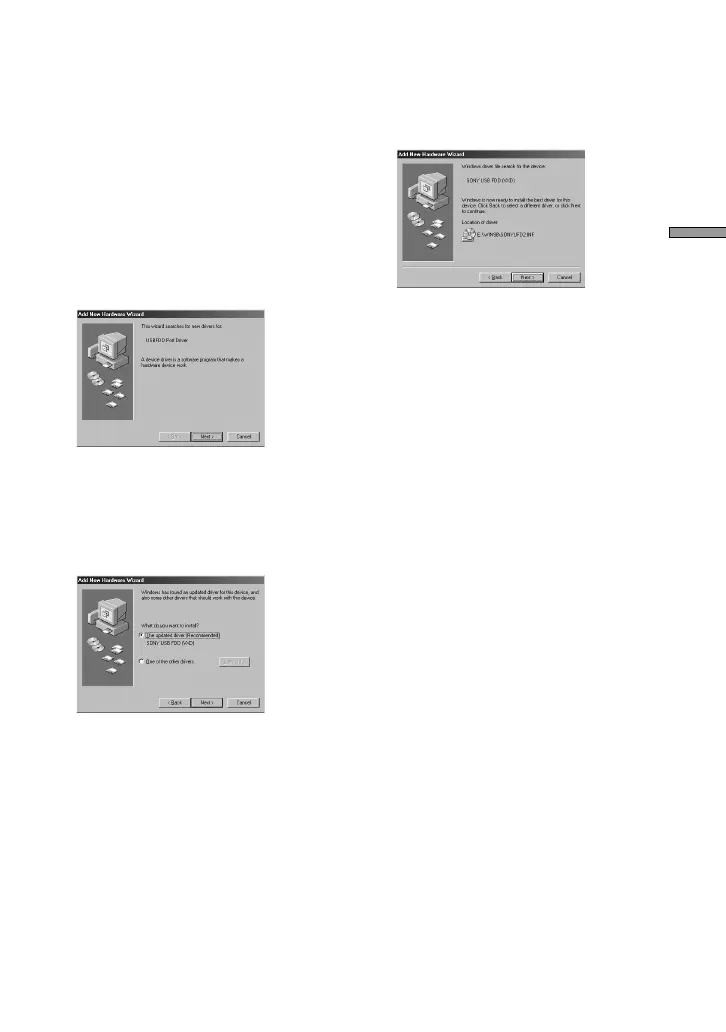
The following dialog box appears.
8 Click [Next], and then repeat
steps 4 and 5.
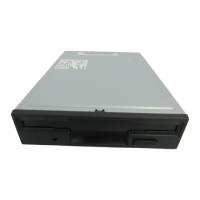
When you are done, the following
dialog box appears.
9 Select “The updated driver
(Recommended)”, and then
click [Next].
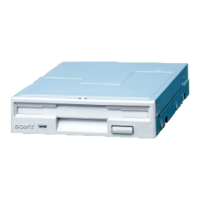
The following dialog box appears.
10
Confirm the location of the
device driver.
Note
If the location is not
“X:\WIN98\SONYUFD2.INF” (where X
is your CD-ROM drive letter), click
[Back] and return to step 9.
11
Click [Next] to install the device
driver.
12
When installation is complete,
click [Finish].


 To Next Page