23-GB
3 Delete the driver if installed.
If you use the procedure described in Step 2 and confirm that
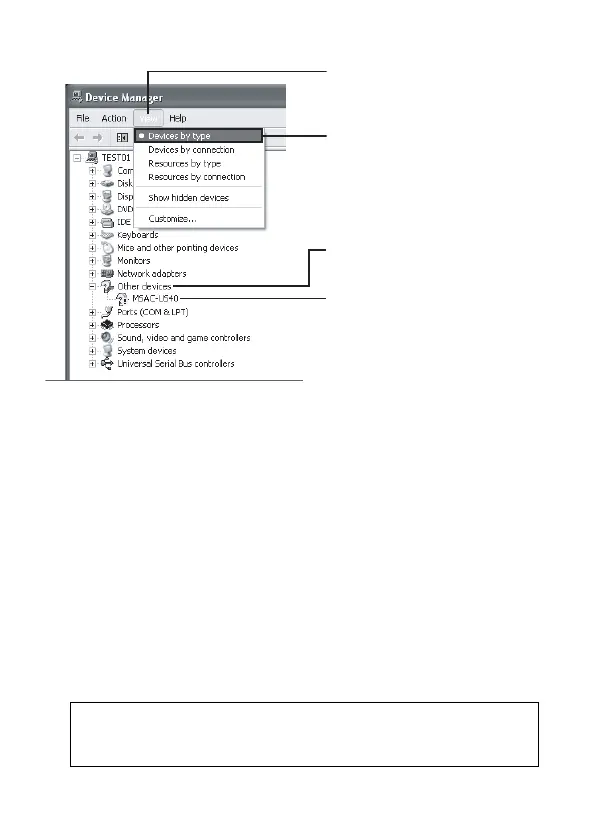
[? MSAC-US40] is shown under “Other devices” in the “View devices
by type” display, a separate device driver has already been installed.
Use the following procedure to delete this driver.
Do not delete other devices than [? MSAC-US40].
1 Right-click on [? MSAC-US40].
2 Click on [Remove]. The “Confirm Device Removal” screen
appears.
3 Click the [OK] button. The device is removed.
4 Restart your computer after disconnecting this unit from the
computer.
Install the device driver again by performing the procedure from
Step 1 described on page 16.
PNote
If you delete other devices than [? MSAC-US40], your computer may no
longer operate normally.
2 (Continued)
3 Click [View].
4 Click [View devices by type].
5 Double-click [Other devices].
6 Check whether [? MSAC-
US40] preceded by the “?”
symbol is shown.



 To Next Page