22-GB
When the removable disk (Memory
Stick icon) is not indicated
A separate device driver may already have been installed. Connect this
unit to your computer, and then perform the following procedure.
– When using Windows 2000/Windows XP –
Log on as Administrator or using a user ID that has administrative
privilege.
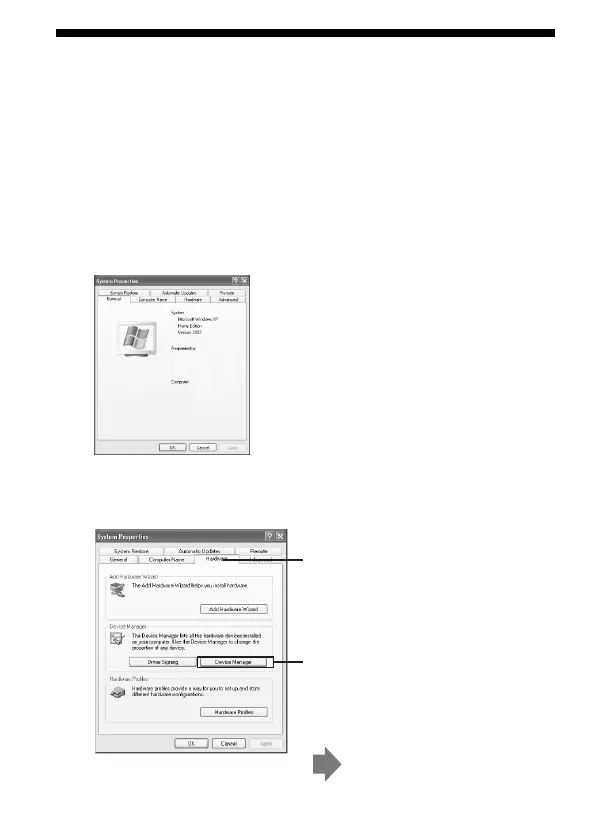
1 Double-click the “System” icon on the “Control Panel.”
1 Click the [Hardware] tab on the
“System Properties” screen.
2 Click [Device Manager].
The “Device Manager” screen
appears.
2 Check if the device driver has already been installed.
The “System Properties” screen appears.



 To Next Page