26-GB
Disconnecting the unit from your
computer
– For customers using Windows Me/Windows 2000/Windows XP –
Perform the procedure described below before disconnecting the USB
cable from the computer.
•The screens shown in Windows XP are used in the following
explanations.
The screens may differ slightly depending on the type of OS used.
•Customers using Windows 98SE do not need to perform this procedure.
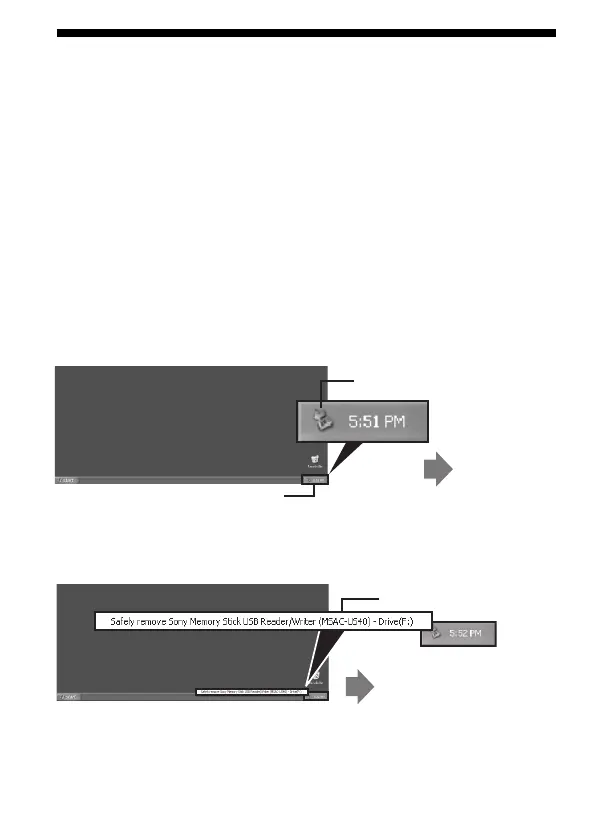
1 Click the “Unplug or Eject Hardware” icon in the task tray in
the lower right corner of the screen.
Click this icon.
A message
appears.
This section is the task tray.
2 Click “Safely remove Sony Memory Stick USB Reader/Writer
(MSAC-US40)-Drive (F:).”
* The drive letter “(F:),” etc. differs depending on the computer used.
Click this section.
A message appears after a
little while.



 To Next Page