29-GB
PNotes
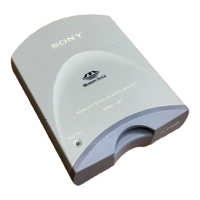
•The access lamp lights when you insert the “Memory Stick” into the unit.
This blinking indicates that the data on the “Memory Stick” is being
accessed. Never remove the “Memory Stick,” turn off the computer or
unplug the USB cable while the access lamp is blinking. Doing so may
damage the data on the “Memory Stick.”
•Unplugging the USB cable or removing the “Memory Stick” in this unit,
without performing the operations above, may cause damage to the
“Memory Stick.” Unplug the USB cable or remove the “Memory Stick”
after performing these operations.
Sony will not be liable for any damage caused as a result of not following
the instructions above.



 To Next Page