EasyManua.ls Logo

Sony Multiscan CPD-1304S - Page 5

Sony Multiscan CPD-1304S
8 pages
Print Icon
To Next Page IconTo Next Page
To Previous Page IconTo Previous Page
Loading...
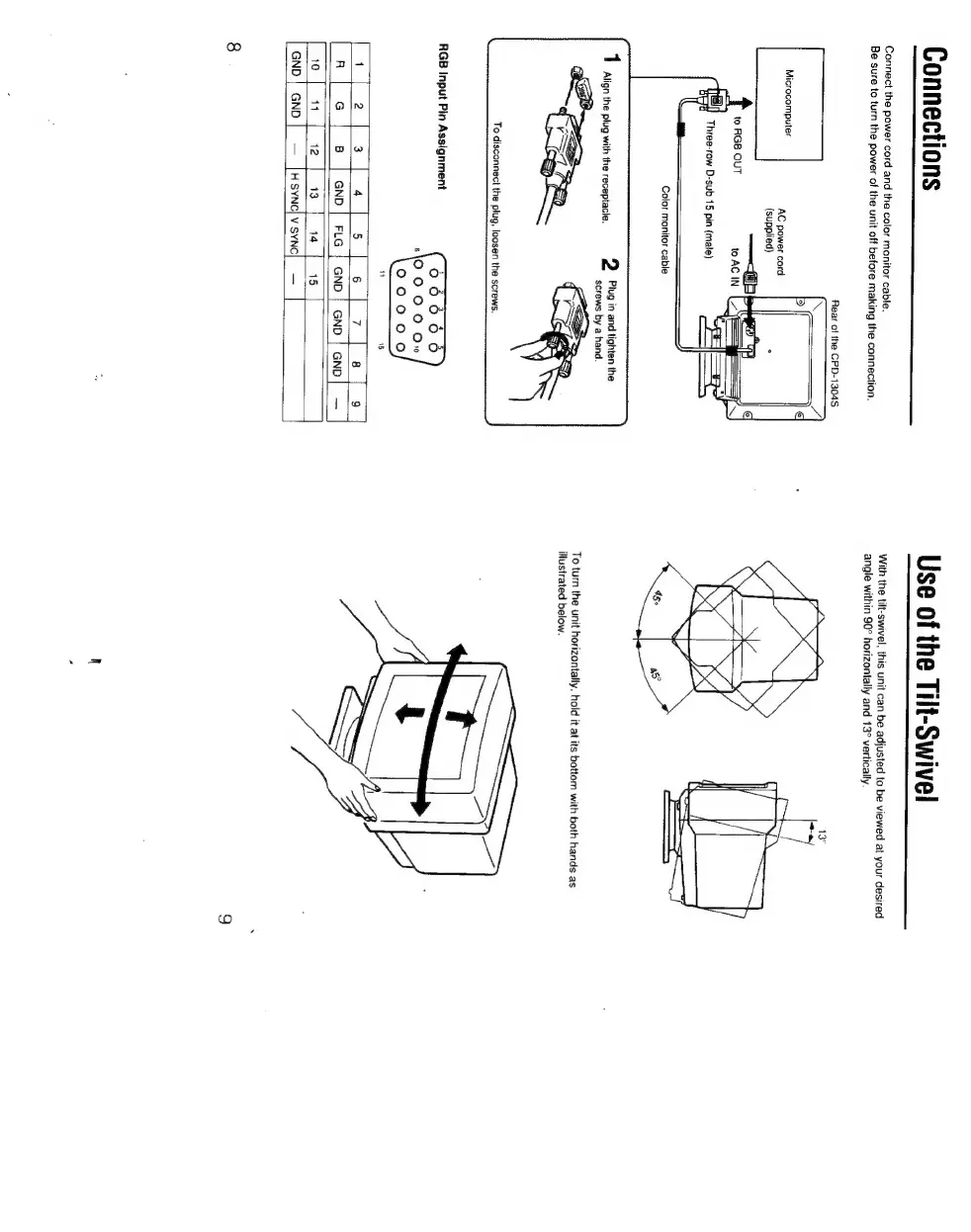
Connections
Connect
the
power
cord
and
the
color
monitor
cable.
Be
sure
to
turn
the
power
of
the
unit
off
before
making
the
connection.
Rear
of
the
CPD-1304S
Microcomputer
AC
power
cord
(supplied)
—<ab
py
RTD
a
to
RGB
OUT
to
AC
IN
C=
Se
Three-row
D-sub
15
pin
(male)
par
ae
Color
monitor
cable
2
Plug
in
and
tighten
the
screws
by
a
hand.
1
Align
the
plug
with
the
receptacle.
n|
e
|
B
|
anp]
ria]
ano|
cno!
cnn]
wo
|
nfe]
13
[
14
|
is
]
GND
|
GND
|HSYNC)V
SYNC]
Use
of
the
Tilt-Swivel
With
the
tilt-swivel,
this
unit
can
be
adjusted
to
be
viewed
at
your
desired
angle
within
90°
horizontally
and
13°
vertically.
13°
To
turn
the
unit
horizontally,
hold
it
at
its
bottom
with
both
hands
as
illustrated
below.

Other manuals for Sony Multiscan CPD-1304S

Related product manuals