20
Changing Setup
You can set up and adjust this player using the
on-screen setup menu. Most settings need to
be set when you first use this player.
Changing the aspect ratio
of screen
— TV DISPLAY
A monitor has two types of aspect ratio: the
normal type with a 4:3 horizontal-to-vertical
screen ratio, and a wide type with a 16:9 ratio.
Some DVDs also have multiple types of aspect
ratio as follows:
4:3 PS: Pan Scan
If you play a 16:9-
wide-image DVD on a
normal monitor
connected with this
player, the images are
cropped at the left and
right.
4:3 LB: Letter Box
If you play a 16:9-
wide-image DVD on a
normal monitor
connected with this
player, the images are
compressed vertically.
16:9 wide: Wide Screen
If you play a 16:9-
wide-image DVD on a
wide monitor
connected with this
player, the images are
played at full size.
Note
To play images at full size, set your monitor “Full ”
or to the corresponding mode. For details, read
the operating instructions supplied with your
monitor.
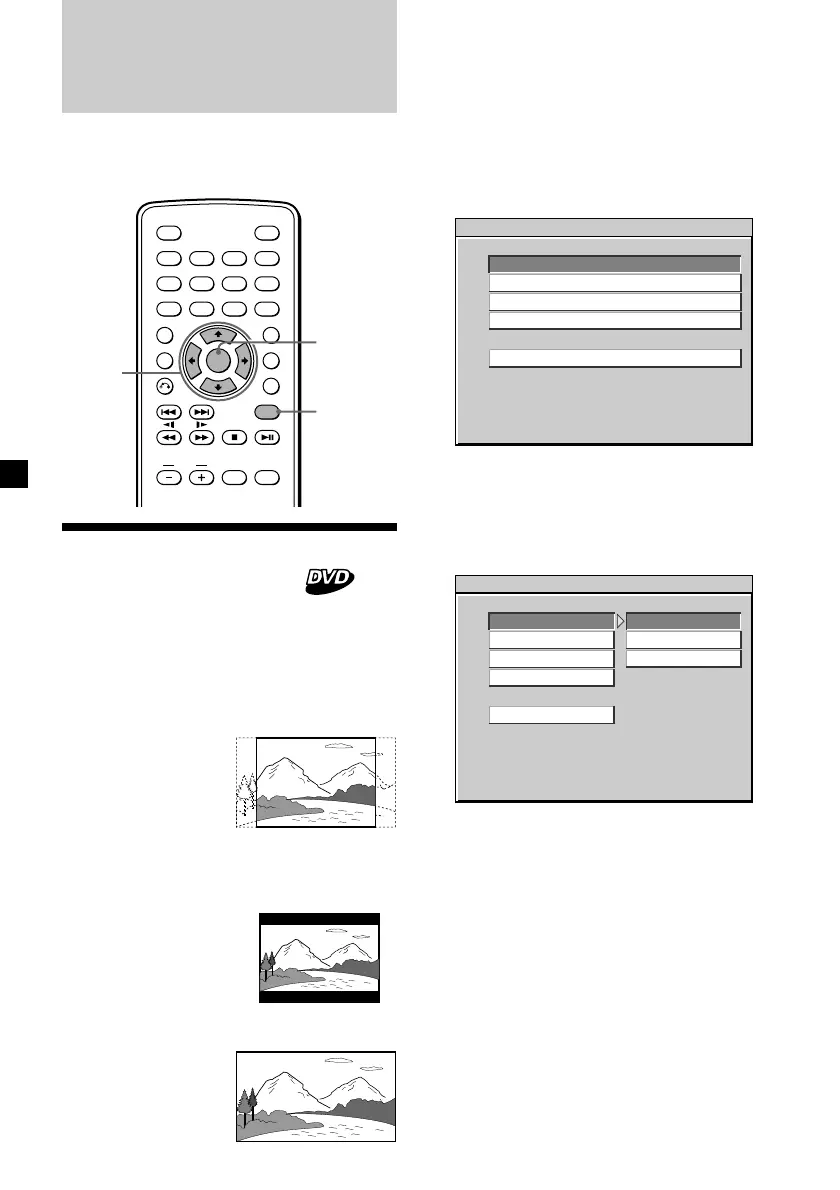
1 Press (SETUP).
The main page for setup appears.
“PREFERENCES” is only available when
playback is stopped.
2 Press M or m repeatedly to select
“GENERAL SETUP,” then press (ENTER).
3 Press M or m repeatedly to select “TV
DISPLAY,” then press ,.
4 Press M or m repeatedly to select the
desired item from “4:3 PS,” “4:3 LB,” or
“16:9 WIDE.”
5 Press (ENTER).
“SET TO WIDE” is displayed at the lower
left on the monitor, for example if you
select “16:9 WIDE” in step 4.
To return to normal play screen, press
(SETUP) anytime.
Notes
• To return to the main page for setup, press M/m/
< repeatedly to select “MAIN PAGE,” then press
(ENTER).
• Regardless of setting to “4:3 PS” or “4:3 LB,”
either of setting may be automatically activated,
depending on the DVD.
ENTER
SEARCH
POWER
DISPLAY
CLEAR
SETUP
AUDIO
ANGLE
SUBTITLE
MENU
TOP MENU
INPUT
MONITOR
POWER
123
456
789
0
VOL
ENTER
M/m
</,
SETUP
SETUP MENU -- MAIN PAGE
GENERAL SETUP
GENERAL SETUP
SPEAKER SETUP
AUDIO SETUP
PREFERENCES
EXIT SETUP
-- GENERAL PAGE - -
NORMAL TV PAN SCAN
4:3 PS
4:3 LB
16:9 WIDE
TV DISPLAY
ANGLE MARK
CAPTIONS
SCR SAVER
MAIN PAGE








 To Next Page