Sony Memory Stick media do not support AVI file playback. First copy the AVI file to your hard disk drive and then
playback the file.
Protecting data on Memory Stick media from accidental changes
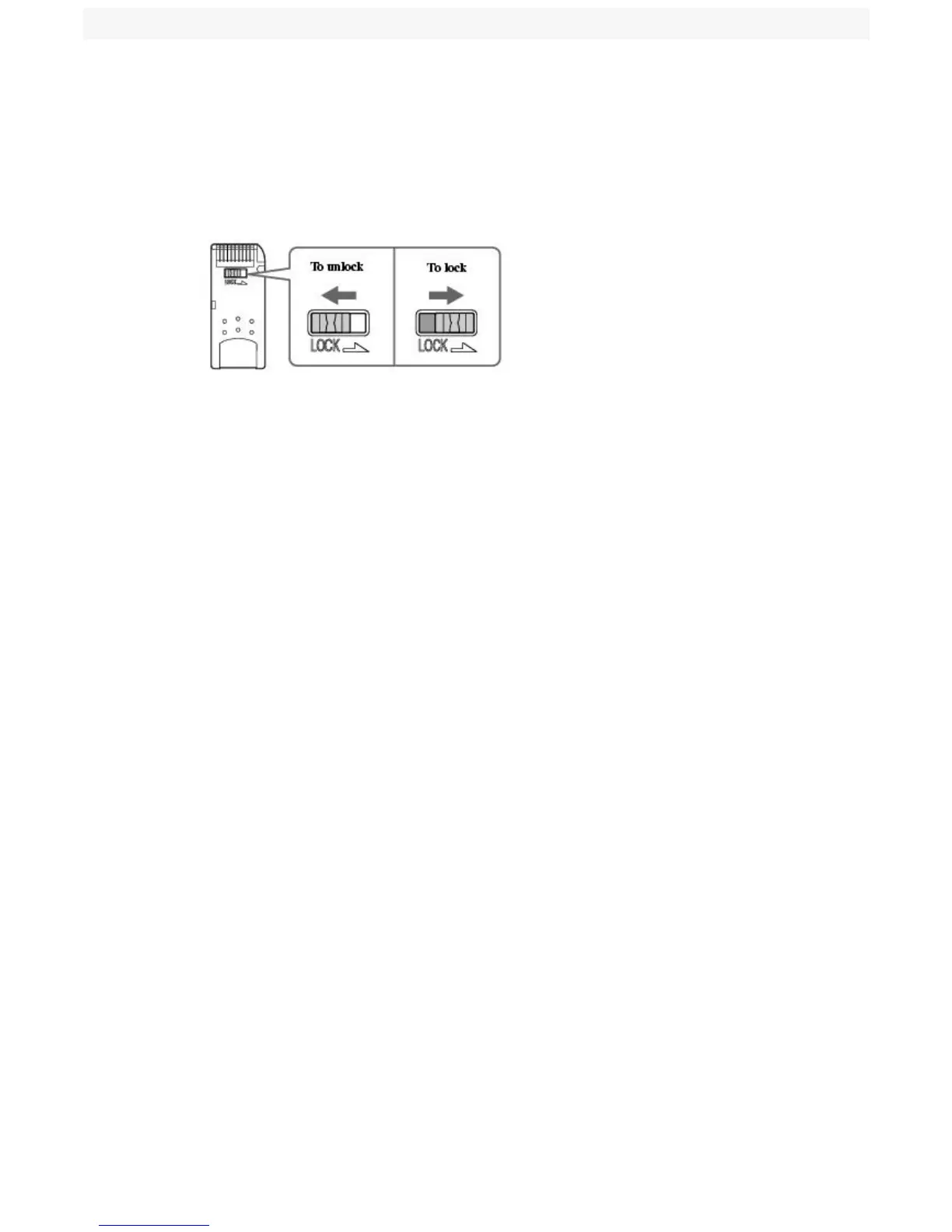
Memory Stick media contain a write-protect tab. The write-protect tab prevents accidental changes to information recorded
on your Memory Stick media. When you slide the write-protect tab to the LOCK position, your Memory Stick media is
write-protected. You cannot delete, copy, or save information on the media while the write-protect tab in the LOCK position.
When you slide the tab to the un-LOCK position, you can write to or modify your Memory Stick media's contents.
Locking the Memory Stick Media
Page 26



 To Next Page