EasyManua.ls Logo

Sony MXP-210 - Page 12

Sony MXP-210
38 pages
Print Icon
To Next Page IconTo Next Page
To Previous Page IconTo Previous Page
Loading...
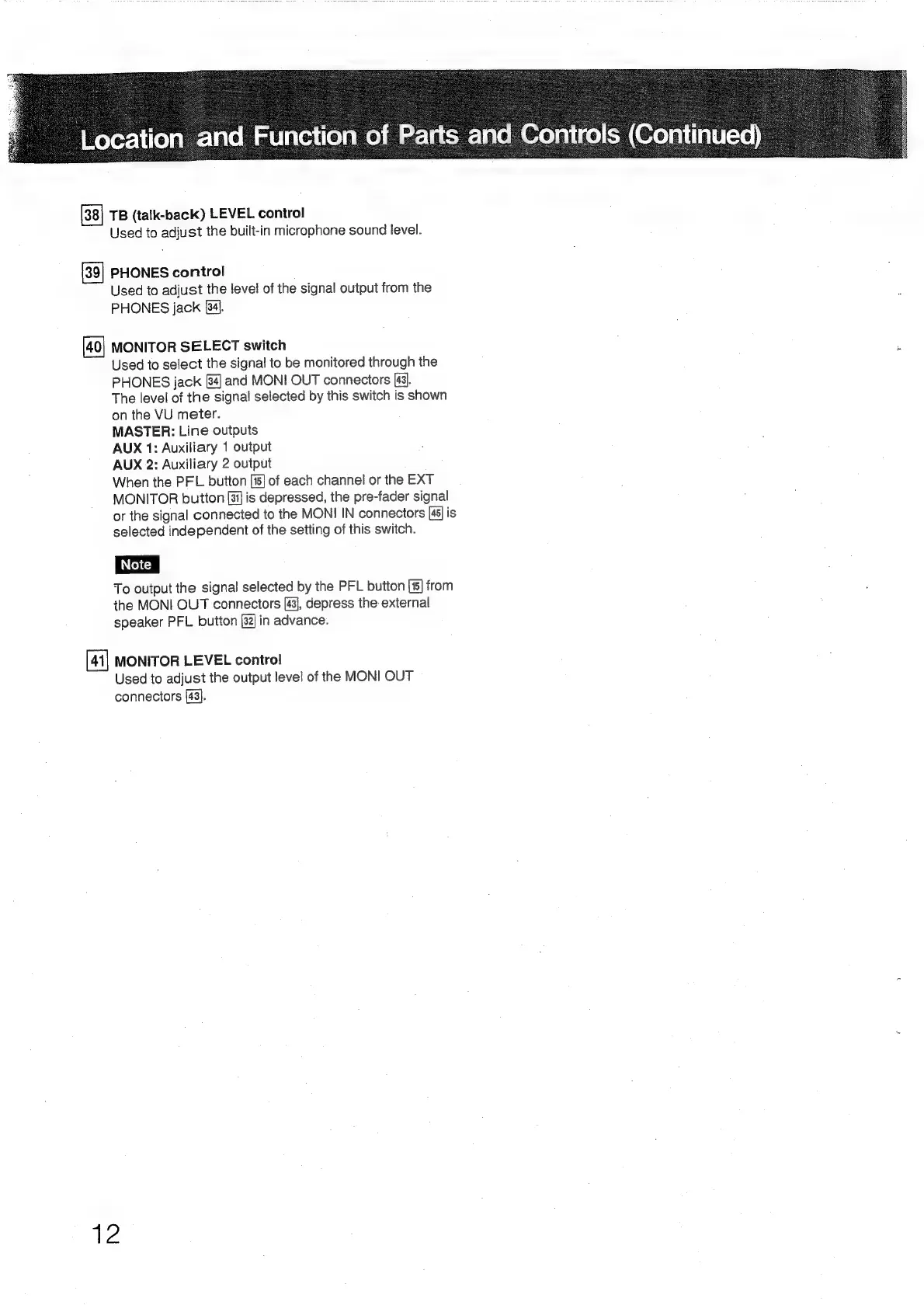
TB
(talk-back)
LEVEL
control
Used
to
adjust
the
built-in
microphone
sound
level.
PHONES
control
Used
to
adjust
the
level
of
the
signal
output
from
the
PHONES
jack
[34].
MONITOR
SELECT
switch
Used
to
select
the
signal
to
be
monitored
through
the
PHONES
jack
[84]
and
MONI
OUT
connectors
[43].
The
level
of
the
signal
selected
by
this
switch
is
shown
on
the
VU
meter.
MASTER:
Line
outputs
AUX
1:
Auxiliary
1
output
AUX
2:
Auxiliary
2
output
When
the
PFL
button
[15]
of
each
channel
or
the
EXT
MONITOR
button
[31]
is
depressed,
the
pre-fader
signal
or
the
signal
connected
to
the
MONI
IN
connectors
[45]
is
selected
independent
of
the
setting
of
this
switch.
To
output
the
signal
selected
by
the
PFL
button
from
the
MONI
OUT
connectors
[43],
depress
the-
external
speaker
PFL
button
[32]
in
advance.
MONITOR
LEVEL
control
Used
to
adjust
the
output
level
of
the
MONI
OUT
connectors
[43].
a