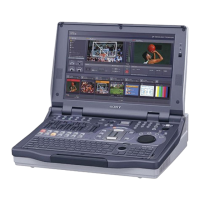
Why [PGM Recording] menu doesn't appear on Sony AWS-G500?
A
Amy KellySep 22, 2025
If the [PGM Recording] menu doesn't appear on your Sony Music Mixer, it's likely because the aspect ratio is set to 16:9 HD mode. Try setting it to 4:3 or 16:9 SD mode.
J
josestewartAug 25, 2025
How to fix video not appearing in source viewer on Sony AWS-G500 Music Mixer?
J
jdeanAug 25, 2025
If the video isn't showing up in the source viewer of your Sony Music Mixer, here are a few things to check:
* First, make sure the connected device is actually turned on.
* Next, double-check that all the cables are properly connected.
* Lastly, ensure the input signal is correctly assigned.
B
Bruce ThompsonAug 25, 2025
What to do if there is no sound from Sony Music Mixer but audio level meter moves?
C
Christopher MckeeAug 26, 2025
If you're not getting any sound from the speakers or headphones but the audio level meter is moving on your Sony Music Mixer, it could be due to the monitor output level being too low. Try turning up the monitor output level using the monitor level adjustment knob. Also, check if the TB (TalkBack) or DIM button is lit; if so, turn it off.
E
Eric CameronAug 27, 2025
Why the camera cannot be controlled from Sony AWS-G500 Music Mixer?
A
Amanda ClarkAug 27, 2025
If the camera cannot be controlled via the Sony Music Mixer, ensure the VISCA cables are properly connected to both the unit's VISCA connector and the camera's VISCA IN connector. Also, verify that the camera has been registered for control. Check that the NEXT selection button assigned to the video feed from the camera you want to control is selected. Finally, if the camera status is 'No Response,' try resetting the camera.
C
Christopher GlassSep 23, 2025
Why HD indicator does not light on Sony AWS-G500?
D
David AndersonSep 23, 2025
If the HD indicator isn't lighting up on your Sony Music Mixer, it's because the aspect ratio isn't set to 16:9 HD mode. Set it to 16:9 HD mode.
J
Joseph DoyleSep 23, 2025
Why keyboard does not work with Sony AWS-G500 Music Mixer?
T
Tanya BrownSep 23, 2025
If the keyboard isn't working with your Sony Music Mixer, make sure the keyboard is within range of the infrared sensor. If the keyboard is detached for use, the batteries might be depleted; try replacing them.
O
Oscar WagnerSep 10, 2025
Why keying doesn't disappear when transition is performed with KEY button lit on Sony AWS-G500?
S
Sarah TuckerSep 10, 2025
If keying doesn't disappear when a transition is performed with the KEY button lit on your Sony Music Mixer, it indicates that downstream keying is active. To resolve this, turn off the DSK button.
B
Brandon RodriguezSep 12, 2025
Why selection buttons switch on their own on Sony AWS-G500 Music Mixer?
N
Nicole CookSep 12, 2025
If the selection buttons on your Sony Music Mixer are switching on their own, it's likely that [Remote Switching] of [Video Utility] is set to something other than [Off], even though there's no external device connected to the FACTORY USE connector. Set [Remote Switching] to [Off].
W
William OlsonSep 3, 2025
How to fix keying not working on Sony AWS-G500?
Y
ybaileySep 4, 2025
If keying isn't working on your Sony Music Mixer, it could be hidden due to the Crop setting. Try changing the Crop setting. Also, check the Clip, Gain, or Density settings, as keying might be hidden because of these. Adjust the values set for Clip, Gain, or Density.
S
Shane GreerSep 1, 2025
How to solve video not appearing in PGM viewer on Sony Music Mixer?
D
Dakota LeeSep 1, 2025
If the video isn't appearing in the PGM viewer of your Sony Music Mixer, check if the FTB (Fade to Black) button is lit. If it is, turn it off.



 To Next Page
 General