EasyManua.ls Logo

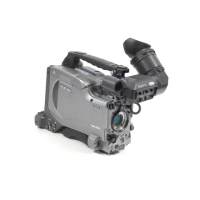
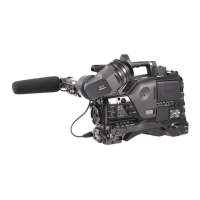
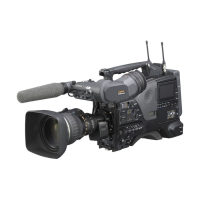
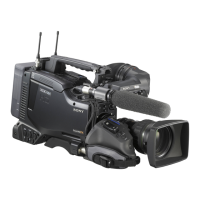
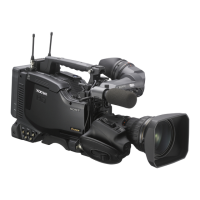
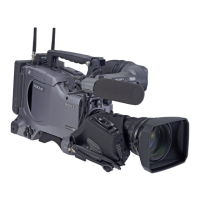
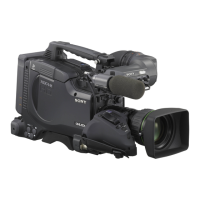
Sony PDW-F335L - User Manual

Sony PDW-F335L
193 pages
Print Icon
To Next Page IconTo Next Page
Loading...
Sony Corporation
Printed in Japan
Professional Disc
Camcorder
Operating Instructions
Before operating the unit, please read this manual
thoroughly and retain it for future reference.
PDW-F335L
PDW-F335K
© 2007 Sony Corporation
*3-271-547-12*
(1)
The supplied CD-ROM includes operating instructions for the PDW-F335
Professional Disc Camcorder (English, Japanese, French, German, Italian,
Spanish and Chinese versions) in PDF format.
For more details, see “Using the CD-ROM Manual” on page 9.

Table of Contents

Questions and Answers

  • J
    Jennifer FrederickAug 2, 2025
    Why does my Sony PDW-F335L Camcorder power supply cut while operating?
    • M
      mary85Aug 2, 2025
      If the power supply cuts while operating your Sony Camcorder, it's likely that the battery pack is exhausted. Replace it with a fully charged one.
  • C
    Catherine BakerAug 9, 2025
    What to do if my Sony PDW-F335L Camcorder does not power on?
    • A
      Andrew KnoxAug 9, 2025
      If your Sony Camcorder doesn't power on when you set the POWER switch to ON, check the following: * Ensure a battery pack is attached. * If a battery pack is attached, it may be exhausted. Replace it with a fully charged one. * Confirm that the AC adapter is connected.
  • M
    Michael HaasAug 16, 2025
    Why recording does not start when I press the REC button on my Sony Camcorder?
    • J
      Jessica WalkerAug 16, 2025
      If recording doesn't start when you press the REC button on your Sony Camcorder, consider the following possibilities: * Ensure the POWER switch is set to ON. * Check if the disc has the Write Inhibit tab in the recording disabled position. If so, set the Write Inhibit tab to allow recording, or change the disc. * The disc may be full. Replace it with one with sufficient free space, or format the disc. * The inserted disc may require salvage processing. Carry out salvage processing. * The recording format setting may be different from that of the already recorded clips. Change the disc, or change the recording format.
  • Z
    Zachary MontgomeryAug 23, 2025
    What to do if it is not possible to eject the disc from my Sony Camcorder?
    • A
      Alison PettyAug 25, 2025
      If you cannot eject the disc from your Sony Camcorder: * Ensure the battery pack is not exhausted by replacing it with a fully charged one. * If the battery cannot be charged, or there is no replacement battery, use the procedure in the next item, “To eject the disc when there is no power supply” to eject the disc. Set the POWER switch to ON.

Sony PDW-F335L Specifications

General IconGeneral
TypeProfessional Camcorder
Recording MediaProfessional Disc
Sensor Size1/2"
Lens MountBayonet mount
FocusAuto/Manual
ViewfinderLCD color viewfinder
LCD Screen3.5 inch LCD
Audio Channels4 channels
Audio Recording24-bit/48kHz

Related product manuals