40
3-4 Handling Discs
Chapter 3 Preparations
3-4 Handling
Discs
3-4-1 Discs Used for
Reading and Writing
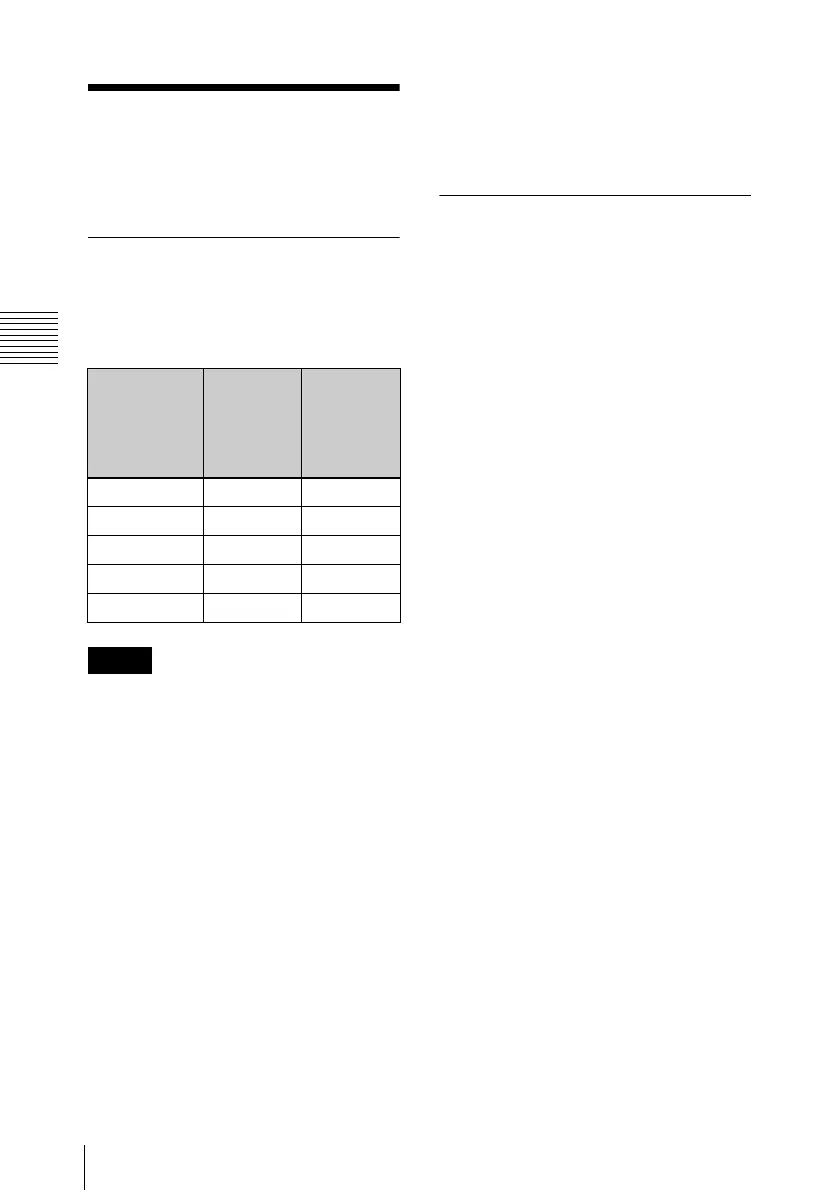
This unit uses the following professional
discs for reading and writing:
• This unit cannot read or write the
following discs.
- Blu-ray Disc
- Professional Disc for Data
• PFD128QLW is a quad-layer WO disc.
Pay due attention to the following points.
- Even if you delete any files written to
the disc, no available storage space
will be increased.
- Reformatting the disc will not increase
the available storage space.
- Repetitive file writing will consume
the recordable resource space (for
writing the disc management data, etc.)
on the disc. If no available recordable
resource space is left on the disc, file
writing may be disabled even with
sufficient available storage space
remaining.
- No file can be written after the disc is
finalized.
• The operation which you can execute
varies depending on the file type stored in
each directory. For details, refer to the
help file of the utility software.
3-4-2 Notes on Handling
Handling
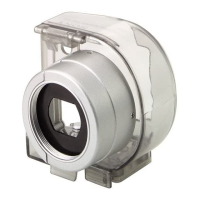
The Professional Disc is housed in a
cartridge, and is designed to allow handling
free of risk from dust or fingerprints.
However, if the cartridge is subjected to a
severe shock, for example by dropping it,
this can result in damage or scratching of
the disc. If the disc is scratched, it may be
impossible to record video/audio, or to play
back the content recorded on the disc. The
discs should be handled and stored
carefully.
• Do not touch the surface of the disc itself
within the cartridge.
• Deliberately opening the shutter may
cause damage.
• Do not disassemble the cartridge.
• The supplied adhesive labels are
recommended for indexing discs. Apply
the label in the correct position.
Storage
• Do not store discs where they may be
subjected to direct sunlight, or in other
places where the temperature or humidity
is high.
• Do not leave cartridges where dust may
be able to gain ingress.
• Store cartridges in their cases.
Care of the discs
• Remove dust and dirt on the outside of a
cartridge using a soft dry cloth.
• If condensation forms, allow ample time
to dry before use.
Disc No. of files
which can
be created
Max. data
capacity
for user
data
recording
PFD23 5,000 21 GB
PFD23A 5,000 21 GB
PFD50DLA 6,000 46 GB
PFD100TLA 20,000 92 GB
PFD128QLW 20,000 120 GB
Notes



 To Next Page