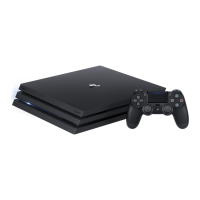
This document is a Quick Start Guide for the PlayStation®4 Pro system, providing essential information for setting up and using the console.
Function Description
The PlayStation®4 Pro is an advanced gaming console designed to deliver an immersive play experience. It allows users to play games, connect to the internet for online gaming and content, and share gameplay experiences with others. The system supports high-definition multimedia output and integrates with the PlayStation™ Network for expanded features and services.
Usage Features
Initial Setup
To begin, connect the PS4™ Pro system to your TV using the supplied HDMI cable. The guide provides a step-by-step process:
- Connect to TV: Use the HDMI cable to connect the HDMI OUT port on the PS4™ Pro to the HDMI input port on your TV.
- Connect to Power: Plug the AC power cord into the AC IN connector on the PS4™ Pro, and then connect it to an electricity supply.
- Connect to the Internet: For a stable network connection, it is recommended to use a LAN cable (sold separately) to connect the PS4™ Pro to a router or an internet-connected device such as a modem. If you prefer Wi-Fi, do not connect a LAN cable. Connecting to the internet enables online gaming and connecting with friends.
- Turn on TV and PS4™ Pro: Turn on your TV and set the input to HDMI. Then, press the power button on the PS4™ Pro. The power indicator will blink blue and then turn white. If the TV does not display a picture, restart the system by pressing the power button for at least 7 seconds to turn it off, then turn it on again.
- Connect DUALSHOCK®4 Wireless Controller: Connect the controller to the PS4™ Pro system using the USB cable and then press the PS button. This pairs the controller with the system and turns it on. For first-time use or when using the controller on another PS4™ Pro system, pairing is required. Up to four controllers can be used simultaneously, with each glowing a different color (blue for the first, then red, green, and pink). After pairing, the USB cable can be disconnected for wireless use.
- Personalize Settings: Follow the on-screen instructions to set up an internet connection, date, time, and other settings. Select [Start Now] from the setup screen. A system software update may automatically download after connecting to the internet, improving performance and adding new features.
Parental Controls
The PS4™ Pro system includes parental controls to restrict access to certain content or features for children. Parents or guardians can set these restrictions. The guide provides tables for Europe, Africa, India, and Germany, outlining parental control levels based on player age and corresponding highest game age ratings (PEGI and USK). For detailed information on what can be restricted and how to set restrictions, users can refer to the User's Guide.
Navigating the System
The PS4™ Pro features a user-friendly interface:
- Function Screen: Accessed via the up button, this screen provides access to system features, notifications, friends lists, and settings.
- Home Screen (Content Area): Accessed via the down button, this area allows users to access their games and other content.
- Content Info Screen: Displays the latest information about selected content.
Playing Games
- Starting a Game: Insert a game disc into the system, then select the game from the content area to start playing.
- Returning to Home Screen: Press the PS button to return to the home screen without ending a game. To resume playing, select the game from the content area.
- Ending a Game: Press and hold the PS button, then select [Close Application] from the quick menu.
- Ejecting a Disc: Press the eject button on the front of the system.
Audio and Charging
- Connecting Mono Headset: For in-game voice chat, plug the mono headset into the controller's stereo headset jack. The headset includes a microphone and a MIC switch.
- Charging Controller: Connect the controller to the PS4™ Pro system using a USB cable while the system is on or in rest mode. To charge in rest mode, ensure the "Supply Power to USB Ports" setting is enabled under [Settings] > [Power Saving Settings] > [Set Features Available in Rest Mode].
Sharing Gameplay
The PS4™ Pro allows users to share their gaming experiences online using the SHARE button on the controller:
- Upload a Screenshot: Capture a screenshot of gameplay and upload it to social networks or send it to friends via Messages.
- Upload a Video Clip: The system continuously records the last 15 minutes of gameplay. Users can upload these video clips to social networks.
- Broadcast Gameplay Live: Broadcast gameplay to a live streaming service for others to watch.
- View Shared Gameplay: Use "Live from PlayStation" to view broadcasts, video clips, or screenshots shared by other players.
- Play a Game Together (Share Play): Use "Share Play" to share the game screen with another player and play the same game together. This feature requires a PlayStation®Plus membership, a high-speed internet connection (2 Mbps upload recommended), and a Sony Entertainment Network account.
PlayStation™ Network
Signing in to PlayStation™ Network expands the enjoyment of the PS4™ Pro system, offering features such as:
- Downloading games
- Connecting with friends
- Sending messages
- Chatting
A Sony Entertainment Network account is required to sign in. PlayStation™ Network, PlayStation™ Store, and PlayStation®Plus are subject to terms of use, country, and language restrictions. Users are responsible for internet service fees, and charges may apply for some content/services. Age restrictions apply, and parental consent is required for users under 18. Service availability is not guaranteed, and online features of specific games may be withdrawn.
Shutting Down
- Rest Mode: When in rest mode, the system operates with lower power consumption. It can be configured to download files and charge controllers. To enter rest mode, select (Power) from the function screen, then [Power Options] > [Enter Rest Mode]. The power indicator blinks white, then turns orange. To exit rest mode, press the PS button.
- Turning Off Completely: To turn off the system completely, select (Power) from the function screen, then [Turn Off PS4]. The power indicator blinks white, then turns off.
- Caution: Always disconnect the AC power cord only when the power indicator is off. Disconnecting it while the indicator is lit or blinking can lead to data loss, corruption, or system damage.
Maintenance Features
- System Software Updates: After setting up an internet connection, system software updates may automatically download, improving performance and adding new features.
- Data Transfer: Users can transfer saved data from a current PS4™ system to a new PS4™ Pro system. It is recommended to complete this transfer during the initial setup, as any saved data on the new system will be lost if done later. The User's Guide provides guidance on data transfer and types of data that can be transferred.
- Settings Management: Any skipped settings during initial setup can be changed later by selecting (Settings) from the function screen.
- User's Guide: For comprehensive information on configuring settings and using all functions of the PS4™ Pro system, refer to the User's Guide. It can be accessed via (Settings) > (User's Guide/Helpful Info) > (User's Guide) from the function screen, or online at manuals.playstation.net/document/gb/ps4/. An internet connection is required to view the online guide.
- Safety Guide: This manual contains important information on how to use the PS4™ Pro system safely and includes specifications. It should be read before using the system.
The information in this guide is subject to change without notice. Design and specifications are also subject to change. System functionality and images may vary depending on the system software version and actual product.

 Need help?
 General
 Weight and Dimensions





 To Next Page