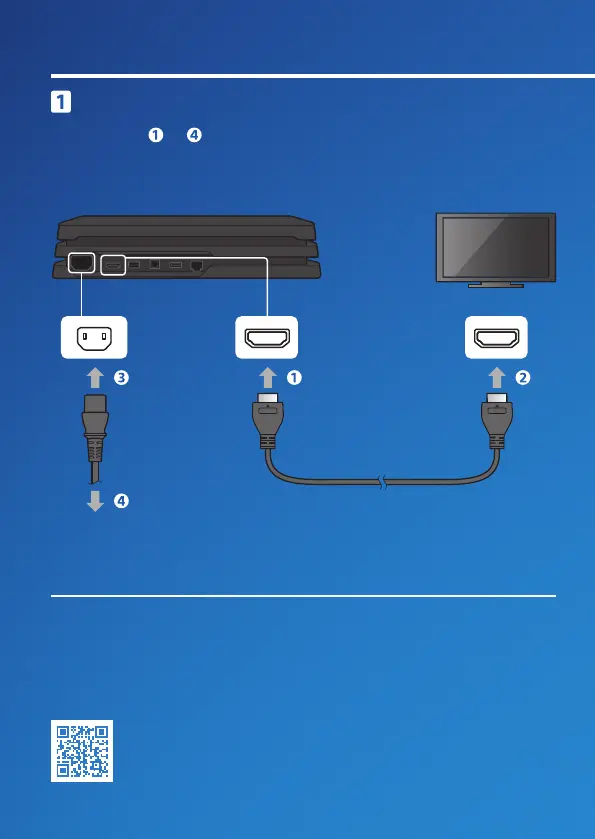
Rear view
Connect to your TV.
Follow steps to below to connect your PlayStation
®
4 system to
your TV. You must use the supplied HDMI cable for the connection.
Let's get started
AC IN connector HDMI OUT port HDMI input port
HDMI™ cable
AC power cord
To an electricity supply
You can transfer saved data from your current PS4™ system to your new PS4™
system. If you intend to do this, we recommend completing the data transfer
during the initial set up process for your new system.
If you do it later, any
saved data on the new system will be lost.
For guidance on transferring data
and the types of data you can transfer, refer to the User’s Guide.
manuals.playstation.net/gb/04.html
2





 To Next Page