riiiiiiiiiiil-~L
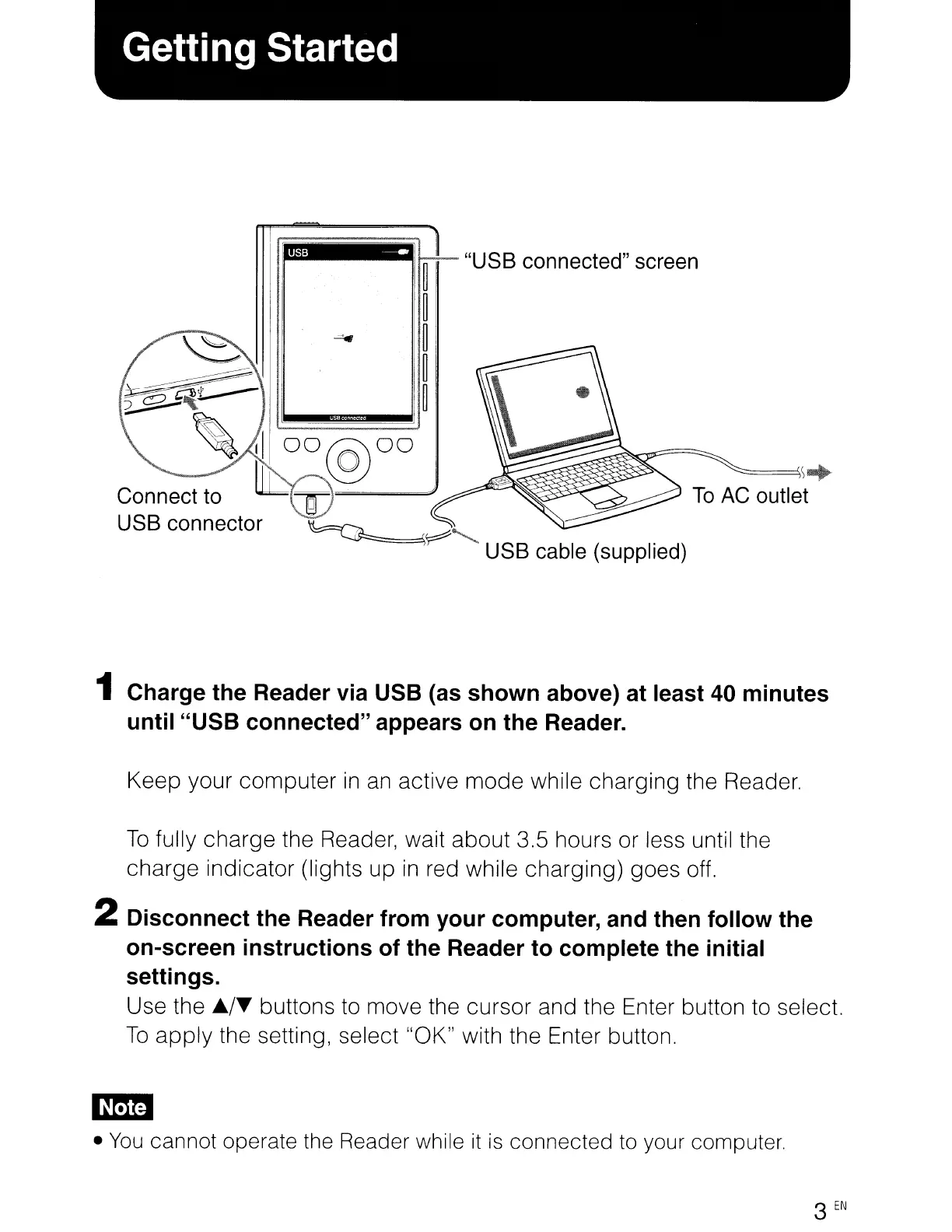
"USB
connected"
screen
~
~
~
~~~~
1 Charge the Reader via USB (as shown above) at least 40 minutes
until "USB connected" appears
on
the Reader.
Keep your computer
in
an
active mode while charging the Reader.
To
fully charge the Reader, wait about 3.5 hours or less until the
charge indicator (lights up
in
red while charging) goes off.
2 Disconnect the Reader from your computer, and then follow the
on-screen instructions of the Reader to complete the initial
settings.
Use the
JJ../~
buttons to move the cursor and the Enter button to select.
To
apply
the setting, select "OK" with the Enter button.
•
You
cannot operate the Reader while
it
is
connected to your computer.
3
EN














 To Next Page