3 Create your account by following the store instructions.
Purchased eBooks will be downloaded to eBook Library.
Transferring
eBooks
to
the
Reader
11
BOMS
Title·
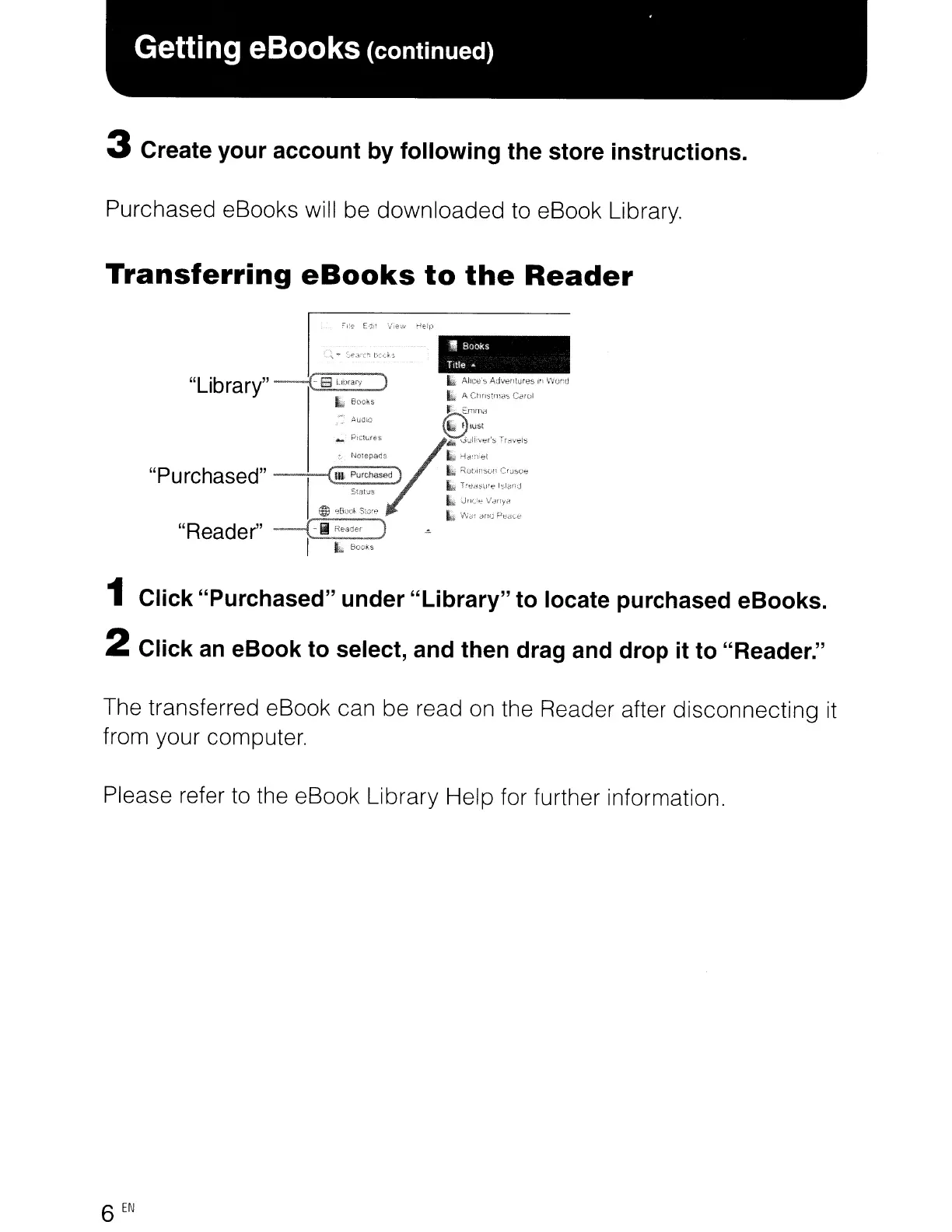
1 Click "Purchased" under "Library" to locate purchased eBooks.
2 Click an eBook to select, and then drag and drop it to "Reader."
The transferred eBook can be read on the Reader after disconnecting
it
from your computer.
Please refer
to
the eBook Library Help for further information.
6
EN














 To Next Page