Using Collections
128
Table of Contents
Adding Items to a Collection
You can add items to existing collections.
From the [Collections] application
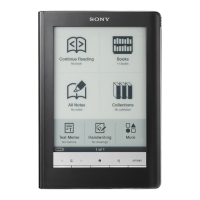
1 Press the (Home) button
tap [Collections].
2 Tap a collection that you have created.
3 Press the (Menu) button
tap [Add Content]
[Books].
4 Select one or more books from the list.
Selected items are indicated with a check.
5 Tap [Done].
From the [Books] application
1 Press the (Home) button
tap [Books].
2 Press the (Menu) button
tap [Add to
Collection].
3 Tap a collection that you have created that
appears in the list.





 To Next Page