Battery
34
Table of Contents
Method Description
Data
transfer
mode
You can transfer files from your computer to the
Reader while charging. The Reader cannot be
operated.
After the USB storage screen is displayed on the
Reader, it is detected on your computer, and the
“READER” drive appear on your computer.
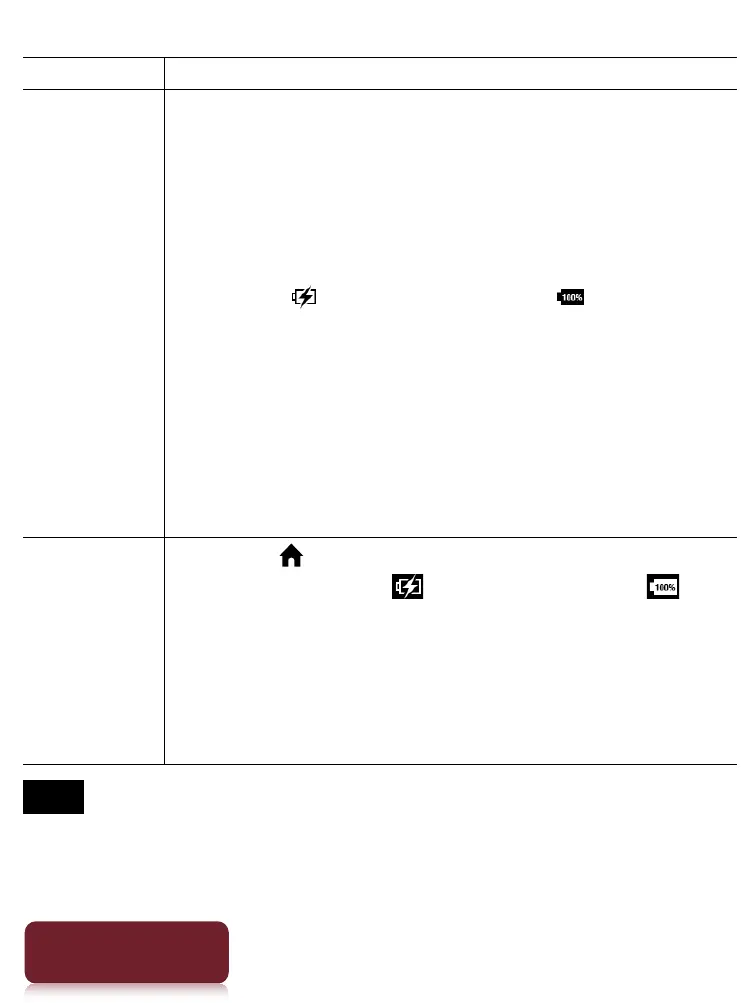
When the icon* turns into the icon,
charging is complete.
When charging is complete, disconnect the USB
cable from the Reader and your computer.
After a short time, the [Home] screen will
appear.
* This icon is only displayed when the
Reader is in data transfer mode.
Charging
mode
Press the (Home) button. The [Home] screen
appears. When the icon turns into the
icon, charging is complete.
In this mode, the Reader is not detected by your
computer. When charging is complete,
disconnect the USB cable from the Reader and
your computer.
Note
Do not set the Reader to data transfer mode while
downloading via a wireless connection.
Your computer must be turned on to charge the Reader.














 To Next Page