Parts and Controls
49
Table of Contents
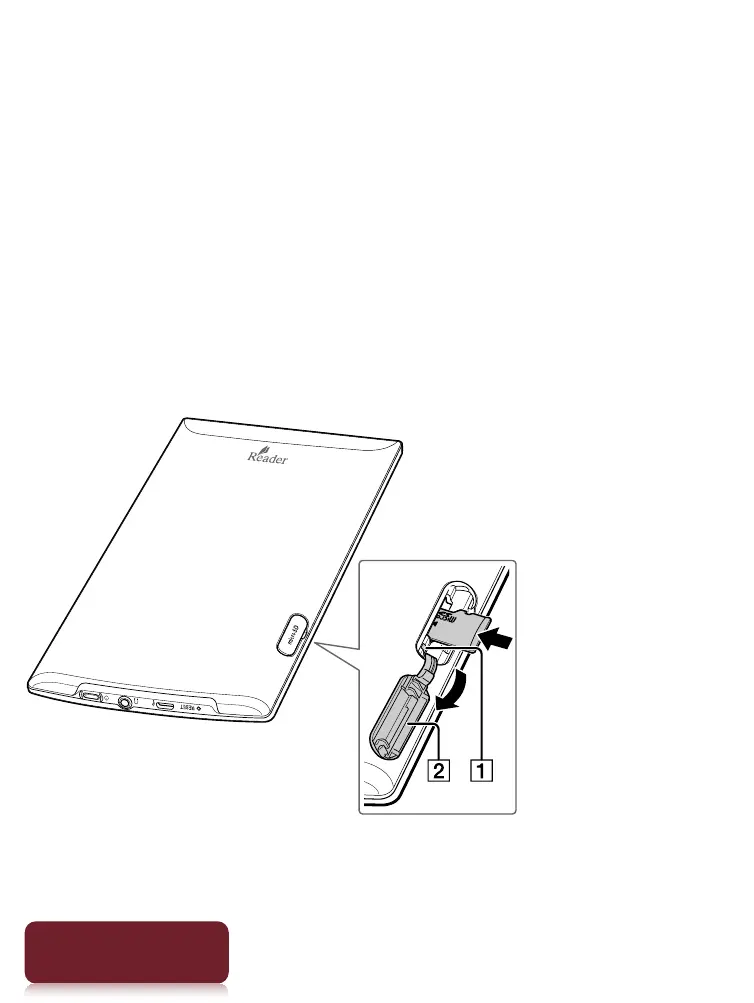
microSD Card Slot
The microSD card slot is located on the lower-right side
of the back of the Reader. Hold the microSD card with
the contacts facing down and the arrow pointing
toward the microSD card slot, and then insert it until it
clicks into place. The access indicator lights up in
orange while the Reader is accessing the microSD card.
Close the slot cover when using a microSD card.
You can format the microSD card if necessary. See
Details.
Access indicator
Slot cover














 To Next Page