11
EN
CUH-7006B 4-597-874-
32
(2)
EN
/CT/CS
• When discs will not be used for an extended period of
time, store them in their cases. Stacking uncased discs or
storing them at an angle can cause them to warp.
Cleaning method
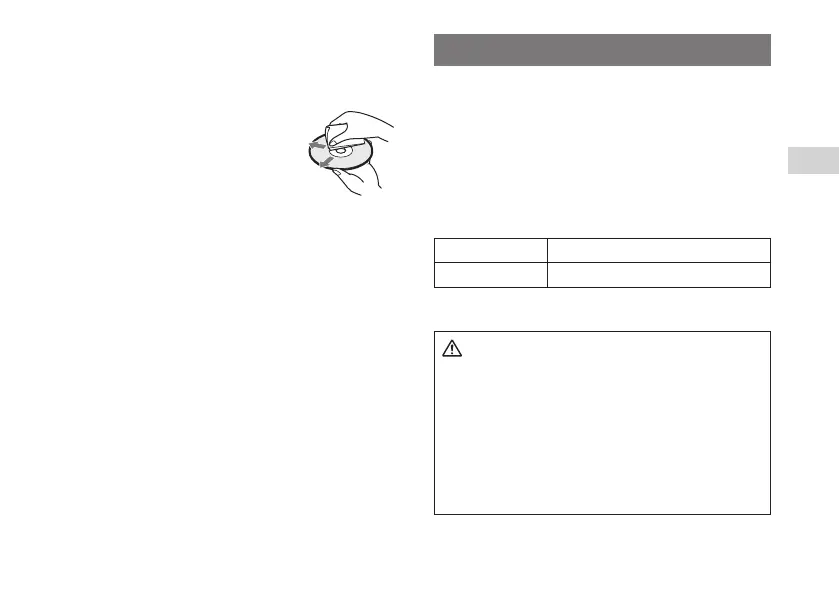
• Clean discs with a soft cloth, lightly
wiping from the center outwards.
• Do not use solvents, record cleaners,
anti-static spray or other chemicals as
these can damage the discs.
Replacing the hard disk drive
Replace the hard disk drive by performing the following
steps.
1 Back up your data.
2 Replace the hard disk drive.
3 Reinstall the system software.
4 Restore data that has been backed up.
Replacement hard disk drives
You can use the following type of hard disk drive with the
PS4™ system.
Size 2.5 inch (internal type)
*1
Interface format Serial ATA
*2
*1 Proper operation is not guaranteed for all models.
*2 Parallel ATA is not supported.
Caution
• For safety reasons, be sure to turn o and unplug the
system before attempting to remove the hard disk
drive.
• Remove the hard disk drive in a location out of the
reach of small children, to help prevent them from
accidentally swallowing screws and other small parts.
• The inside of the system is hot directly after use. Allow
time for the system to cool down before starting to
remove the hard disk drive.



 To Next Page