13
EN
CUH-7006B 4-597-874-
32
(2)
EN
/CT/CS
Replacing the hard disk drive
1
On the function screen, select (Power) > [Power
Options] > [Turn O PS4] to turn o the PS4™ system.
The power indicator turns o.
2
Unplug the AC power cord, and then disconnect the
other cables from the system.
For safety reasons, remove the plug for AC power cord
from the electrical outlet, and then disconnect the other
cables.
3
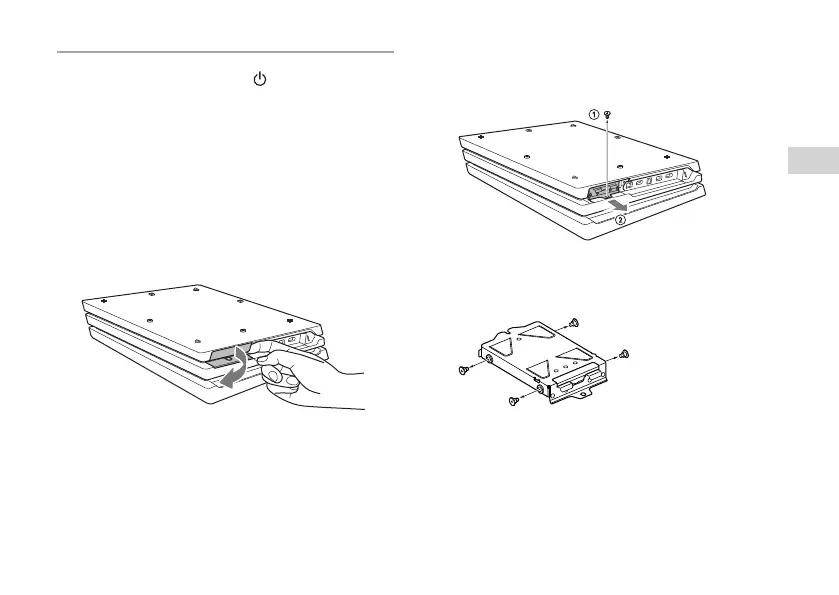
Turn the PS4™ system upside down, and then on the
system rear, hook your finger on the HDD bay cover
and pull in the direction of the arrow to remove the
cover.
4
Remove the hard disk drive.
1 Remove the screw.
2 Pull on the hard disk drive with the mounting bracket
to remove it.
5
Remove the screws (4 places) from the mounting
bracket.
Do not remove the rubber inserts from the screw holes.
6
Remove the mounting bracket from the hard disk
drive.



 To Next Page