PSP-3001 4-115-362-11(1) US/FR/ES
This docume
( page 25
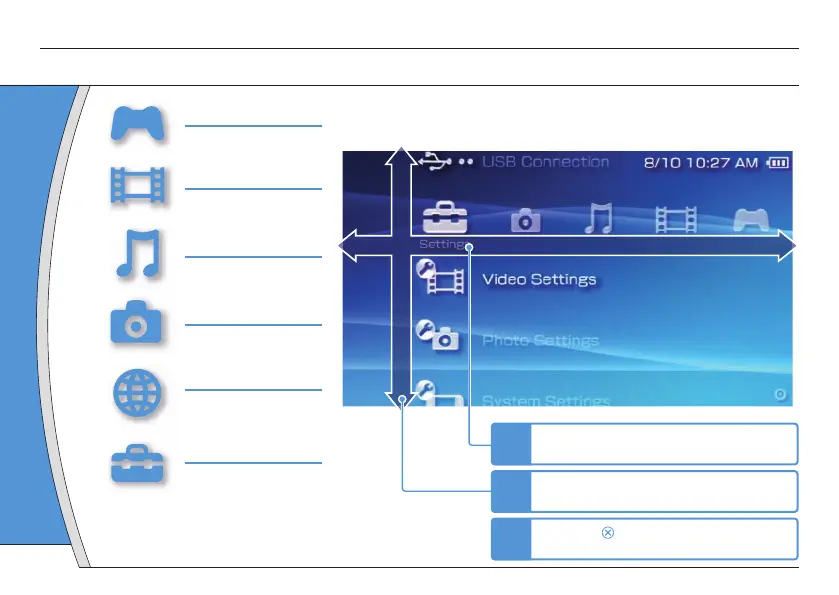
Using "XMB" (XrossMediaBar)
Introduction
GAME
Playing games
VIDEO
Playing video
MUSIC
Playing music
PHOTO
Displaying images
NETWORK
Connecting to the
Internet
SETTINGS
Adjusting PSP
®
system
settings
Direction
Us
categ
P
Returns to the
Qui
t
Select
to disp
button:
Category
1
Select a category using the left or right
button.
2
Select an item using the up or down
button.
3
Press the button to confi rm the
selected item.
Item
Icons displayed in the home menu vary depending on
the system software version.
The PSP
®
system includes a user interface called "XMB"
(XrossMediaBar). The main screen for "XMB" is called the “home menu”.
Home menu
2


 To Next Page