EasyManua.ls Logo

Sony PT-D3 - Page 9

Sony PT-D3
13 pages
Print Icon
To Next Page IconTo Next Page
To Previous Page IconTo Previous Page
Loading...
HOW
TO
CHANGE
A
TIMER
PROGRAM
HOW
TO
ERASE
A
TIMER
PROGRAM
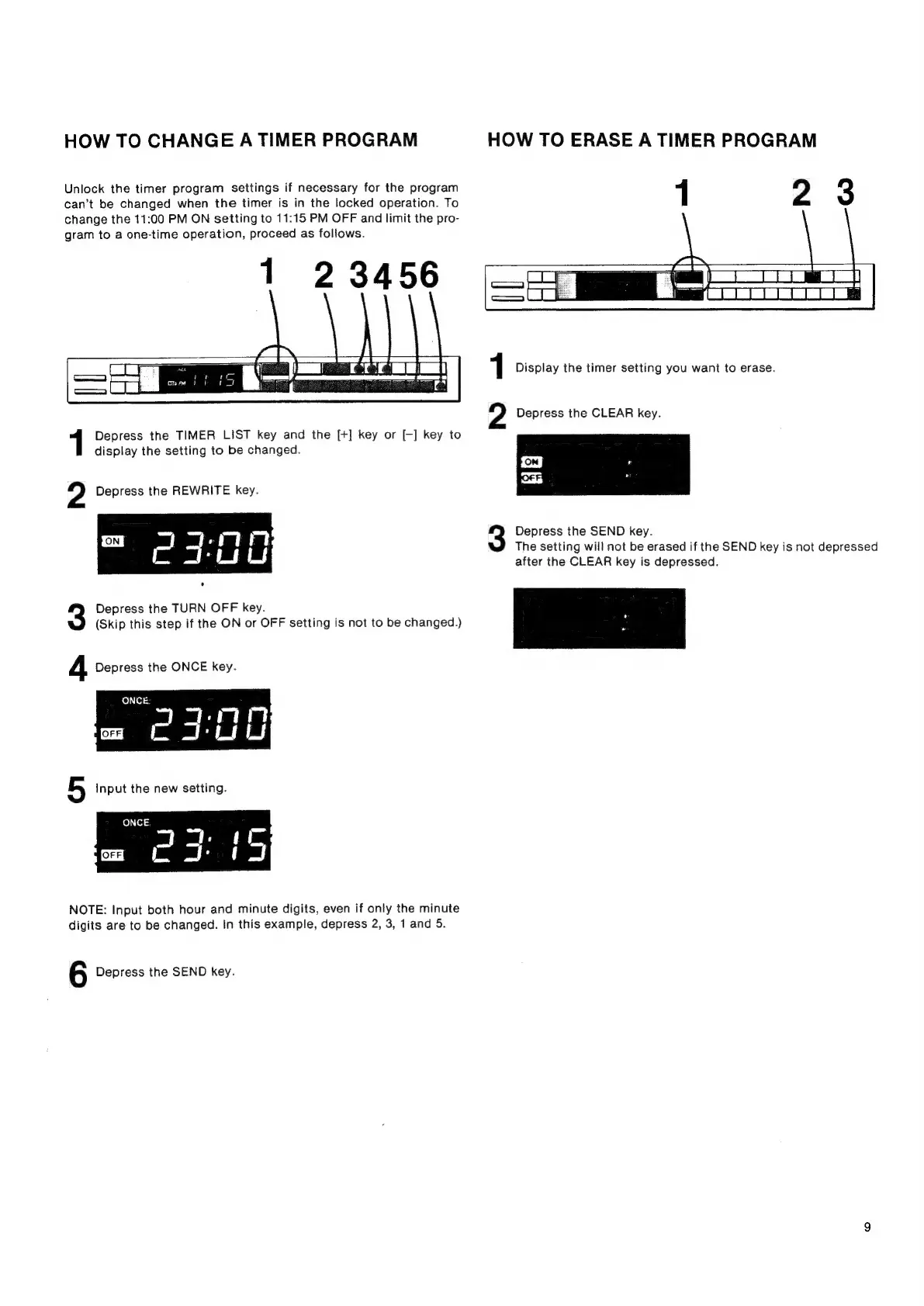
Unlock
the
timer
program
settings
if
necessary
for
the
program
1
2
3
can’t
be
changed
when
the
timer
is
in
the
locked
operation.
To
change
the
11:00
PM
ON
setting
to
11:15
PM
OFF
and
limit
the
pro-
gram
to
a
one-time
operation,
proceed
as
follows.
1
23456
1
Display
the
timer
setting
you
want
to
erase.
2
Depress
the
CLEAR
key.
Depress
the
TIMER
LIST
key
and
the
[+]
key
or
[-]
key
to
display
the
setting
to
be
changed.
OM
|
OFF]
2
Depress
the
REWRITE
key.
3
Depress
the
SEND
key.
The
setting
will
not
be
erased
if
the
SEND
key
is
not
depressed
after
the
CLEAR
key
is
depressed.
Depress
the
TURN
OFF
key.
(Skip
this
step
if
the
ON
or
OFF
setting
is
not
to
be
changed.)
4
Depress
the
ONCE
key.
ONCE:
Psu
5
Input
the
new
setting.
NOTE:
Input
both
hour
and
minute
digits,
even
if
only
the
minute
digits
are
to
be
changed.
In
this
example,
depress
2, 3,
1
and
5.
6
Depress
the
SEND
key.