1-2.
LOCATION
AND FUNCTION OF PARTS AND
CONTROLS
[
Front
panel
|
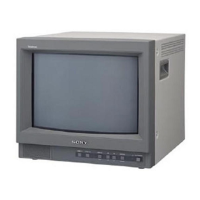
PVM-1444QM
BIAS
and
GAIN
adjustment
controls
RESET button and response
indicator
APERTURE
buttons
BRIGHT
(brightness) buttons
CHROMA buttons
PHASE
buttons
CONTRAST buttons
VOL (volume)
buttons
POWER switch and
indicator
INPUT select
buttons
EXT
SYNC
button
H-V
DELAY
button
UNDER
SCAN
button
BLUE
ONLY button
Color
system indicators
]
Front
panel
|
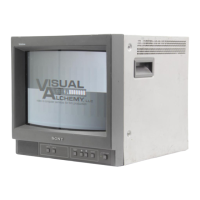
PVM-1442QM
-[T]
BIAS
and
GAIN
adjustment controls
-jT
RESET button and response indicator
~[3j
APERTURE
buttons
~:T]
BRIGHT
(brightness) buttons
—'5]
CHROMA
buttons
-j]
PHASE
buttons
-T
CONTRAST buttons
—
VOL
(volume) buttons
—
[9j
POWER
switch
and
indicator
-[I2i
H-V
DELAY button
-51
UNDER SCAN button
-553
BLUE
ONLY button
—
T5;
Color system
indicators
~5I
INPUT
select
buttons
—57)
ANALOG/DIGITAL
(EXT
SYNC)
button
BIAS and
GAIN
adjustment
controls
Used
tor
white balance
adjustment
Gain
and BIAS
controls
are
provided tor the R
(red),
G
(green) and
B
(blue)
screens.
BIAS: Adjust
the
white
balance
and brightness of
the
screen at
the
lowlight
with these controls.
GAIN:
Adiust
the
white
balance and contrast of the
screen
at
the
highlight with these
controls.
RESET button
and
response
indicator
Press
to
return the
PHASE,
CHROMA. BRIGHT and
APERTURE
control
settings to
the factory
set
levels.
The
response
indicator
flashes
when the
above buttons or
the RESET button is
pressed.
APERTURE buttons
Press
+
tor
more
sharpness
or
-
for
less.
BRIGHT
(brightness)
buttons
Press
+
tor
more
brightness or
-
for
less.
CHROMA
buttons
Press
+
for more
color intensity or
-
for
less.
PHASE
buttons
This
button is
effective
only
for the NTSCase
and NTSC
443
color system.
Press
GRN (green) to
make
the
skin
tones
greenish
or
PUR
(purple)
to
make them
purplish.
The
APERTURE,
CHROMA.
PHASE
control settings have
no
effect
on the
pictures
of
analog RGB or digital RGB
signals.
CONTRAST
buttons
Press
+
to
make
the contrast, color
intensity
and
brightness
stronger or
-
to
make
them
weaker.
TVOL
(volume)
buttons
Press
4
for
more volume or
-
for
less.
POWER
switch
and indicator
Depress
to
turn the
monitor on
The
indicator
will light up
in
green
Press
the
switch
again
to turn the
monitor off.
JO
1
INPUT select
buttons
Press to
select
the
program
to be
monitored.
A:
for
a
signal fed
through
the LINE A
connectors.
B: for
a
signal fed through
the
LINE
B
connectors
Y/C/VTR: for a
signal fed
through
the
Y/C-tNPUT
connectors
or
VTR
connector.
When both
the
Y/C-INPUT and
VTR connectors are
connected
to
video
equipment, the
input signal fed
through the
Y/OINPUT
connector has
priority
over
the
one fed
through the
VTR connector
ANALOG
RGB/COMPONENT:
for
a
signal
fed
through
the
ANALOG
RGB/COMPONENT connectors.
For connection,
refer to the
explanation of
ANALOG
RGB/COMPONENT
connectors
QT1
EXT
SYNC (external sync) button
Normally
keep this
button
released
(INT). The
monitor
operates on
the sync
signal from the displayed
composite
video
signal.
To operate
the
monitor on an
external
sync
signal
fed
through
the
EXT
SYNC
connector on
the
rear
panel,
depress
the
button (EXT).
5DH-V
DELAY button
Depress
to
observe the
horizontal and vertical sync
signals at the
same time.
The horizontal sync
signal
is
displayed
in
the left quarter
of
the screen; the
vertical
signal
is displayed near the
1
center of the screen.
51
UNDER SCAN button
Depress
for underscanning. The
display
size is
reduced
by
approximately 3% so
that four corners of
the raster are
visible.
54] BLUE
ONLY
button
Depress
to
turn
off the
red and green
signals. A
blue
signal is displayed as
an apparent monochrome picture
on the screen.
This facilitates "chroma” and “phase*”
control adjustments
and observation of
VTR
noise.
*
‘
Phase' control ad|ustmenl is
effective only tor the
NTSC signals
5®
Color system indicators
The indicator of the
color system being received
lights
up
in red.
5®
INPUT select buttons
Press to select the
program
to be
monitored
A: for a
signal
fed through
the LINE
A
connectors.
B: for
a
signal fed through
the
LINE
B
connectors.
Y/CA/TR: for
a signal
fed through
the Y/C-INPUT
connectors or
VTR
connector.
When
both
the
Y/C-INPUT and VTR
connectors
are
connected
to
video
equipment, the input signal
fed
through the
Y/C-INPUT
connector has
priority over the
one
fed through the VTR connector
RGB:
for
a
signal
fed
through the
ANALOG
RGB
connectors
or
DIGITAL RGB connector.
51]
ANALOG/DfGITAL (EXT SYNC)
button
This
button functions as
ANALOG/DIGITAL selector and
EXT
SYNC selector.
As ANALOG/DIGITAL
selector
Depress
to
monitor
a
signal
fed through
the ANALOG
RGB connectors.
Release
to monitor a
signal
fed
through the DIGITAL
RGB
connector
For
EXT SYNC
selector
Depress
to operate the
monitor
on an
external
sync
signal
fed through
the EXT SYNC
connector on the
rear panel
(EXT).
Release to operate
the monitor on the sync
signal from
the displayed composite video
signal (INT).


 To Next Page
 Loading...