37
File Screen
Chapter 4 Web Menu
File Screen
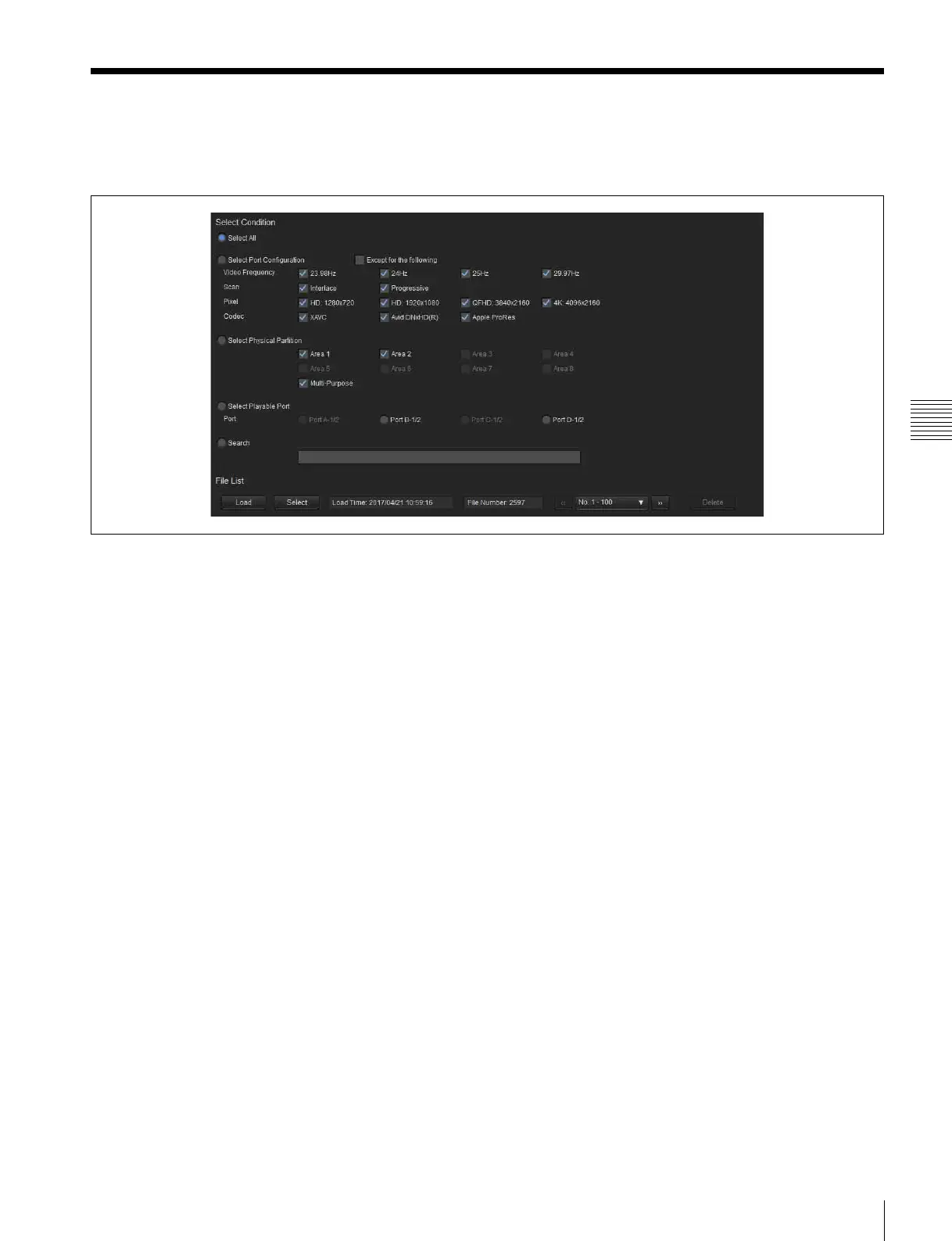
Displays a list of the files stored in the unit. You can filter
the files to display only the required files.
Select Condition
Select All
Displays all files in the list.
Select Port Configuration
Displays files filtered by system frequency, scanning
method, resolution, and codec.
Placing a check mark in [Except for the following] allows
you to exclude files that match the selected criteria.
Select Physical Partition
Specifies the recording areas in internal memory for
display.
Select Playable Port
Displays files for the specified playable port.
Search
Displays files with file names that contain the specified
character string.
File List
Displays the file list.
To filter the files using options, specify the search criteria
in [Select Condition] and click the [Load] button.
To filter the currently displayed files using different search
criteria, change the setting in [Select Condition] and click
the [Select] button.


 To Next Page