Recording/Editing
33
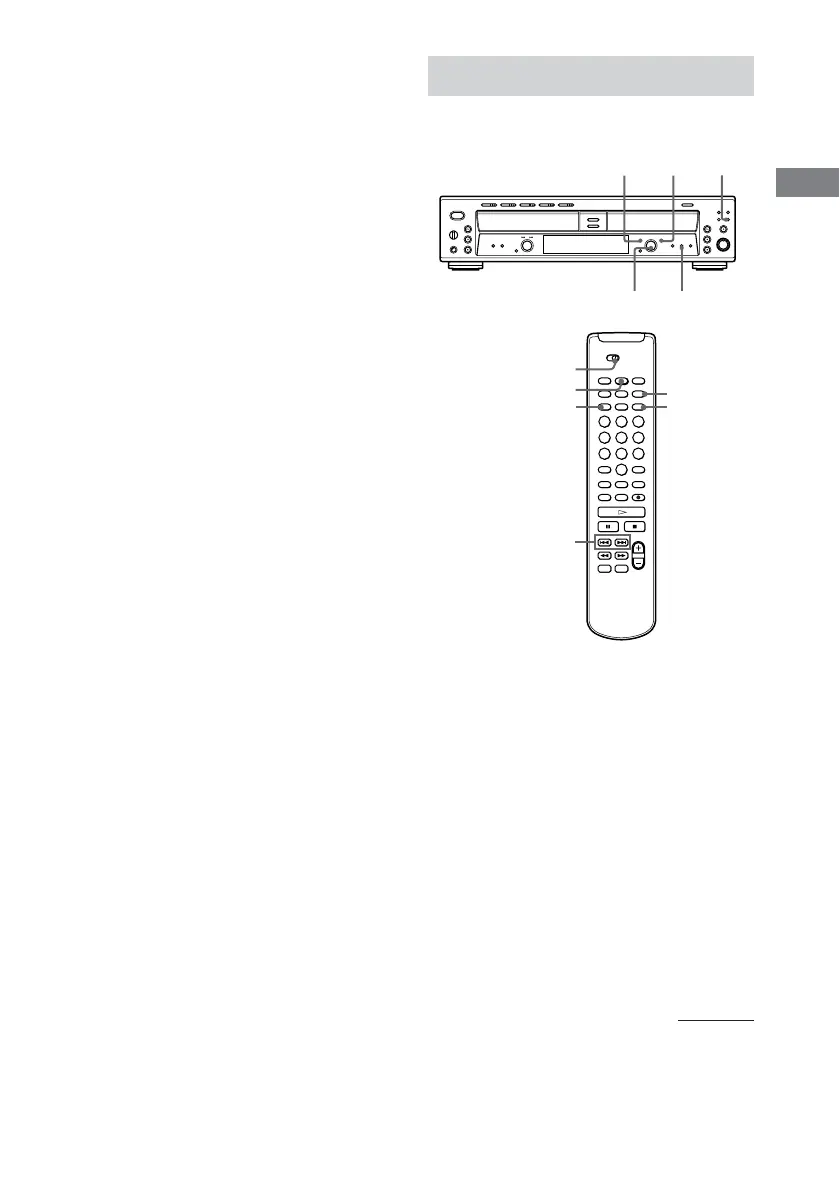
TIME
DECK A/DECK B
SBM
MENU/NO
YES
./>
Changing an existing title
1 Do steps 1 to 5 in “Labeling Tracks/
Discs” (page 32) to select the title you
want to change.
2 Press and hold CLEAR until the current
title is erased.
3 Do steps 6 to 8 of “Labeling Tracks/
Discs” (page 32) to enter the new title.
4 Press YES.
“Complete !” appears in the display for a
few seconds and the track or disc is labeled.
Useful Tips for Recording
When using the remote, set DECK A/DECK B
to DECK B.
Checking the remaining
recordable time on the CD-R
or CD-RW
Press TIME repeatedly.
• Each time you press the button while the unit
is stopped, the display alternates between
total disc playing time and remaining
recordable time on the CD-R or CD-RW
(page 13).
• Each time you press the button while
recording, the display alternates between the
recording time of the current track and the
remaining recordable time on the CD-R or
CD-RW (page 14).
SBMYESMENU/NO
TIME
AMS
continued



 To Next Page