Need help?
Do you have a question about the Sony RCP-1001 and is the answer not in the manual?
Explains panel active, PARA, and IRIS/MB active permissions for multi-camera systems.
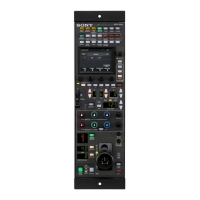
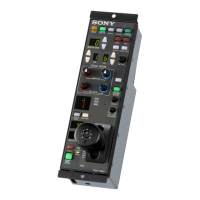
Details specific control buttons like PARA, CAM PW, BARS, CLOSE, STANDARD, AWB, ABB.
Explains ND/CC filters, display windows, and the DETAIL knob.
Details white/black balance adjustments, IRIS/MB active button, and assignable buttons.
Covers EXT indicators, tally displays, adjustment knobs, levers, and gauges.
Explains status indicators, CALL button, connectors, and external interfaces.
Details setting display characters for dark locations and when unlit.
 General
| Type | Remote Control Panel |
|---|---|
| Storage Temperature | -20°C to +60°C (-4°F to +140°F) |
| Display | LCD |
| Functions | Camera parameter adjustment, paint controls, setup menus, shot memory |
| Power Requirements | DC 12V |
| Power Supply | From camera control unit (CCU) |
| Dimensions | 210 x 107 x 286 mm |

 To Next Page