EasyManua.ls Logo

Sony RCP-1530 - User Manual

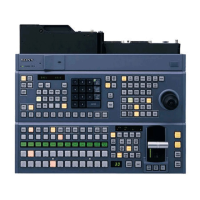
Sony RCP-1530
84 pages
Print Icon
To Next Page IconTo Next Page
Loading...
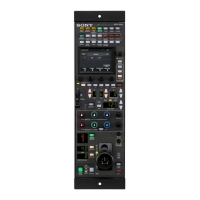
REMOTE CONTROL PANEL
RCP-1500
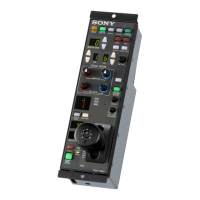
RCP-1501
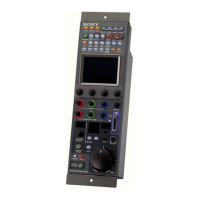
RCP-1530
OPERATION MANUAL [English]
1st Edition (Revised 1)
*4-169-285-02*

Other manuals for Sony RCP-1530

Question and Answer IconNeed help?

Do you have a question about the Sony RCP-1530 and is the answer not in the manual?

Summary

Safety Precautions

Observe Safety Precautions

Instructions to prevent accidents and ensure safe operation.

Periodic Inspections and Malfunction Handling

Recommends inspections and stopping use if malfunctioning.

Warning Symbol Explanations

Explains the meaning of warning symbols like 'Warning' and 'Caution'.

Warning and Caution Details

Prohibitions for Safety

Details prohibitions like no disassembly or inserting foreign objects.

Product Precautions

LCD Notes, Cleaning, and Interference

Notes on LCD pixels, touch panel cleaning, and interference prevention.

System Overview

Key Features and Panel Descriptions

Describes features common to MSU-1000/RCP-1000 series.

System Building and Camera Operation

Discusses system building via LAN/CCA-5 and camera operation.

Customizable Functions

Details customizable settings like menus, switches, and knobs.

System Configuration Examples

LEGACY Mode Connection Example

Illustrates a system configuration using LEGACY mode.

MCS Mode Connection Example

Switching Hub Power Supply

Information on power consumption and hub requirements for PoE.

Supported Devices and Camera Operation

Supported Devices List

Lists devices compatible with the unit.

Control Permissions and White Balance Linking

Explains control permissions and white balance linking.

Names and Functions of Parts

Operation Panel Layouts

Details the operation panel layout for RCP-1500, RCP-1530, RCP-1501.

Camera;Panel Control Block (RCP-1500;1501)

Standard, Control Selection, and Power Blocks

Details buttons for standard state, control selection, and power.

Control Block Functions (RCP-1500;1501)

AUTO SETUP Block Functions

Explains AUTO SETUP buttons and related functions.

Camera;Panel Control Block (RCP-1530)

Control Buttons and Signal Selection

Details PARA, CAM PW, TEST, BARS, CLOSE, and function buttons.

Control Block Functions (RCP-1530)

AUTO SETUP Block Functions

Explains AUTO SETUP buttons and related functions.

Menu Operation Block

LCD, Select Knob, and Menu Buttons

Describes the LCD panel, SELECT knob, and MENU button.

Function Control Block (RCP-1500;1501)

Memory Stick and Scene File Operations

Details Memory Stick insertion and scene file management.

Filter, Shutter, and Gain Control Blocks

RCP-1530 Function Control Blocks

Filter and Master Gain Controls

Details filter control and master gain adjustment blocks.

Adjustment Block (RCP-1500)

White;Black Balance and Iris;Master Black Controls

Describes white balance, black balance, and iris/master black blocks.

RCP-1500 Adjustment Details

Iris and Master Black Control Functions

Explains IRIS/MB ACTIVE, SENS, COARSE, and related controls.

Adjustment Block (RCP-1501)

White;Black Balance and Iris;Master Black Controls

Describes white balance, black balance, and iris/master black blocks.

RCP-1501 Adjustment Details

Iris and Master Black Control Functions

Explains IRIS/MB ACTIVE, SENS, COARSE, and related controls.

Adjustment Block (RCP-1530)

White;Black Balance and Iris;Master Black Controls

Describes white balance, black balance, and iris/master black blocks.

RCP-1530 Adjustment Details

Iris and Master Black Control Functions

Explains IRIS/MB ACTIVE, SENS, COARSE, and related controls.

Panel Control;Status Block (RCP-1500)

Indicators and Communication Buttons

Details PANEL ACTIVE, NETWORK, ALARM, PREVIEW, CABLE, CALL.

Panel Control;Status Block (RCP-1501)

Indicators and Communication Buttons

Details PANEL ACTIVE, CALL, NETWORK, ALARM, CABLE, ASSIGNABLE.

Panel Control;Status Block (RCP-1530)

Indicators and Communication Buttons

Details PANEL ACTIVE, CALL, NETWORK, ASSIGNABLE, ALARM, CABLE, PREVIEW.

Connector Panel

Network, CCU;CNU, AUX, and EXT I;O Connectors

Describes the various input/output connectors on the panel.

Installation Procedures

Connection Precautions and Status Screen Setup

Covers grounding, safety wires, and status screen display settings.

Setting the Clock

Engineer Mode and Date;Time Setup

Procedure to enter engineer mode and set date/time.

Setting the LAN Connection

Setting LEGACY Mode

Setting BRIDGE Mode

Connection Mode and IP Address Setup

Configuring connection mode and target IP address.

Setting Multi-Camera System (MCS) Mode

Master IP and RCP Number Configuration

Setting master IP address and RCP number for MCS mode.

Changing Output Destination for Previews

Settings: User Interface

Adjusting Sounds

Procedure to set sounds for call signals and panel operations.

Settings: LED and LCD Brightness

Settings: Character Display Illumination

Settings: Knob Sensitivity and Screen Saver

Knob Sensitivity Adjustment

Adjusting sensitivity for various adjustment knobs.

Screen Saver Setup

Setting up the screen saver function.

Settings: RPN Correction

Settings: Security Restrictions

Setting the Security Level

Setting the security level for engineer mode access.

Protecting Operations with Security Code

Setting and Changing Security Code

Operation Settings: PIX;WF Operation

Customization: Assigning Functions to Buttons

Customization: Assigning Functions to Adjustment Knobs

Custom Paint Menu Setup

Assigning Menus to Custom Buttons

Saving and Initializing Settings

Saving Settings to Memory Stick Duo

Saving settings to a Memory Stick Duo.

Memory Stick Data Management and Initialization

Reading;Deleting Data and Initializing Settings

Managing Memory Stick data and resetting configuration settings.

Menus and Menu Operations

Displaying the RCP Screen

Procedure to display the RCP screen for panel configuration.

Entering Engineer Mode

Menu Tree

Status Screen Display

Paint Menu Example

Paint Menu: White, Black, Flare

Paint Menu: Detail Adjustments

Paint Menu: Skin Detail Adjustments

Paint Menu: Matrix Adjustments

Paint Menu: Preset Matrix, Gain, Gamma, Black Gamma, Knee

Paint Menu: Shutter, FPS, Saturation, V Mod Saw, White Clip, Auto Iris, Mono Color, Noise Suppression

Paint Menu: Flicker Reduction, Gamma;Knee

File Menu Operations

Reference, Scene, Lens, OHB File Management

Manages reference, scene, lens, and OHB files.

Maintenance Menu: Camera Settings

Black Shading Corrections

Corrects black shading in images.

Maintenance Menu: White Shading Corrections

Maintenance Menu: OHB Matrix

Maintenance Menu: Lens Settings

Maintenance Menu: CCU and SD Adjustments

Maintenance Menu: SD Gamma and SD Matrix

Maintenance Menu: Cross Color Reduction and Aspect

Config Menu: Camera Settings

Config Menu: CCU and RCP Settings

RCP Menu Items: Customize and Display;Sound

RCP Menu Items: Mode, VR, Date;Time, Network, Information

RCP Menu Items: Security and Backup

Setting Return Input Settings

Controlling the CCU Menu

Multi Menu and Function Menu

PIX;WF Output Signals

Selects output signals for PIX and WF.

Scene Menu Operations

About Memory Stick Duo

Protecting Saved Data and Precautions

Using LOCK switch, inserting, and handling precautions.

Specifications: General and Dimensions

Specifications: Connectors and Accessories

Sony RCP-1530 Specifications

General IconGeneral
BrandSony
ModelRCP-1530
CategoryControl Panel
LanguageEnglish

Related product manuals