Reader™ User Guide
Print
Search
Getting started
Basic Operations
Adding/Getting Content
Browsing Content Lists
Reading
Organizing
Other Applications
Settings
Other Information
Contents list
Top page > Getting started > Parts and Controls > microSD Card Slot
microSD Card Slot
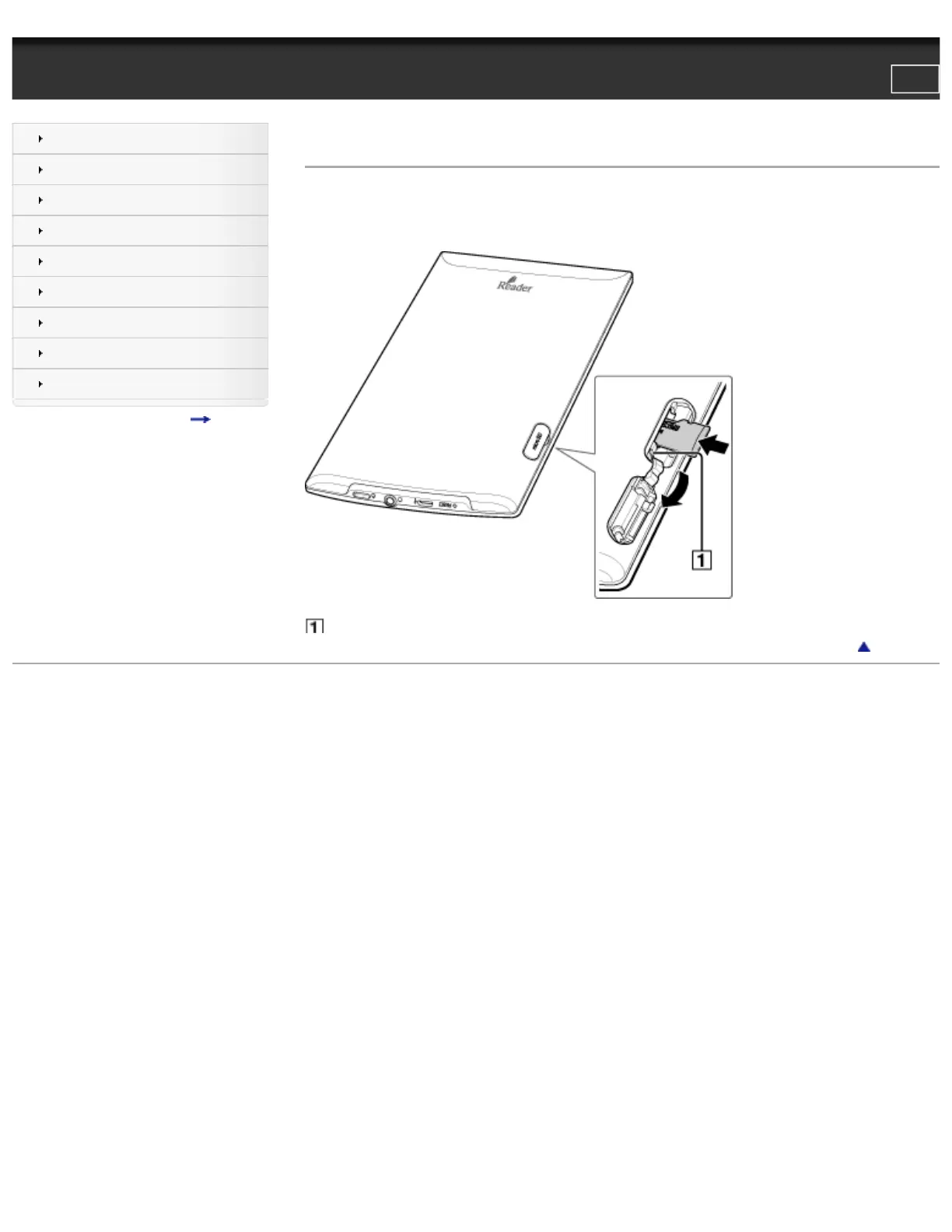
The microSD card slot is located on the lower-right side of the back of the Reader. Insert the memory card into the slot with the card’s label
side up until it clicks into place. The access indicator lights up in orange while the Reader is accessing the microSD card.
You can format the microSD card if necessary. See Details.
1. Access indicator
Go to page top
Copyright 2011 Sony Corporation
file:///F|/Documents%20and%20Settings/203098/Desktop/4-288-613-11/eng/contents/01/06/03/03.html7/11/2011 8:58:26 PM













 To Next Page